
Eduaide.ai
AI lesson planning and resource generator with 100+ formats, games, assessments, and feedback bot.
Best for Budget conscious teachers building lesson resources
Used Eduaide.ai and liked it? Upvote it. One upvote per person. Upvotes come from visitors, not from us, and never change "Our ranking".
What it does
Eduaide.ai is an AI workspace designed for teachers to generate and refine classroom materials. Users input learning objectives, topics, curriculum documents, or state standards to generate lesson plans, worksheets, graphic organizers, games, and assessments. It provides educators and schools with structured instructional resources that can be edited, differentiated, and exported.
Read more: 5 features and how people use themShow less
-
Lesson planning
Builds structured drafts across eleven instructional frameworks using an objective, topic, or educational standard. Opens every draft in an integrated editor for immediate revisions and formatting.
Use caseA middle school science teacher creates a 5E lesson plan on ecosystems by supplying a learning objective and grade level.
From eduaide.ai -
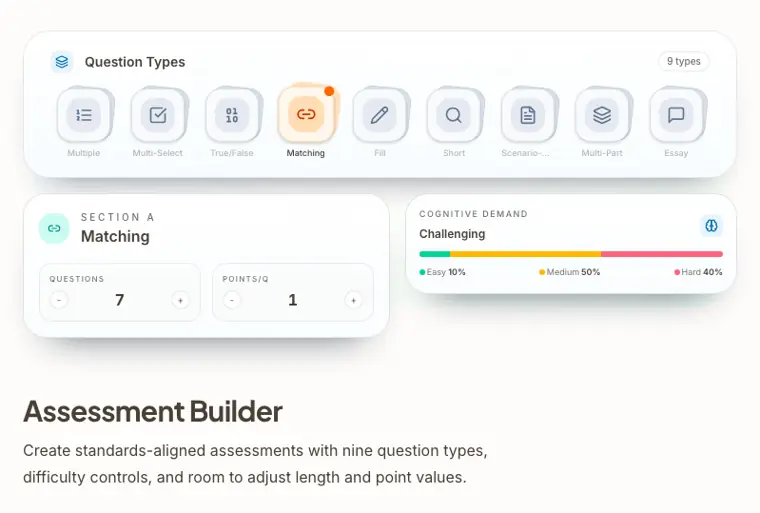
Assessment builder
Generates standards aligned tests and quizzes featuring nine distinct question formats. Allows educators to balance difficulty, set point values, and regulate test length.
Use caseA high school teacher drafts a unit test with multiple choice and scenario based questions aligned to state standards.
From eduaide.ai · image from Eduaide.ai -
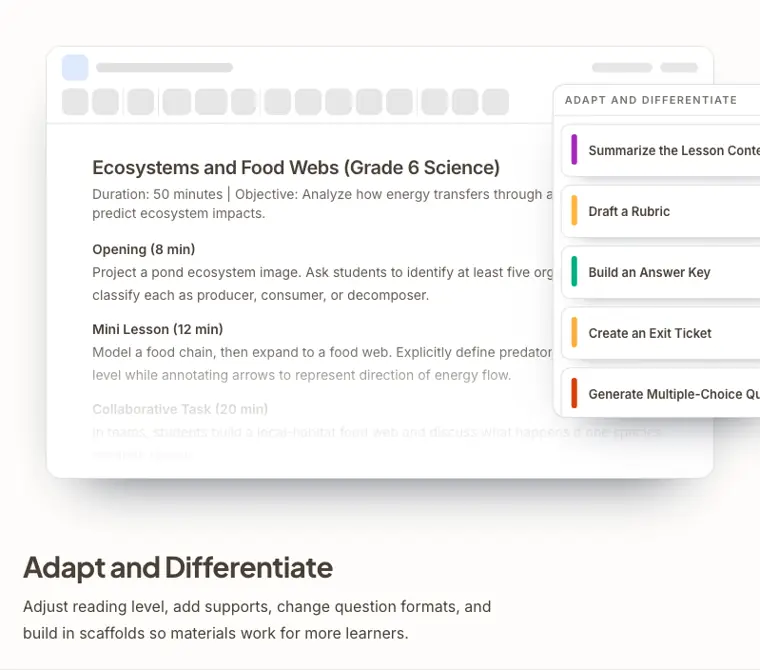
Adapt and differentiate
Modifies reading complexity and embeds scaffolds into learning materials. Adds learning supports, adjustments, and alternate question formats to serve diverse student needs.
Use caseA sixth grade teacher adjusts the reading level and chunks the text of an informational article for struggling readers.
From eduaide.ai · image from Eduaide.ai -
Evaluators
Analyzes instructional texts and drafts for grade level match, prior knowledge expectations, and text complexity. Pinpoints weak areas in resources so teachers can revise them before instruction.
Use caseA teacher checks a newly drafted reading passage to ensure its text complexity matches grades seven and eight standards before class.
From eduaide.ai -
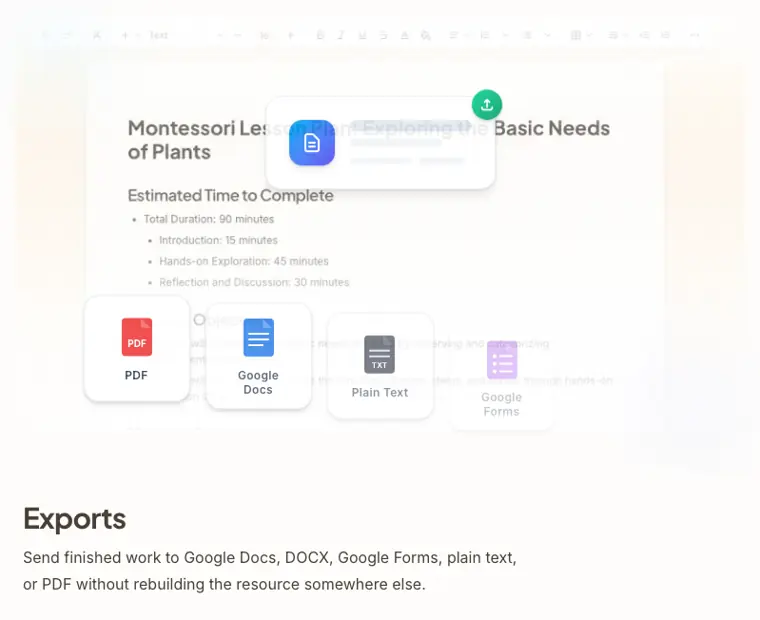
Exports
Transfers finished teaching documents into multiple external formats without manual recreation. Sends resources to Google Docs, Microsoft DOCX, Google Forms, PDF, or plain text.
Use caseAn educator sends a completed multiple choice assessment directly to Google Forms for classroom distribution.
From eduaide.ai · image from Eduaide.ai
Written from Eduaide.ai's own website, checked . Each feature links to the page it comes from; images are Eduaide.ai's own.
Every plan
| Plan | Monthly | Billed yearly | Per | What it includes |
|---|---|---|---|---|
| Free | Free | $0 | per user | generation limit, limited context |
| Pro | $5.99 | $4.17 | per user | Unlimited generations, 5 standards, 3 uploaded docs, document chat, reasoning model ($49.99/yr) |
| Schools & Districts | Not listed | Not listed | per school/district | contact sales; volume discounts, PD, priority support |
From Eduaide.ai's own pricing page, checked . Prices are in US dollars per month; "billed yearly" is the monthly price when you pay for a year up front. A few figures (often the yearly price) are derived rather than printed on the page.
Before you pay
- Refunds
- First time Eduaide Pro payments are refundable in full within 14 days upon request, while renewals are not refundable.
What Eduaide.ai says
Your first Eduaide Pro payment is eligible for a full refund within 14 days of the charge. Renewals are not refundable.
Source page - Refund window
- 14 days
What Eduaide.ai says
Your first Eduaide Pro payment is eligible for a full refund within 14 days of the charge.
Source page - Renews automatically
- Yes
What Eduaide.ai says
Your first Eduaide Pro payment is eligible for a full refund within 14 days of the charge. Renewals are not refundable.
Source page - Card needed for the trial
- No
What Eduaide.ai says
If you are using a free version of one of our Services, it is really free: we do not ask you for your credit card.
Source page - Trains on your data
- No
What Eduaide.ai says
As part of our API agreements with these providers, they are unable to use any inputs or outputs to train or improve their models.
Source page - Data retention
- Eduaide stores user inputs and outputs as long as the account remains active or until deleted from history.
What Eduaide.ai says
We keep this content as long as your account is active or you delete it from your history.
Source page - Discounts
- Volume discounts for schools, districts, and teams.
- Support
- Email, contact form
What Eduaide.ai says
Contact Form – Fill out the form by clicking the Contact link in the website footer. Email – Send us a message anytime at contact@eduaide.ai.
Source page
Only what Eduaide.ai's own pages state, with the quote behind each answer. Anything they don't publish is left out rather than guessed.
Getting started with Eduaide.ai
- Sign up for a free account using your email or Google account.
- Select a resource from either the Dashboard or the Lesson Planning and Printables pages in the left sidebar.
- Fill out the generation form with your lesson objective, topic, optional academic standards, optional supplementary context, and grade level.
- Click the "Generate" button to create your resource in the workspace.
- Differentiate your resource using the "Differentiate" panel in the workspace sidebar to adapt it for different learning levels.
Written from Eduaide.ai's own help pages: eduaide.ai/faq
Eduaide.ai video tutorials
Independent creators on YouTube, not Eduaide.ai or us. The video loads from YouTube only when you press play.
What the free plan includes
Limited monthly generations (third party estimate ~15), limited input context
Questions people ask about Eduaide.ai
How much does Eduaide.ai cost?
Paid plans start at $5.99 a month (Pro). 3 plans are listed above, from Eduaide.ai's own pricing page.
Is Eduaide.ai free?
Yes, there is a free plan: Limited monthly generations (third party estimate ~15), limited input context.
Can I get a refund from Eduaide.ai?
First time Eduaide Pro payments are refundable in full within 14 days upon request, while renewals are not refundable. The refund window stated is 14 days. Source
Does Eduaide.ai train its AI on my data?
No, the company says your data is not used for training. Source
Do I need a credit card to try Eduaide.ai?
No, you can start without a credit card. Source
Does Eduaide.ai have a student or other discount?
Volume discounts for schools, districts, and teams. Source
What happens if I cancel Eduaide Pro?
You keep access through the end of your paid period, then your account moves back to Eduaide Free. Canceling is not a refund. Source
What is your refund policy?
Your first Eduaide Pro payment is eligible for a full refund within 14 days of the charge, but renewals are not refundable. Source
Can students use Eduaide.Ai directly, or is it only for teachers?
Eduaide.Ai is teacher facing and prohibited for direct use or account creation by students under the age of 18. Source
Works with
- AI models
- OpenAI GPT 4o mini, OpenAI GPT 5.4 mini, OpenAI GPT 5.4 nano, OpenAI GPT 5.5, OpenAI GPT Image 2, OpenAI Omni Moderation, Anthropic Claude Haiku 4.5, Anthropic Claude Sonnet 4.5
Where this came from
Plans, prices and limits were copied from Eduaide.ai's own pages and the other sources listed, then checked .
- eduaide.ai/pricing
- eduaide.ai/blog/faq
- tooldirectory.ai/tools/eduaide
- eduaide.ai/
- eduaide.ai/pricing
- eduaide.ai/faq
- eduaide.ai/terms
- eduaide.ai/privacy-center
- eduaide.ai/contact/schools
- eduaide.ai/privacy
How we collect prices and rank tools · Is something wrong? Correct this listing
Others that do the same job
 MagicSchoolmagicschool.ai
All in one AI platform with 80+ teacher tools plus safe student facing AI rooms.
- Green flag: Free plan
 Brisk Teachingbriskteaching.com
Chrome/Edge extension that creates materials, gives writing feedback, and levels text inside Google Docs and other tools.
- Green flag: Free plan
- Green flag: Doesn't train on your data
 Diffitweb.diffit.me
Generates leveled readings, questions, and vocabulary from any topic, text, or URL at any reading level.
- Green flag: Free plan
 Babbelbabbel.com
Structured, linguist designed language courses with speech recognition and AI conversation practice in 13 to 14 languages.
- Red flag: No free plan
 Consensusconsensus.app
AI search engine that answers questions using peer reviewed papers, with consensus meters and deep literature reviews.
- Green flag: Free plan
 Course Herocoursehero.com
Study resource library with expert Q&A, document unlocks, and AI tools like chat with PDF.
- Green flag: Free plan