
Teal
Free resume builder and job tracker with keyword matching and AI writing; Teal+ unlocks unlimited AI and Match Score.
Best for Job seekers tracking many applications and tailoring resumes
Used Teal and liked it? Upvote it. One upvote per person. Upvotes come from visitors, not from us, and never change "Our ranking".
What it does
Teal is a job application management and career platform designed for professionals seeking new roles. Users save job postings and enter career details to generate tailored resumes, cover letters, and application tracking records. The software provides real time recommendations and insights to help candidates organize their search and improve application materials.
Read more: 5 features and how people use themShow less
-
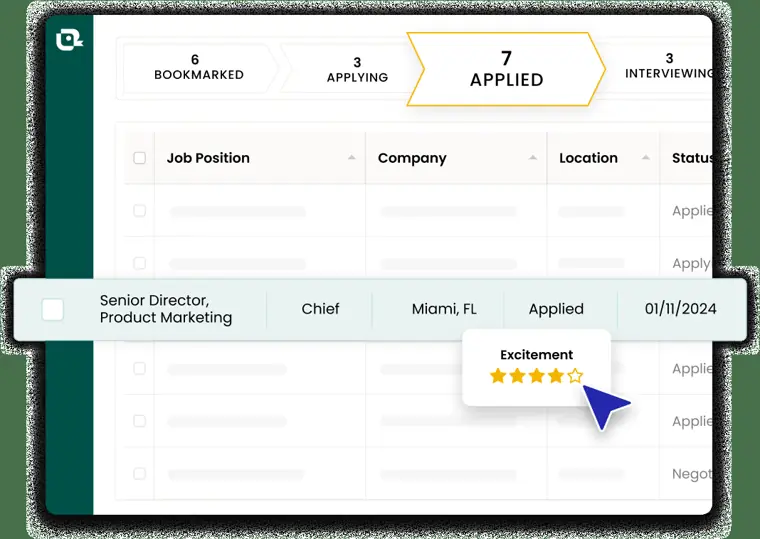
Job tracker
Saves job opportunities from job boards using a Chrome extension so you can organize listings, take notes, and track application statuses in one location.
Use caseA director of global operations quickly saves job listings while browsing search sites and tracks their application progress with each company.
From tealhq.com · image from Teal -
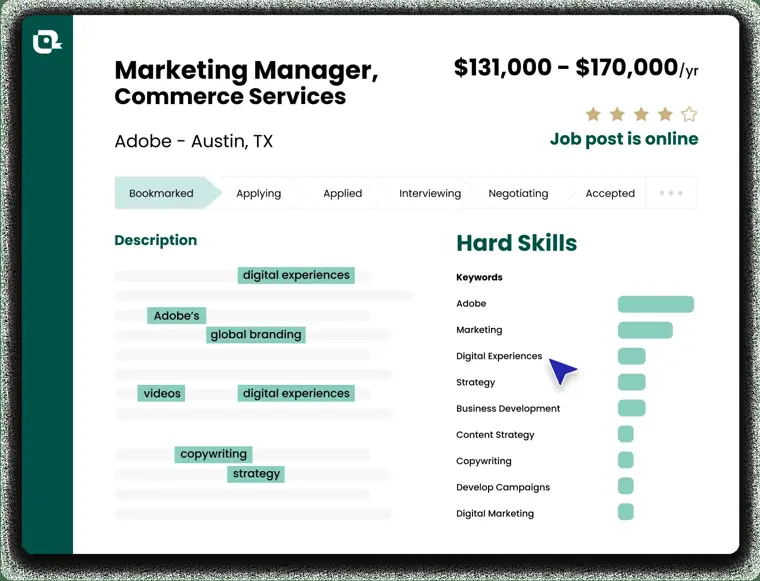
Job description keyword matching
Compares your resume against a target job posting to surface important keyword insights and show how closely your qualifications align.
Use caseA manager aligns their resume directly to the hard and soft skills found in a target job description before applying.
From tealhq.com/pricing · image from Teal -
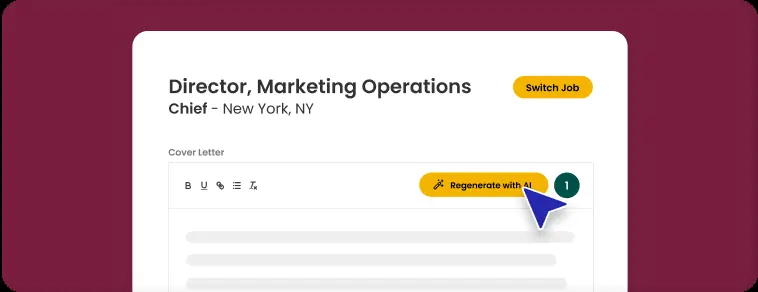
AI cover letter generator
Drafts customized cover letters in seconds to pair with your job applications.
Use caseA job hunter automatically creates a targeted cover letter for an application instead of writing one from scratch.
From tealhq.com/pricing · image from Teal -
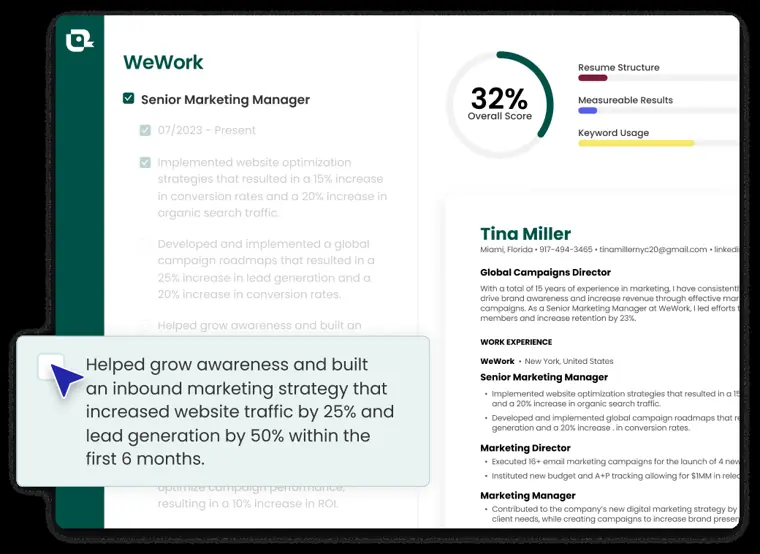
Analysis mode
Delivers real time feedback on your resume alongside concrete tips to improve content quality, format, and structure.
Use caseA digital designer inspects their resume draft to find content gaps and formatting flaws prior to submission.
From tealhq.com/pricing · image from Teal -
AI resume bullet points
Generates position specific bullet points using AI to describe your achievements quickly.
Use caseA project manager rewrites their work experience descriptions into bullet points to speed up resume creation.
From tealhq.com/pricing
Written from Teal's own website, checked . Each feature links to the page it comes from; images are Teal's own.
Every plan
| Plan | Monthly | Billed yearly | Per | What it includes |
|---|---|---|---|---|
| Free | Free | Not listed | per account | Unlimited resumes/tracking, 10 templates, top 5 keywords, limited AI credits |
| Teal+ weekly | Not listed | Not listed | per account, $13 every 7 days | Everything unlimited, full keyword matching, Match Score, advanced design |
| Teal+ 30 day | $29 | Not listed | per account, billed every 30 days | Everything unlimited, Match Score |
| Teal+ 90 day | Not listed | Not listed | per account, $79 every 90 days (~$26.33/mo) | Same as 30 day |
From Teal's own pricing page, checked . Prices are in US dollars per month; "billed yearly" is the monthly price when you pay for a year up front. A few figures (often the yearly price) are derived rather than printed on the page.
Before you pay
- Refunds
- Subscribers may request a full refund by emailing member support within specific plan timeframes (2 days for weekly, 7 for monthly, 14 for quarterly and annual), but cancellation does not automatically trigger a refund.
What Teal says
If you are not satisfied with your purchase, you may request a full refund by contacting our team at membersupport@tealhq.com
Source page - Refund window
- 14 days
What Teal says
Annual Plan : Refund requests must be made within 14 calendar days of the billing period start date.
Source page - How to cancel
- Users can cancel their subscription and check cancellation status by heading to their account settings.
What Teal says
To confirm your subscription end date, head to your account settings and look for the red banner that states when the subscription is set to cancel.
Source page - Cancel online yourself
- Yes
What Teal says
To confirm your subscription end date, head to your account settings and look for the red banner that states when the subscription is set to cancel.
Source page - Renews automatically
- Yes
What Teal says
Teal cannot be held responsible for recurring subscriptions if a member fails to cancel their account. The customer must confirm the cancellation.
Source page - Card needed for the trial
- No
What Teal says
No credit card required to start. Upgrade or downgrade your plan or cancel at any time.
Source page - Support
- Email
What Teal says
If you are not satisfied with your purchase, you may request a full refund by contacting our team at membersupport@tealhq.com
Source page
Only what Teal's own pages state, with the quote behind each answer. Anything they don't publish is left out rather than guessed.
Teal video tutorials
Independent creators on YouTube, not Teal or us. The video loads from YouTube only when you press play.
What the free plan includes
Unlimited resumes and job tracking; 10 templates; top 5 keyword matching; basic analysis; AI credits: 10 bullets, 2 summaries, 2 cover letters
Questions people ask about Teal
How much does Teal cost?
Paid plans start at $29 a month (Teal+ 30 day). 4 plans are listed above, from Teal's own pricing page.
Is Teal free?
Yes, there is a free plan: Unlimited resumes and job tracking; 10 templates; top 5 keyword matching; basic analysis; AI credits: 10 bullets, 2 summaries, 2 cover letters.
Can I get a refund from Teal?
Subscribers may request a full refund by emailing member support within specific plan timeframes (2 days for weekly, 7 for monthly, 14 for quarterly and annual), but cancellation does not automatically trigger a refund. The refund window stated is 14 days. Source
How do I cancel Teal?
Users can cancel their subscription and check cancellation status by heading to their account settings. Source
Do I need a credit card to try Teal?
No, you can start without a credit card. Source
How does the AI resume checker work?
The AI resume checker analyzes your content, format, and structure to provide a personalized resume score and actionable recommendations by running 15+ targeted checks for ATS compatibility, keyword usage, and section level performance. Source
How is the resume score calculated, and what is a good score?
It is calculated on a 0 to 100% scale based on factors such as structure, measurable results, keyword usage, and overall content strength, with 80% or higher considered a good score. Source
Is Teal the best free ATS resume checker?
Teal offers a free ATS Resume Checker reviewing ATS compatibility, formatting, structure, keyword use, and content without requiring a credit card, and shows specific issues and next steps rather than just a pass or fail result. Source
Where this came from
Plans, prices and limits were copied from Teal's own pages, then checked .
- tealhq.com/pricing
- tealhq.com/
- help.tealhq.com/en/articles/9451252-what-is-the-cancellation-policy
- tealhq.com/tool/resume-checker
- tealhq.com/cover-letter-templates
How we collect prices and rank tools · Is something wrong? Correct this listing
Others that do the same job
 Manatalmanatal.com
Affordable cloud ATS and recruitment CRM with AI candidate recommendations, scoring and job board posting.
- Green flag: Cancel online
- Red flag: Credits reset monthly
- Red flag: Failed runs cost credits
 Zetyzety.com
Guided resume and cover letter builder with prewritten content; low cost trial converts to 4 week billing.
 Fetcherfetcher.ai
AI plus human vetted sourcing that delivers candidate batches and automates personalized outreach.
- Red flag: No free plan
 Huntrhuntr.co
Job application tracker with Chrome clipper, autofill, AI tailored resumes, cover letters and resume scoring.
- Green flag: Free plan
- Green flag: Cancel online
 Rezirezi.ai
AI resume writer and editor with Rezi Score ATS analysis, cover letters and AI interview practice.
- Green flag: Free plan
- Green flag: No card for trial
- Green flag: Refunds within 30 days
 Juicebox (PeopleGPT)juicebox.ai
Natural language people search (PeopleGPT) with contact data, AI outreach and autonomous sourcing agents.
- Green flag: Free plan
- Green flag: Doesn't train on your data