
Uizard
Acquired: by Miro
Turns text prompts, sketches or screenshots into editable app and web UI mockups.
Best for Non designers prototyping app and website UIs
Used Uizard and liked it? Upvote it. One upvote per person. Upvotes come from visitors, not from us, and never change "Our ranking".
What it does
Uizard is an AI user interface design platform. Users provide text prompts, uploaded screenshots, or paper wireframe sketches to generate editable screens, mockups, and interactive prototypes. It is built for product managers, designers, marketers, and collaborative product teams.
Read more: 6 features and how people use themShow less
-
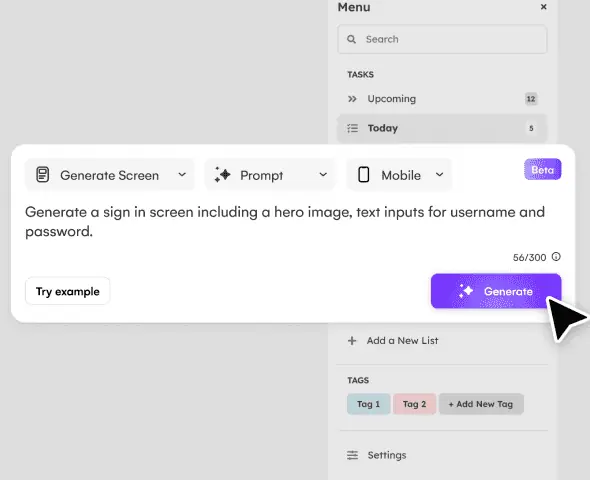
Autodesigner
Generates editable multi screen user interface designs and interactive prototypes from simple text descriptions.
Use caseA designer enters an app or web concept in plain English to rapidly generate editable mockups and flows for a new project launchpad.
From uizard.io/product · image from Uizard -
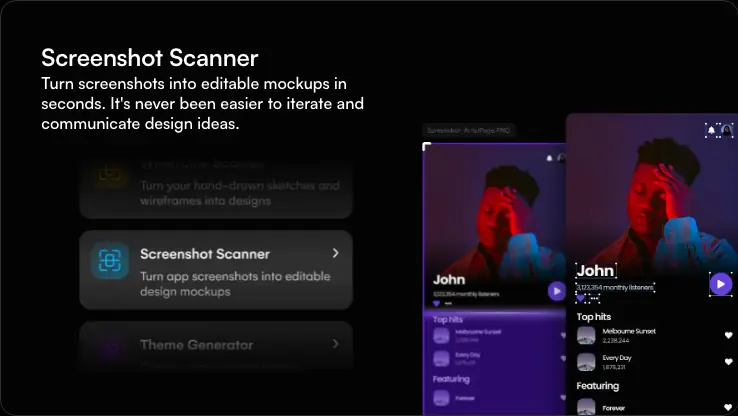
Screenshot Scanner
Converts uploaded screenshots of existing applications and websites into fully editable mockups.
Use caseA marketer uploads screenshots of a client website to build editable mockups for new landing pages and optimization proposals.
From uizard.io/product · image from Uizard -
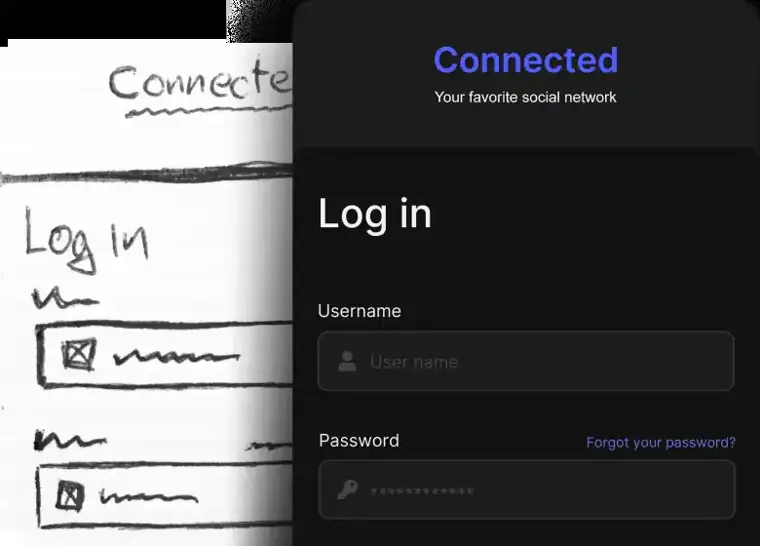
Wireframe Scanner
Scans physical drawings and transforms rough paper or whiteboard sketches into digital interface designs.
Use caseA product manager jots feature sketches on a notepad with their team and scans them to produce digital designs instantly.
From uizard.io · image from Uizard -
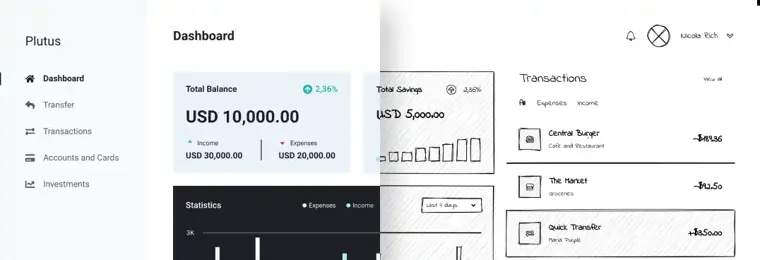
Wireframe Mode Switcher
Toggles an entire project between low fidelity wireframes and high fidelity polished visuals with one click.
Use caseA designer switches a project to low fidelity to focus external stakeholders on structure and user flows rather than visual styling.
From uizard.io/product · image from Uizard -
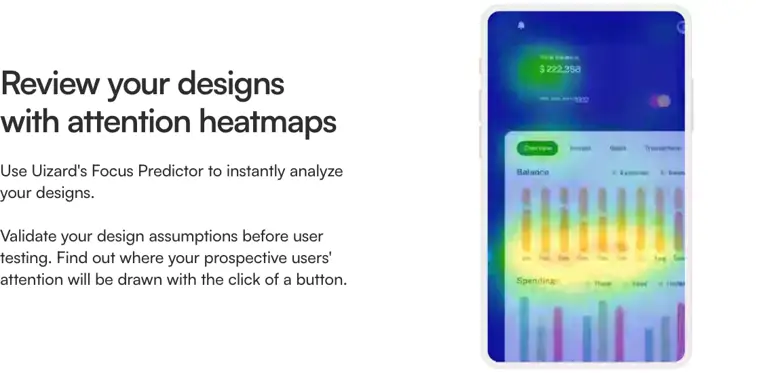
Focus Predictor
Creates predictive attention heatmaps to reveal which areas of a screen will draw user attention.
Use caseA UX professional validates layout assumptions by reviewing attention heatmaps before conducting usability testing.
From uizard.io · image from Uizard -
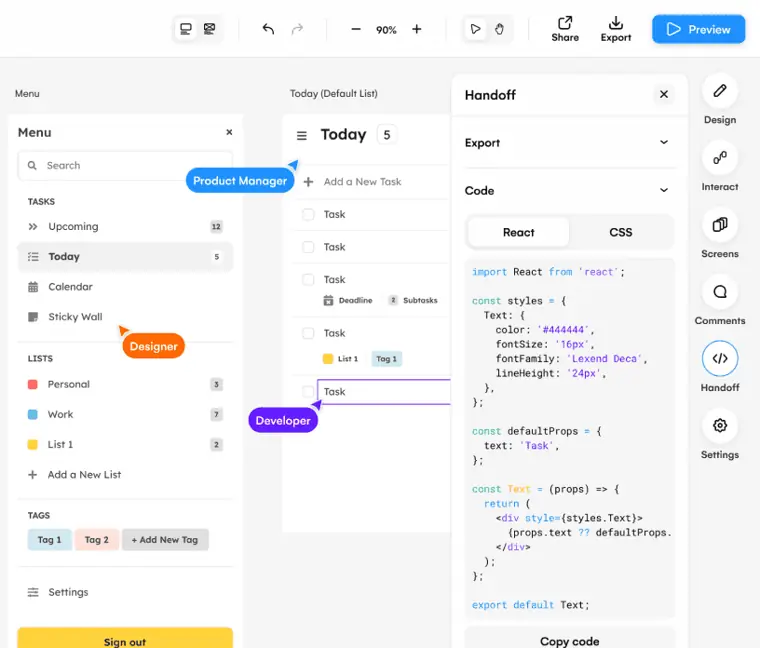
Developer Handoff
Provides design specifications and exports screen components directly as CSS and React code.
Use caseA product team hands off finalized clickable screens directly to software engineers as CSS and React components.
From uizard.io/product · image from Uizard
Written from Uizard's own website, checked . Each feature links to the page it comes from; images are Uizard's own.
Every plan
| Plan | Monthly | Billed yearly | Per | What it includes |
|---|---|---|---|---|
| Free | Free | $0 | per creator seat | 2 projects, 3 AI generations/mo, Autodesigner 1.5 |
| Pro | $19 | $12 | per creator seat | 100 projects, 500 AI generations/mo, Autodesigner 2.0, React/CSS handoff |
| Business | Not listed | $39 | per creator seat | Unlimited projects, 5,000 AI generations/mo, brand kit, priority support; annual only |
| Enterprise | Not listed | Not listed | per creator seat | contact sales |
From Uizard's own pricing page, checked . Prices are in US dollars per month; "billed yearly" is the monthly price when you pay for a year up front. A few figures (often the yearly price) are derived rather than printed on the page.
Before you pay
- Export your data
- Yes
- Support
- Email, live chat, regular support, priority support, dedicated contact, premium support
What Uizard says
Customer support | self serve | email and live chat | priority support | premium support
Source page
Only what Uizard's own pages state, with the quote behind each answer. Anything they don't publish is left out rather than guessed.
Uizard video tutorials
Independent creators on YouTube, not Uizard or us. The video loads from YouTube only when you press play.
What the free plan includes
2 projects, 5 screens/
Questions people ask about Uizard
How much does Uizard cost?
Paid plans start at $19 a month (Pro). 4 plans are listed above, from Uizard's own pricing page.
Is Uizard free?
Yes, there is a free plan: 2 projects, 5 screens/project, 3 AI generations/month, 1x exports.
Where this came from
Plans, prices and limits were copied from Uizard's own pages and the other sources listed, then checked .
- uizard.io/pricing/
- support.uizard.io/en/articles/6249189-understanding-subscriptions
- costbench.com/software/ai-design-tools/uizard/
- siliconcanals.com/uizard-acquired-by-miro/
- uizard.io/
- support.uizard.io/en/articles/7728147-guide-to-autodesigner
- support.uizard.io/en/
- app.uizard.io/sign-up/plan/free/
- app.uizard.io/sign-up/plan/pro/
- app.uizard.io/sign-up/plan/business/
- support.uizard.io/en/articles/6269873-managing-organizations-and-teams
How we collect prices and rank tools · Is something wrong? Correct this listing
Others that do the same job
 Let's Enhanceletsenhance.io
Cloud AI upscaler and enhancer that boosts resolution, fixes compression and corrects color for print ready images.
- Green flag: Free plan
- Red flag: Free plan watermark
Midjourneymidjourney.com
Subscription text to image and image to video generator known for highly artistic, stylized results via web and Discord.
- Red flag: No free plan
 Designs.aidesigns.ai
All in one AI suite for logos, graphics, videos, voiceovers and copy from one dashboard.
- Green flag: Free plan
- Red flag: No refunds
 Fotorfotor.com
Online photo editor and design tool with AI enhancement, background removal, headshots and an AI agent.
- Green flag: Free plan
- Green flag: Some credits roll over
 Vismevisme.co
Design platform for presentations, infographics, documents and social graphics with AI generation and brand kits.
- Green flag: Free plan
- Green flag: Cancel online
- Green flag: No card for trial
- Red flag: Free plan watermark
 HeadshotProheadshotpro.com
Generates professional AI headshots from selfies, with one time packages for individuals and credit plans for teams.
- Green flag: Credits don't expire
- Green flag: Refunds within 14 days
- Green flag: Doesn't train on your data
- Red flag: No free plan