
Webflow
Professional visual web development platform with CMS, ecommerce and AI site, copy and SEO tools.
Best for Agencies and teams needing pro grade CMS sites
Used Webflow and liked it? Upvote it. One upvote per person. Upvotes come from visitors, not from us, and never change "Our ranking".
What it does
Professional visual web development platform with CMS, ecommerce and AI site, copy and SEO tools.
Read more: 5 features and how people use themShow less
-
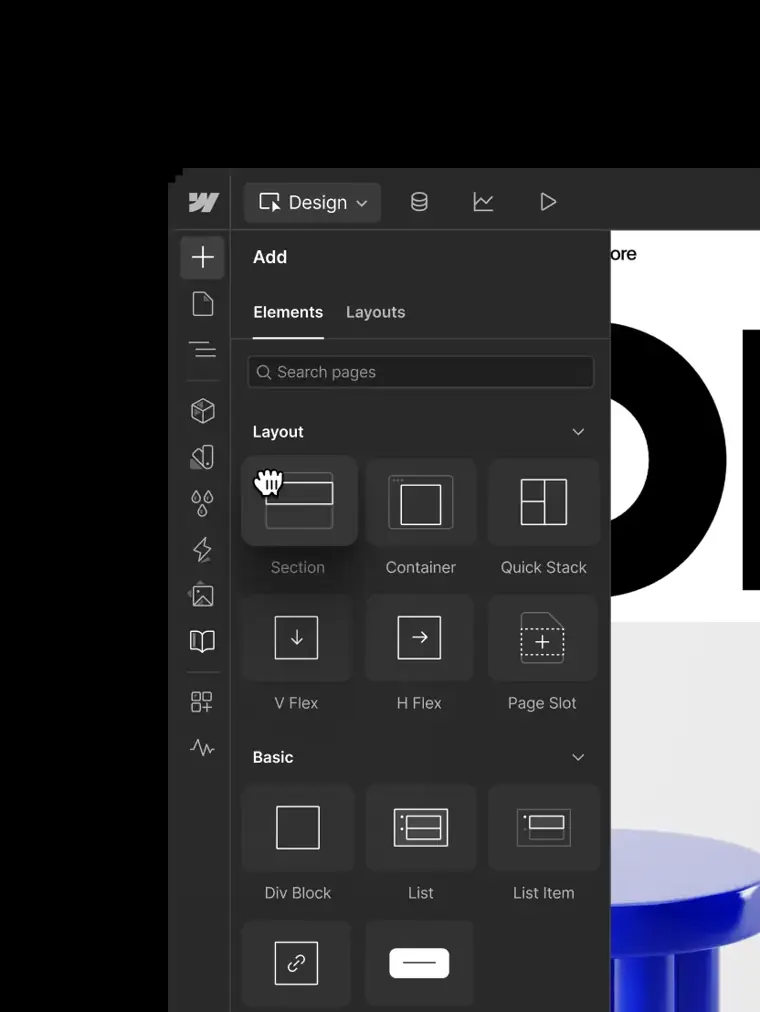
Visual canvas design
Enables users to arrange HTML elements, configure CSS grid or flexbox layouts, and adjust typography on a visual canvas that outputs production ready code.
Use caseA designer creates a custom responsive layout and modifies line heights across screen sizes without writing code by hand.
From webflow.com/feature/design · image from Webflow -
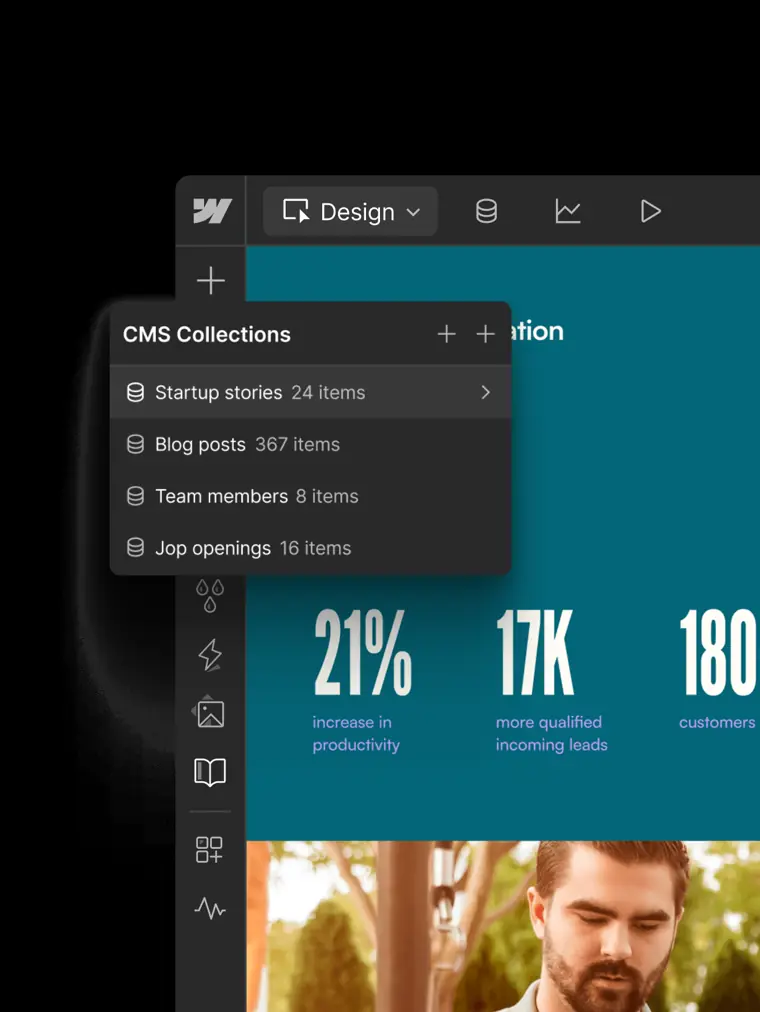
Visual content management system
Stores structured content collections and populates dynamic page templates across a site without requiring developer support.
Use caseA marketing team designs a blog layout once so that new article entries automatically follow the established structure upon publishing.
From webflow.com/feature/cms · image from Webflow -
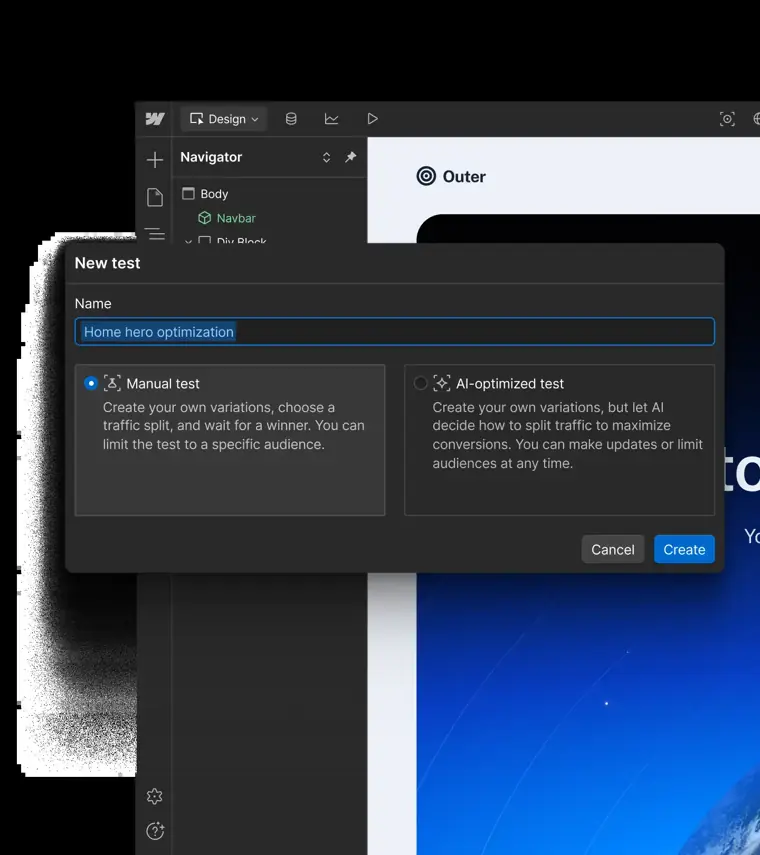
Webflow Optimize
Executes A B tests and serves personalized content variations to site visitors using AI to increase conversion rates.
Use caseA growth marketer runs experiments on multiple landing page headlines and calls to action to discover which combinations convert best.
From webflow.com/feature/optimize · image from Webflow -
Page branching
Creates an isolated draft branch of an existing page so team members can edit designs safely before merging changes into the live site.
Use caseA web team tests a new product page redesign in an isolated space without disrupting the published site until ready.
From webflow.com -
Shared libraries
Distributes components, variables, and assets across different websites to keep branding unified across an entire organization.
Use caseA brand manager shares updated navigation bars and style tokens across multiple company sites from a central location.
From webflow.com
Written from Webflow's own website, checked . Each feature links to the page it comes from; images are Webflow's own.
Every plan
| Plan | Monthly | Billed yearly | Per | What it includes |
|---|---|---|---|---|
| Starter | Free | $0 | per site | 2 pages, 50 CMS items, webflow.io domain |
| Basic | Not listed | $15 | per site | 300 pages, no CMS, 10GB bandwidth, custom domain |
| Premium | Not listed | $25 | per site | 20,000 CMS items, 40 collections, 50GB+ bandwidth tiers |
| Ecommerce Standard | Not listed | $29 | per site | 500 products, 2% transaction fee, 3 staff |
| Ecommerce Plus | Not listed | $74 | per site | 5,000 products, 0% fee, 10 staff |
| Ecommerce Advanced | Not listed | $212 | per site | 15,000 products, 0% fee, 15 staff |
| Enterprise | Contact sales | Not listed | custom | contact sales |
From Webflow's own pricing page, checked . Prices are in US dollars per month; "billed yearly" is the monthly price when you pay for a year up front.
Before you pay
- Export your data
- Yes
What Webflow says
Everything in Starter, plus: 10 staging sites 300 pages per staged site 300 AI credits Custom code Code export
Source page - Support
- Community, help center
What Webflow says
Webflow Help Center Read product documentation and find answers to common questions to keep your site build moving forward.
Source page
Only what Webflow's own pages state, with the quote behind each answer. Anything they don't publish is left out rather than guessed.
Getting started with Webflow
- Go to Insights tab > Settings > General to set up tracking.
- Turn on tracking for site visitors and select your preferred tracking method.
- Optionally click Show staging data with production data to include results from staging domains.
- Build an optimization and create variations for the page content you want to test or personalize.
- Set the optimization live and publish your site.
- Review your site performance and engagement by navigating to Insights tab > Site overview.
Tips
- Opt in and opt out tracking methods require a consent management solution to function properly.
- To view the results of a page not listed in Pages, visit the page in Webflow and click the View Analyze Mode icon.
- Check out the AI assistant to receive best practice recommendations and generated ideas you can launch as variations.
Written from Webflow's own help pages: help.webflow.com/hc/en-us/articles/3420015379... · help.webflow.com/hc/en-us/articles/3360939062...
What the free plan includes
Starter: 2 pages, 50 CMS items, 1GB bandwidth, 50 form submissions, webflow.io domain only
Questions people ask about Webflow
Is Webflow free?
Yes, there is a free plan: Starter: 2 pages, 50 CMS items, 1GB bandwidth, 50 form submissions, webflow.io domain only.
Does Webflow have an API?
Yes.
Can you preview Localize functionality for free?
Yes, basic Localize functionality can be tried for free on any plan, paying only when ready to publish. Source
Works with
- AI models
- Claude
Where this came from
Plans, prices and limits were copied from Webflow's own pages, then checked .
- webflow.com/pricing
- webflow.com/
- webflow.com/legal/privacy
- help.webflow.com/hc/en-us/articles/35335039878035-Client-payments
- help.webflow.com/hc/en-us/articles/33961343631891-Two-factor-authen...
- support.webflow.com/
- help.webflow.com/hc/en-us
- webflow.com/legal/terms
- developers.webflow.com/
How we collect prices and rank tools · Is something wrong? Correct this listing
Others that do the same job
 Squarespacesquarespace.com
Design led website builder with AI site generation, built in commerce, scheduling and AI visibility tracking.
- Green flag: No card for trial
- Red flag: Credits reset monthly
 Dorikdorik.com
No code AI website builder with CMS, blogging, white label client dashboard and lifetime plans.
 10Web10web.io
AI WordPress website builder with managed hosting, agentic site generation, cloning and Figma import.
- Green flag: Refunds within 30 days
 GoDaddy Airogodaddy.com/websites/website-builder
GoDaddy's AI website builder that creates a site, logo, content and marketing from a business description.
- Green flag: Free plan
- Green flag: No card for trial
- Red flag: Free plan watermark
 Durabledurable.com
AI business builder that generates a website in seconds plus CRM, SEO, blogs and lead capture agents.
- Green flag: Free plan
 Framerframer.com
Designer focused website builder with AI agents, CMS and animations that publishes production sites.
- Green flag: Free plan
- Green flag: Refunds within 14 days