
Dia (The Browser Company)
Acquired: by Atlassian
AI browser that chats with your tabs and connected apps, drafts content, and runs approved actions.
Best for Knowledge workers wanting AI across tabs and apps
Used Dia and liked it? Upvote it. One upvote per person. Upvotes come from visitors, not from us, and never change "Our ranking".
What it does
Dia is an AI web browser built to connect your open tabs, documents, and external work tools into a single workspace. You supply your everyday context by linking tools like Slack, Notion, Teams, and GSuite, and Dia returns direct answers, morning overviews, reports, and slide presentations. It is designed for professionals and teams seeking to manage daily workflows, meetings, and scattered project information without switching between apps.
Read more: 6 features and how people use themShow less
-
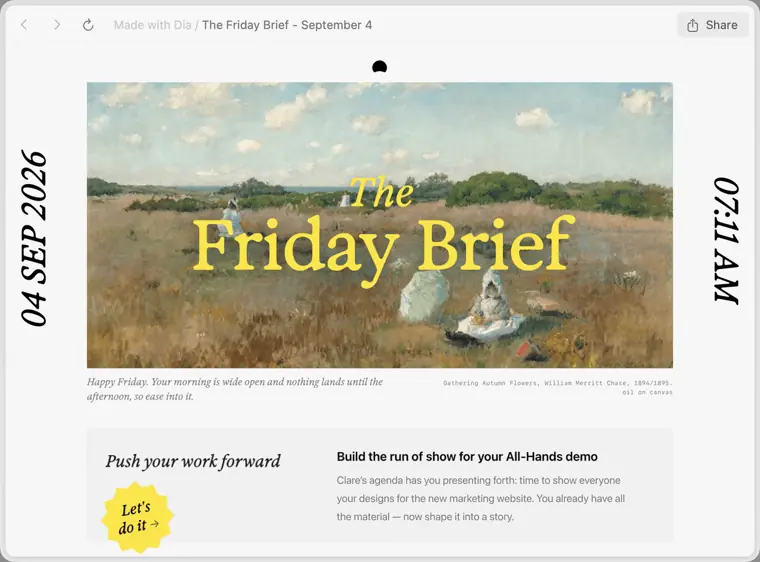
Morning Brief
Summarizes your day before it starts by compiling your calendar, inbox, and key links in one place.
Use caseA professional checks their calendar, inbox, and essential links to know what they are walking into before the day starts.
From diabrowser.com · image from Dia -
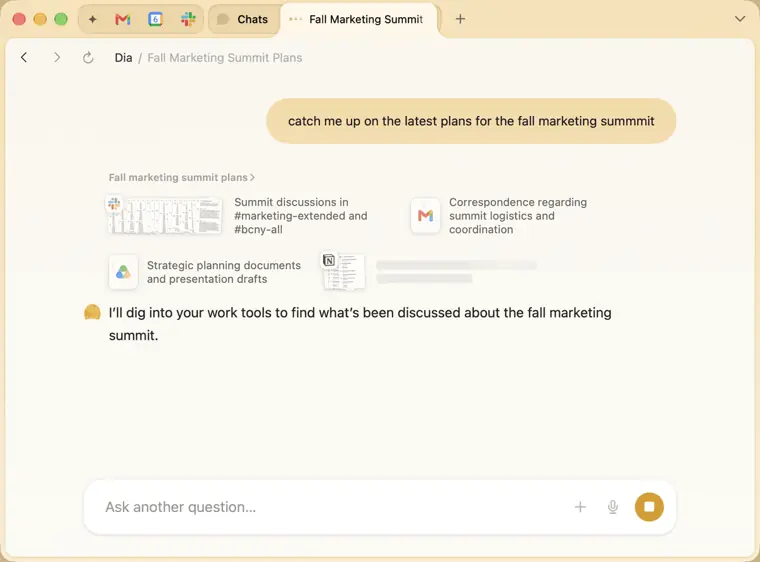
Cross tool synthesis
Collects scattered information from tools like Slack, Notion, and Teams to generate shareable reports without requiring manual app switching.
Use caseA team worker asks Dia to gather scattered updates across tools like Slack and Notion and compile them into a report worth sharing.
From diabrowser.com · image from Dia -
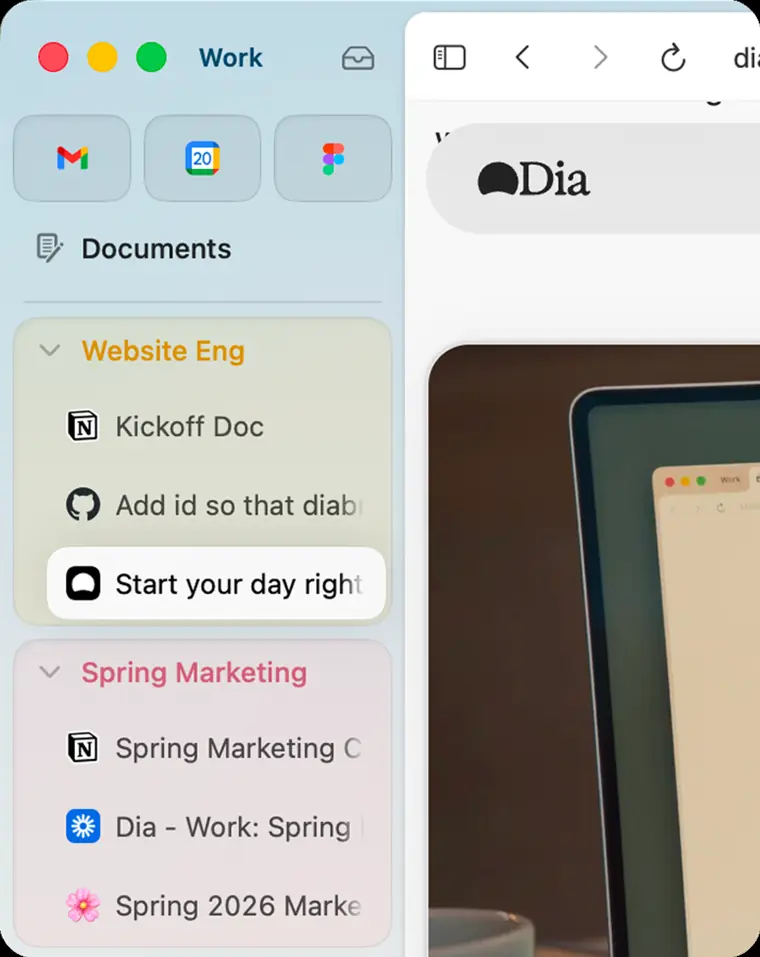
Live Work
Collects active project locations from tools like GitHub and Notion directly into your browser tab bar.
Use caseA developer clicks an entry in the tab bar to jump straight to a pull request, specification, or draft in GitHub or Notion.
From diabrowser.com · image from Dia -
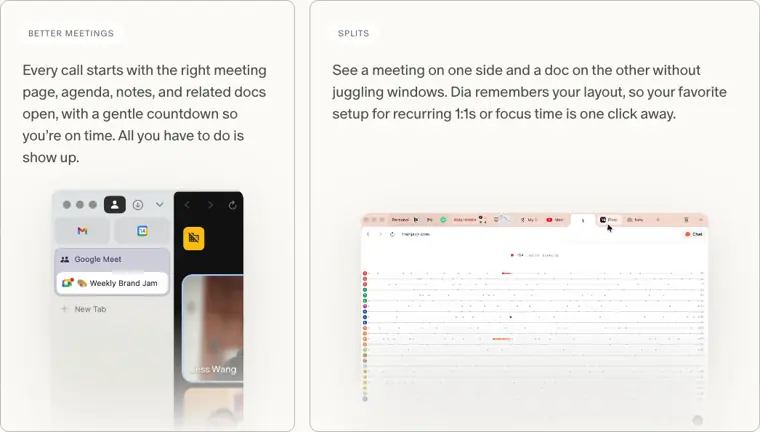
Better Meetings
Opens the correct meeting room, notes, agenda, and related documentation with a countdown timer before each call.
Use caseA meeting participant arrives on time to a scheduled call with the agenda, meeting page, notes, and related docs already open.
From diabrowser.com · image from Dia -
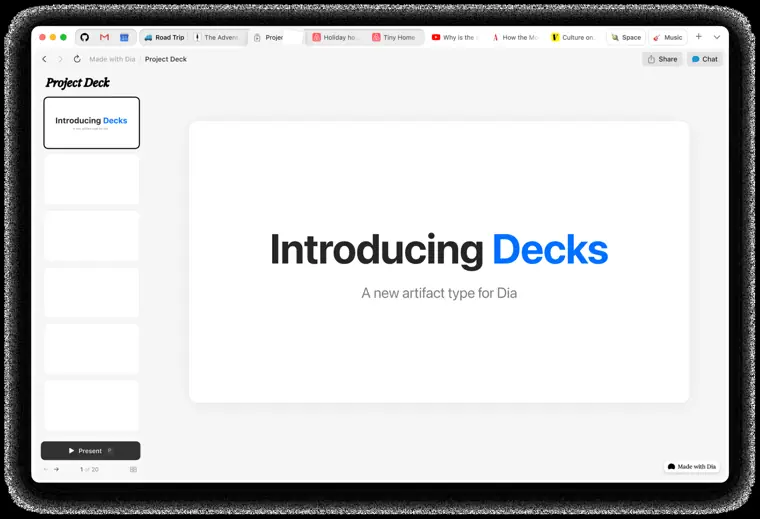
Decks
Converts context and project information scattered across your browser into formatted slides with structured headers and layouts.
Use caseA team member asks Dia to assemble scattered project context into real presentation slides that can be presented without a redesign.
From diabrowser.com · image from Dia -
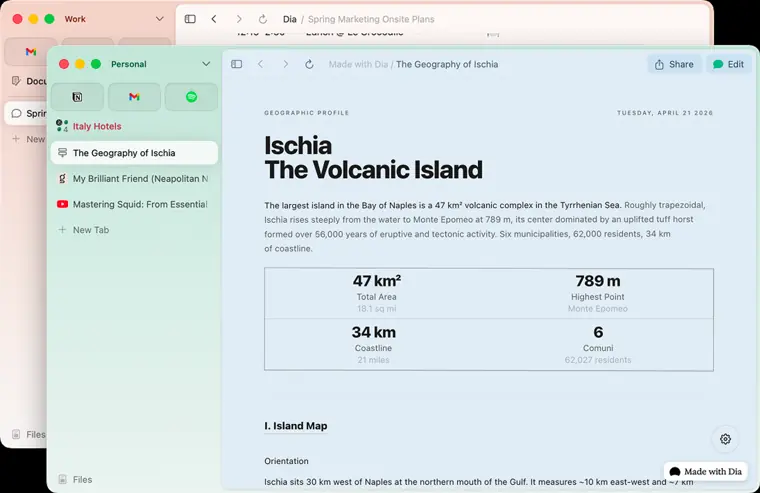
Profiles
Separates tabs, accounts, and AI context across work, freelance projects, and personal browsing with swipe transitions.
Use caseA freelancer context switches with a swipe between work, client gigs, and personal browsing while keeping separate tabs and logins.
From diabrowser.com · image from Dia
Written from Dia's own website, checked . Each feature links to the page it comes from; images are Dia's own.
Every plan
| Plan | Monthly | Billed yearly | Per | What it includes |
|---|---|---|---|---|
| Better Browser (Free) | Free | Not listed | per account | Browser only, no AI features |
| Better Answers | $10 | Not listed | per account | Monthly Task allowance; page also says $20/month in FAQ |
| Better Days | $100 | Not listed | per account | 6x the tasks and chats of Better Answers |
| Dia for Work | Not listed | Not listed | per seat | SSO and admin tools; contact sales |
From Dia (The Browser Company)'s own pricing page, checked . Prices are in US dollars per month; "billed yearly" is the monthly price when you pay for a year up front. A few figures (often the yearly price) are derived rather than printed on the page.
Before you pay
- Refunds
- Unused usage and credits are not refunded upon cancellation or downgrade unless required by applicable law.
What Dia says
Unused usage isn't refunded when you cancel or downgrade, unless the law where you live requires otherwise.
Source page - How to cancel
- Subscribers can cancel at any time from their account settings.
- Cancel online yourself
- Yes
- Renews automatically
- Yes
What Dia says
we'll show you the exact amount and your next renewal date before you confirm.
Source page - Card needed for the trial
- No
What Dia says
Every new Dia user gets a 14 day free trial with access to the Dia Better Days plan. No credit card is required to start.
Source page - Unused credits roll over
- Partial
What Dia says
Your monthly plan allowance resets each billing cycle and doesn't carry over, but credit blocks you buy rolls over until you use it, up to three months from the date of purchase.
Source page - Trains on your data
- Opt out
What Dia says
We may also collect and use your Content to improve Dia, unless you opt out.
Source page
Only what Dia's own pages state, with the quote behind each answer. Anything they don't publish is left out rather than guessed.
Dia video tutorials
Independent creators on YouTube, not Dia or us. The video loads from YouTube only when you press play.
What the free plan includes
Browser features only, no AI; 14 day Better Days trial for new users, no card needed
Questions people ask about Dia
How much does Dia cost?
Paid plans start at $10 a month (Better Answers). 4 plans are listed above, from Dia's own pricing page.
Is Dia free?
Yes, there is a free plan: Browser features only, no AI; 14 day Better Days trial for new users, no card needed.
Can I get a refund from Dia?
Unused usage and credits are not refunded upon cancellation or downgrade unless required by applicable law. Source
How do I cancel Dia?
Subscribers can cancel at any time from their account settings. Source
Do unused Dia credits roll over?
Partly: some unused credits carry over, with limits. Source
Does Dia train its AI on my data?
It can, but you can opt out. Source
Do I need a credit card to try Dia?
No, you can start without a credit card. Source
What plans does Dia offer?
Dia offers Better Browser (Free) with no AI features, Better Answers ($20/month) for chat with tool context, and Better Days ($100/month) with 6x usage, daily briefing, recaps, reports, and decks. Source
Can I change or cancel my plan?
You can change or cancel anytime from account settings; AI access continues through the billing cycle before reverting to the free browser, and unused usage is not refunded unless required by law. Source
How does the free trial work?
Every new user receives a 14 day free trial of the Better Days plan without needing a credit card. Source
What if I use up my monthly usage?
You can buy extra usage in $20 blocks via auto reload or one time top ups, which roll over for up to three months from purchase. Source
Works with
- Integrations
- Slack, Notion, Teams, GSuite, GitHub, Stripe
Where this came from
Plans, prices and limits were copied from Dia (The Browser Company)'s own pages and the other sources listed, then checked .
How we collect prices and rank tools · Is something wrong? Correct this listing
Others that do the same job
 Felloufellou.ai
Agentic 'self driving' browser that plans and executes multi step web and desktop tasks from a prompt.
- Green flag: Free plan
 Opera Neonoperaneon.com
Subscription agentic browser from Opera with Neon Do for in browser actions and Neon Make for cloud builds.
- Green flag: Doesn't train on your data
 Perplexity Cometperplexity.ai/comet
Free Chromium based AI browser with a built in Perplexity assistant that can navigate pages and complete tasks.
- Green flag: Free plan
- Green flag: Cancel online
- Red flag: No refunds
 Braintrustbraintrust.dev
Evaluation first AI platform for experiments, scoring, prompt playgrounds and production tracing of LLM apps.
- Green flag: Free plan
- Green flag: No card for trial
- Red flag: Credits reset monthly
 Botpressbotpress.com
Platform for building LLM powered chat agents with visual flows, knowledge bases and multichannel deployment including WhatsApp.
- Green flag: Free plan
- Green flag: No card for trial
- Green flag: Some credits roll over
- Green flag: Doesn't train on your data
 Claude in Chrome (Anthropic)claude.com/chrome
Chrome extension that lets Claude navigate, click, fill forms and run scheduled tasks in your browser.
- Red flag: No free plan
All AI browser tools