
Photoroom
AI photo editor for removing backgrounds and generating product shots for ecommerce listings and social posts.
Best for Ecommerce sellers making product photos at scale
What it does
Photoroom is an AI visual solution and photo editor designed for ecommerce businesses of all sizes. Users upload existing product photos to automatically remove backgrounds, add realistic lighting, and generate studio or lifestyle scenes. It delivers listing ready images and videos that can be exported or published directly to sales channels.
Read more: 6 features and how people use themShow less
-

Background remover
Erases the original background from an image automatically. Produces clean cutouts on transparent or white backdrops for commercial listings.
Use caseA seller creates transparent cutouts from smartphone photos to set up clean white listings for online stores.
From photoroom.com · image from Photoroom -

AI product staging
Analyzes an uploaded item and embeds it into everyday lifestyle scenes. Generates contextual visuals such as an accessory placed on a table or being held.
Use caseAn online merchant places images of bags or jewelry into real world settings without staging a traditional photoshoot.
From photoroom.com/tools/product-staging · image from Photoroom -

Batch editing
Processes hundreds or thousands of photos simultaneously using selected presets. Applies consistent templates, background adjustments, and sizing rules across full catalogs.
Use caseA business updates an entire product line by applying the same visual framing and branding parameters in a single run.
From photoroom.com · image from Photoroom -

AI fashion models
Generates realistic virtual try on photos of apparel and products. Displays items on digital human models without booking photoshoots or talent.
Use caseA fashion retailer generates try on catalog pictures across multiple models without organizing casting or studio sessions.
From photoroom.com/ai-product-photography · image from Photoroom -
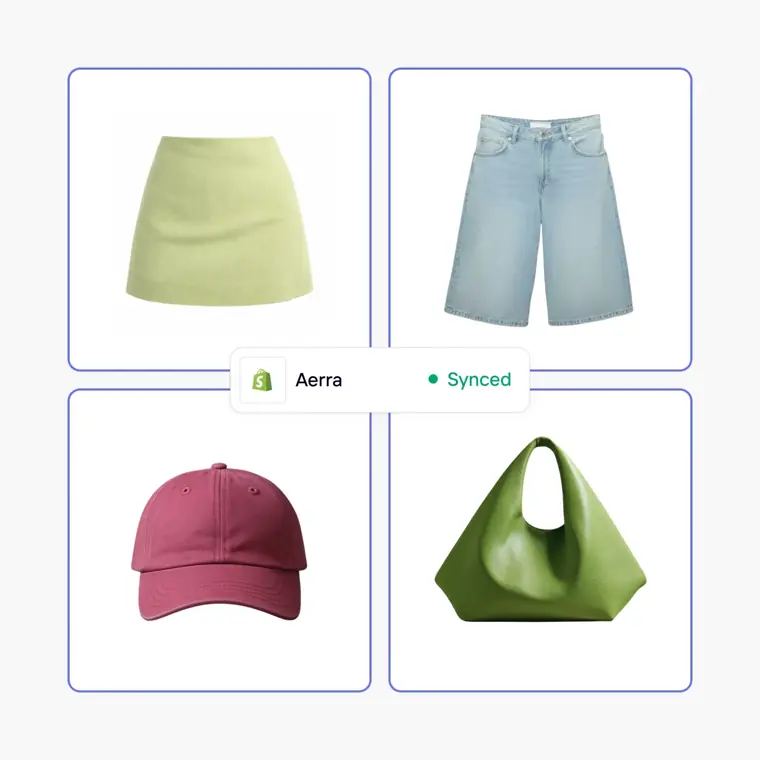
Marketplace sync
Edits product catalogs centrally and publishes modified images outward to connected storefronts. Applies updates to store listings directly to replace existing live visuals.
Use caseA merchant updates product visuals across a digital store catalog and pushes the revisions straight to Shopify in one action.
From photoroom.com/product-catalog · image from Photoroom -
Image API and MCP
Provides programmatic access to background removal, scene generation, and catalog edits. Connects with internal systems like PIM and DAM or operates through an assistant MCP server.
Use caseAn engineering team connects visual production tools into their e commerce platform to edit incoming inventory SKUs automatically.
From photoroom.com/pricing
Written from Photoroom's own website, checked . Each feature links to the page it comes from; images are Photoroom's own.
Every plan
| Plan | Monthly | Billed yearly | Per | What it includes |
|---|---|---|---|---|
| Free | Free | $0 | per account | 25 exports/week, 100/month; limited AI features |
| Pro | Not listed | $7.50 | per account | 1,000 exports/month, 8,000 AI credits/month, API credit wallet equal to plan price |
| Max | Not listed | $20.99 | per account | 3,000 exports/month, 25,000 AI credits/month |
| Ultra | Not listed | $82.50 | per account | 10,000 exports/month (2x/5x/10x tiers up to 100,000), 75,000 AI credits, 4K image/video |
| Enterprise | Not listed | Not listed | annual committed balance | contact sales |
From Photoroom's own pricing page, checked . Prices are in US dollars per month; "billed yearly" is the monthly price when you pay for a year up front. A few figures (often the yearly price) are derived rather than printed on the page.
Before you pay
- Refunds
- Refunds are provided up to one week after purchase, with eligibility depending on the platform used to subscribe.
What Photoroom says
We refund customers up to one week after their purchase. Depending on the platform you initially used to subscribe, you'll get a different way to request a refund.
Source page - Refund window
- 7 days
What Photoroom says
This is 7 days for a monthly or yearly plan and 4 days for a weekly plan
Source page - How to cancel
- Subscribers can cancel with one click under account settings in the app by selecting Manage Subscriptions.
What Photoroom says
Go to your account settings in the app and click on “Manage Subscriptions”. You can cancel your subscription (Pro, API) with one click.
Source page - Cancel online yourself
- Yes
What Photoroom says
Go to your account settings in the app and click on “Manage Subscriptions”. You can cancel your subscription (Pro, API) with one click.
Source page - Renews automatically
- Yes
What Photoroom says
Downgrades take effect on your next renewal — you can keep using your current plan's credits until then.
Source page - Failed generations cost credits
- No
What Photoroom says
Pay only for outputs that pass your fidelity criteria set upfront. Anything that doesn't is regenerated or credited back.
Source page - Export your data
- Yes
What Photoroom says
An export is any activity that requires Photoroom to provide an image file for external use. This includes: Downloads
Source page - SOC 2
- Yes
What Photoroom says
SOC 2 Type 2 Independently audited controls protect your data and integrations.
Source page - GDPR
- Yes
What Photoroom says
GDPR compliant Your data is handled with transparency, encryption, and strict access controls.
Source page - Support
- Help center
What Photoroom says
For Play Store and web subscriptions, contact Photoroom support for assistance.
Source page
Only what Photoroom's own pages state, with the quote behind each answer. Anything they don't publish is left out rather than guessed.
Getting started with Photoroom
- Create a new Photoroom account to get started.
- Log in to Photoroom or sign in to the Photoroom Web App.
- Start a new design on your chosen platform (iOS, Android, or Web App).
- Add or choose a source image to begin editing.
- Customize your design by editing, replacing, or removing the background.
Tips
- Turn Autosave on or off depending on your preference.
- Use placement guides for positioning elements in your design.
- Add images directly from your Google Drive when working in the Web App.
Written from Photoroom's own help pages: help.photoroom.com/en/collections/2028872-get... · help.photoroom.com/en/collections/6565964-edi...
Photoroom video tutorials
Independent creators on YouTube, not Photoroom or us. The video loads from YouTube only when you press play.
What the free plan includes
25 exports/
Questions people ask about Photoroom
Is Photoroom free?
Yes, there is a free plan: 25 exports/week, 100/month per Space (help center); limited AI; standard resolution exports.
Can I get a refund from Photoroom?
Refunds are provided up to one week after purchase, with eligibility depending on the platform used to subscribe. The refund window stated is 7 days. Source
How do I cancel Photoroom?
Subscribers can cancel with one click under account settings in the app by selecting Manage Subscriptions. Source
Does Photoroom charge credits for failed generations?
No, failed generations are not charged. Source
Does Photoroom have an API?
Yes.
What's a credit?
AI credits power Photoroom's most advanced AI tools, representing a monthly shared pool across your Space that renews each billing cycle, with different tools consuming different amounts. Source
What counts as an export?
Exports include every image saved from Photoroom via the editor, Batch, or Shopify sync, where each image counts as 1 export against your monthly allowance up to 2K resolution. Source
What happens if I exceed my export limit?
Users receive notifications at 80% and 100% capacity; once reached, exports pause until the next billing cycle unless upgraded to a higher plan. Source
Works with
- AI models
- Claude
Where this came from
Plans, prices and limits were copied from Photoroom's own pages and the other sources listed, then checked .
- photoroom.com/pricing
- help.photoroom.com/en/articles/11828992-export-limits
- ui.awin.com/merchant-profile-terms/121800
- wearview.co/blog/photoroom-pricing
- costbench.com/compare/photoroom-vs-remove-bg/
- photoroom.com/
- help.photoroom.com/en/articles/15284788-export-limit
- help.photoroom.com/en/articles/8370245-request-a-refund
- help.photoroom.com/en/articles/15286111-track-usage-of-ai-credits-a...
- help.photoroom.com/en/articles/15286119-track-usage-of-ai-credits-a...
- help.photoroom.com/en/articles/15286123-track-usage-of-ai-credits-a...
- help.photoroom.com/en/
How we collect prices and rank tools · Is something wrong? Correct this listing
Others that do the same job
 Pixelcutpixelcut.ai
AI photo editor for sellers: background removal, upscaling and product shot generation with batch exports.
- Green flag: Free plan
 Let's Enhanceletsenhance.io
Cloud AI upscaler and enhancer that boosts resolution, fixes compression and corrects color for print ready images.
- Green flag: Free plan
- Red flag: Free plan watermark
Midjourneymidjourney.com
Subscription text to image and image to video generator known for highly artistic, stylized results via web and Discord.
- Red flag: No free plan
 Designs.aidesigns.ai
All in one AI suite for logos, graphics, videos, voiceovers and copy from one dashboard.
- Green flag: Free plan
- Red flag: No refunds
 Fotorfotor.com
Online photo editor and design tool with AI enhancement, background removal, headshots and an AI agent.
- Green flag: Free plan
- Green flag: Some credits roll over
 Vismevisme.co
Design platform for presentations, infographics, documents and social graphics with AI generation and brand kits.
- Green flag: Free plan
- Green flag: Cancel online
- Green flag: No card for trial
- Red flag: Free plan watermark