
Pika
Playful effects first video app (Pikaffects, Pikaswaps, Pikaframes) for quick social clips.
Best for Social creators making stylized effect videos
Used Pika and liked it? Upvote it. One upvote per person. Upvotes come from visitors, not from us, and never change "Our ranking".
What it does
Pika is a creative platform that unites video, image, and sound generation within focused tools. Users input text prompts, footage, or still photos to generate edited clips, images, and synchronized audio. It is built for creative professionals such as ad creatives, editors, marketers, and filmmakers.
Read more: 5 features and how people use themShow less
-
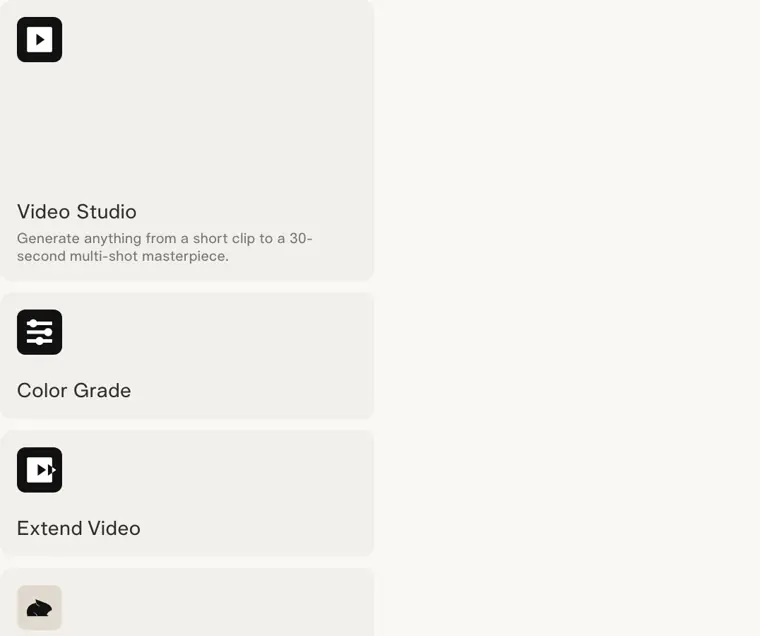
Video Studio
Generates videos ranging from brief clips to longer sequences across multiple shots.
Use caseA filmmaker creates a sequence of clips up to thirty seconds long for a project.
From pika.art · image from Pika -
Pika Soundtrack
Scores video with synchronized audio including music, environmental ambience, and sound effects matched directly to visual movement.
Use caseAn editor adds motion aware sound effects and ambient noise directly aligned with the visual actions in a video scene.
From pika.art -
Extend Video
Lengthens video clips past their starting runtime by generating additional frames.
Use caseAn editor prolongs a short video clip that needs extra length for an edit.
From pika.art -
Color Grade
Modifies visual traits such as the contrast, color palette, and mood of existing footage or photos.
Use caseAn ad creative alters the color balance and mood of an image for a campaign.
From pika.art -
Product Shot
Produces styled visual assets featuring products without requiring a physical photo session.
Use caseA marketer creates styled product imagery without staging an in person photoshoot.
From pika.art
Written from Pika's own website, checked . Each feature links to the page it comes from; images are Pika's own.
Every plan
| Plan | Monthly | Billed yearly | Per | What it includes |
|---|---|---|---|---|
| Free | Free | $0 | per account | No monthly credits (top up packs only); 2 parallel video gens; no commercial license |
| Starter | $10 | $8 | per account, 900 credits/mo | 2 parallel video / 8 parallel image audio gens; no commercial license |
| Creator | $35 | $28 | per account, 3,150 credits/mo | 8 parallel video gens; commercial license |
| Fancy | $95 | $76 | per account, 8,550+ credits/mo (scales to $880/mo, $704/mo annual) | Unlimited parallel gens; commercial license; priority queue; early access from $440/mo tier |
| Enterprise | Contact sales | Not listed | custom | contact sales |
From Pika's own pricing page, checked . Prices are in US dollars per month; "billed yearly" is the monthly price when you pay for a year up front. A few figures (often the yearly price) are derived rather than printed on the page.
Before you pay
- Refunds
- Payments are non refundable, and no refunds are provided for the remainder of a billing period upon cancellation.
What Pika says
Payments are non refundable, so there is no refund for the rest of the period.
Source page - How to cancel
- Subscribers can cancel at any time directly from the Subscription page.
What Pika says
Cancel any time from the Subscription page. Your plan stays active until the end of the current billing period
Source page - Cancel online yourself
- Yes
- Unused credits roll over
- Partial
What Pika says
Plan credits refresh each billing period and do not roll over. Credits you buy as top ups carry over and expire 365 days after purchase.
Source page - Watermark on the free plan
- No
What Pika says
Free 0credits / month · packs only Free Start free All models 2 video · 2 image + audio in parallel No watermark
Source page - Commercial use
- All plans including free
What Pika says
Free 0credits / month · packs only Free Start free All models 2 video · 2 image + audio in parallel No watermark Commercial license
Source page
Only what Pika's own pages state, with the quote behind each answer. Anything they don't publish is left out rather than guessed.
Pika video tutorials
Independent creators on YouTube, not Pika or us. The video loads from YouTube only when you press play.
What the free plan includes
All models, but 0 monthly credits (buy packs)
Questions people ask about Pika
How much does Pika cost?
Paid plans start at $10 a month (Starter). 5 plans are listed above, from Pika's own pricing page.
Is Pika free?
Yes, there is a free plan: All models, but 0 monthly credits (buy packs).
Can I get a refund from Pika?
Payments are non refundable, and no refunds are provided for the remainder of a billing period upon cancellation. Source
How do I cancel Pika?
Subscribers can cancel at any time directly from the Subscription page. Source
Do unused Pika credits roll over?
Partly: some unused credits carry over, with limits. Source
Does the Pika free plan add a watermark?
No, free plan output has no watermark. Source
Can I use Pika output commercially?
Yes, on every plan, including the free plan. Source
Does Pika have an API?
Yes.
Can I buy credits without changing plans?
Yes. Top up from Credits on any plan, including Free — a top up is a one off purchase and does not start a subscription. Source
What happens when I change plans?
An upgrade applies immediately. A downgrade is scheduled for the start of your next billing period, and you can undo it until then. Source
Where this came from
Plans, prices and limits were copied from Pika's own pages, then checked .
How we collect prices and rank tools · Is something wrong? Correct this listing
Others that do the same job
 Hailuo AI (MiniMax)hailuoai.video
MiniMax's Hailuo 2.3 / H3 models for realistic, physics heavy short clips.
- Green flag: Free plan
 PixVersepixverse.ai
Fast, cheap V6 video generator with effects templates, extend and up to 4K.
- Green flag: Free plan
 Runwayrunway.com
Creative suite that generates and edits video with its Gen 4.5 model plus Kling, Veo and Seedance.
- Green flag: Free plan
- Red flag: Credits reset monthly
 Higgsfield AIhiggsfield.ai
Creator studio bundling Kling, Veo, Seedance and its own models with camera presets and ad tools.
- Green flag: Free plan
 Kling AIkling.ai
Kuaishou's video model: up to 15s clips, native 4K, native audio and lip synced dialogue.
- Green flag: Free plan
- Red flag: Credits reset monthly
 LTX Studioltx.io/studio
Lightricks' script to storyboard to shots studio on its open LTX 2.5 model with synced audio.
- Green flag: Free plan
- Green flag: Cancel online
- Green flag: Refunds within 14 days
- Red flag: Free plan watermark