
Presentations.AI
Generates branded presentations from prompts or documents, with PowerPoint and PDF export.
Best for Brand consistent business decks on a budget
Used Presentations.AI and liked it? Upvote it. One upvote per person. Upvotes come from visitors, not from us, and never change "Our ranking".
What it does
Presentations.AI is an AI presentation platform that converts raw inputs into finished, structured slide decks. You provide a prompt, document, notes, or URL, and it delivers a designed, editable presentation. It is designed for founders, sales professionals, product teams, marketers, and other business teams creating decks.
Read more: 5 features and how people use themShow less
-
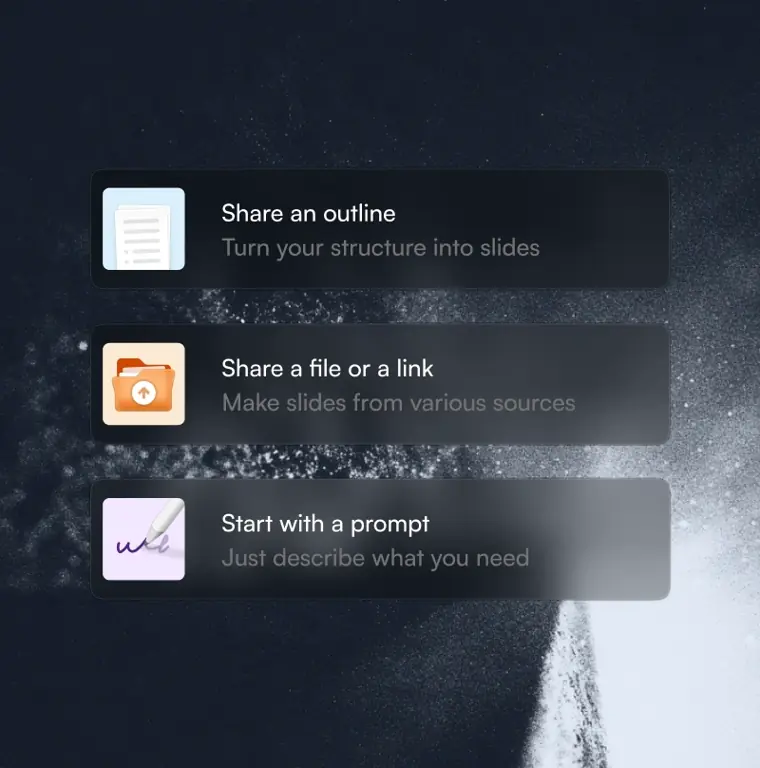
AI presentation maker
Builds a full slide presentation from scratch using an outline, document, topic, or web link. It handles the structure, writes copy, selects slide layouts, and applies styling in seconds.
Use caseA founder creates an investor pitch deck from an idea or prompt without manually formatting slides.
From presentations.ai · image from Presentations.AI -
Brand customization
Extracts and applies visual identity settings such as logos, color palettes, and fonts across every slide. It can pull these elements automatically from a company website URL.
Use caseA sales representative generates a client proposal that adopts corporate colors, fonts, and logos without manual design setup.
From presentations.ai/chatgpt-for-presentations -
Presentation refresh agent
Connects recurring slide decks to external live data sources to automatically refresh charts, tables, and narrative summaries on a defined schedule while preserving the original layout.
Use caseA sales operations manager updates weekly pipeline charts directly from CRM records without copy and pasting numbers into slides.
From presentations.ai -
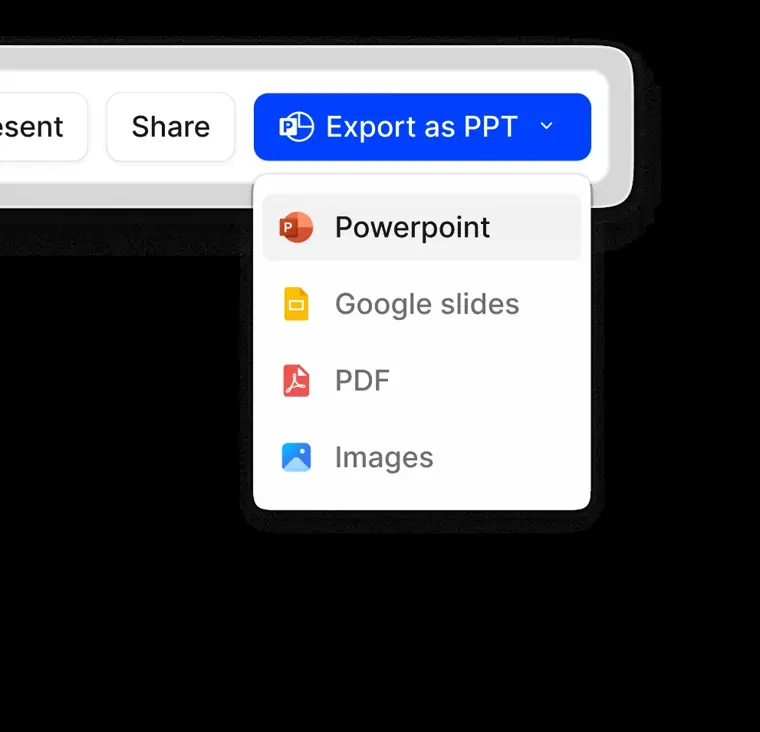
PowerPoint and PDF export
Exports completed slide decks into native PowerPoint files or PDF formats. The resulting presentation files contain editable text fields, native charts, and shapes that open in standard presentation software.
Use caseA team member exports a finished presentation to a PPTX file to perform manual edits and share it with colleagues in Microsoft PowerPoint.
From presentations.ai/chatgpt-for-presentations · image from Presentations.AI -
Presentation templates
Offers a library of over one thousand prebuilt full deck layouts designed for specific business meetings and situations.
Use caseA marketing manager selects an existing campaign review layout to quickly fill in performance results instead of designing slides from an empty page.
From presentations.ai
Written from Presentations.AI's own website, checked . Each feature links to the page it comes from; images are Presentations.AI's own.
Every plan
| Plan | Monthly | Billed yearly | Per | What it includes |
|---|---|---|---|---|
| Starter | Free | $0 | per account | 100 credits, 20 slides, brand colors/fonts |
| Pro | Not listed | $20 | per user | 5,000 credits, advanced models, 10MB brand assets, 10 guests, password links |
| Gold | Not listed | $100 | per user | 50,000 credits, frontier models, custom templates, unlimited brand assets and guests |
From Presentations.AI's own pricing page, checked . Prices are in US dollars per month; "billed yearly" is the monthly price when you pay for a year up front. A few figures (often the yearly price) are derived rather than printed on the page.
Before you pay
- Export your data
- Yes
- SOC 2
- Yes
What Presentations.AI says
SOC 2 Type II Certified. Over 12 million users worldwide trust us with mission critical presentations
Source page - GDPR
- Yes
What Presentations.AI says
GDPR compliant with flexible data controls and enterprise grade security.
Source page
Only what Presentations.AI's own pages state, with the quote behind each answer. Anything they don't publish is left out rather than guessed.
Presentations.AI video tutorials
Independent creators on YouTube, not Presentations.AI or us. The video loads from YouTube only when you press play.
What the free plan includes
Starter: 100 credits, up to 20 slides, standard AI models, PPTX/
Questions people ask about Presentations.AI
Is Presentations.AI free?
Yes, there is a free plan: Starter: 100 credits, up to 20 slides, standard AI models, PPTX/PDF export, 5 guests (free 'for a limited time').
What is Presentations.AI?
Presentations.AI is an AI tool that turns your ideas, documents, or data into ready to present slide decks. Give it a prompt, a Word doc, a PDF, or a URL - it builds the narrative, writes the copy, picks the right layout, and applies a clean design. You get a finished presentation in under a minute. Source
How do I create a presentation with AI?
Start with any input - type a topic, paste your notes, upload a Word doc or PDF, or share a URL. Presentations.AI reads your content, builds a structured deck with clear flow, and applies a clean design. You can edit the slides and export them to PowerPoint or Google Slides in one click. Source
Can AI create PowerPoint presentations automatically?
Yes. Presentations.AI creates complete PowerPoint decks automatically from your input - no manual setup. You can download the deck as a native .pptx file that opens in Microsoft PowerPoint or Google Sli Source
Where this came from
Plans, prices and limits were copied from Presentations.AI's own pages, then checked .
How we collect prices and rank tools · Is something wrong? Correct this listing
Others that do the same job
Gammagamma.app
Generates presentations, docs, websites and social posts from a prompt or file, with editable card based layouts.
- Green flag: Free plan
- Green flag: Cancel online
- Green flag: No card for trial
- Green flag: Some credits roll over
 Beautiful.aibeautiful.ai
Presentation software with smart templates that auto format slides and AI that drafts decks from prompts.
- Green flag: Cancel online
- Red flag: Card needed for trial
- Red flag: No refunds
 Decktopusdecktopus.com
AI presentation generator that builds decks from a topic, with forms, analytics and export.
- Green flag: Cancel online
- Green flag: Some credits roll over
- Green flag: Doesn't train on your data
- Red flag: No free plan
 Prezi (AI)prezi.com
Zooming, non linear presentation tool with Prezi AI that generates and restyles presentations.
- Green flag: Free plan
- Green flag: No card for trial
- Red flag: Trains on your data
 Pitchpitch.com
Collaborative presentation software with AI deck generation, templates, analytics and team workspaces.
- Green flag: Free plan
Tometome.app
Former AI storytelling deck generator; presentation product shut down and company pivoted to an AI CRM.
- Red flag: Changed focus
- Red flag: No free plan