Gamma
Generates presentations, docs, websites and social posts from a prompt or file, with editable card based layouts.
Best for Fast, good looking decks from a prompt
Used Gamma and liked it? Upvote it. One upvote per person. Upvotes come from visitors, not from us, and never change "Our ranking".
What it does
Gamma is an AI powered visual communication platform used to generate presentations, documents, websites, and social media posts. Users provide a prompt, outline, or uploaded file and receive an editable, professionally formatted output. It is built for solopreneurs, startups, educators, and enterprise teams who need to present ideas quickly.
Read more: 4 features and how people use themShow less
-
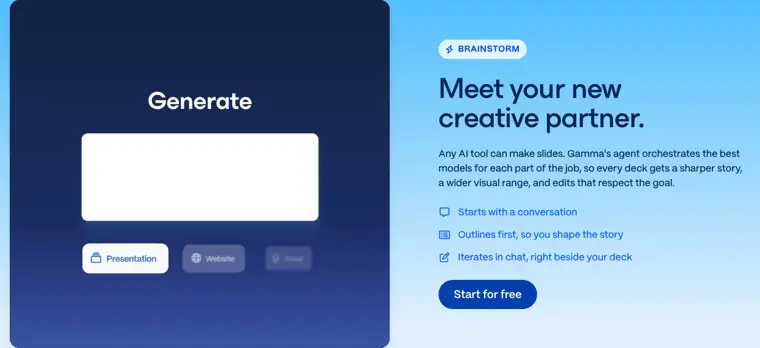
Prompt to deck generation
Creates presentation decks from prompts, conversations, or files using an AI agent that builds an outline and iterates in chat.
Use caseA founder brainstorms a business idea with an AI assistant and turns the conversation into a pitch deck.
From gamma.app · image from Gamma -
PowerPoint and PDF export
Exports generated presentations, documents, and graphics into PowerPoint, PDF, PNG, and Google Slides files with intact formatting.
Use caseA consultant exports a completed deck to PowerPoint so they can continue working on it and share it with clients.
From gamma.app -
Custom domain hosting
Publishes web pages directly to your own web domains without third party hosting.
Use caseA business owner launches branded web assets across multiple custom web addresses.
From gamma.app/pricing -
Gamma developer API
Automates document, deck, and website creation within external apps, databases, and no code workflow automation tools.
Use caseA customer success manager automatically creates and sends personalized onboarding decks when deals close in HubSpot.
From gamma.app/products/api
Written from Gamma's own website, checked . Each feature links to the page it comes from; images are Gamma's own.
Every plan
| Plan | Monthly | Billed yearly | Per | What it includes |
|---|---|---|---|---|
| Free | Free | $0 | per user | 400 one time credits, up to 10 slides/prompt, Gamma branding |
| Plus | $9 | $9 | per seat | 1,000 credits/mo, up to 100 slides/prompt, no Gamma branding, advanced image models |
| Pro | $18 | $18 | per seat | 4,000 credits/mo, API, custom branding, premium models, analytics, up to 10 custom domains |
| Ultra | $90 | Not listed | per seat | 20,000 credits/mo (20x usage), most advanced models incl. video, up to 100 custom domains |
| Team | Not listed | $20 | per seat, min 2, annual only | 6,000 credits/seat/mo |
| Business | Not listed | $40 | per seat, min 10, annual only | 10,000 credits/seat/mo |
From Gamma's own pricing page, checked . Prices are in US dollars per month; "billed yearly" is the monthly price when you pay for a year up front. A few figures (often the yearly price) are derived rather than printed on the page.
Before you pay
- Refunds
- Subscribers may be eligible for a refund if requested within 3 days of subscribing and without exceeding the plan's credit usage threshold.
What Gamma says
If you subscribed within the last 3 days and haven't exceeded your plan's credit usage threshold, you may be eligible for a refund
Source page - Refund window
- 3 days
What Gamma says
If you subscribed within the last 3 days and haven't exceeded your plan's credit usage threshold, you may be eligible for a refund
Source page - Cancel online yourself
- Yes
- Renews automatically
- Yes
What Gamma says
To avoid being charged for the next billing period, cancel at least 30 days before your plan's renewal date. If you received an auto renewal notification
Source page - Card needed for the trial
- No
What Gamma says
Save up to 28% with annual billing Pay monthlyPay annually No credit card required Free
Source page - Unused credits roll over
- Partial
What Gamma says
Unused credits roll over up to 2× the monthly amount. Example: Plus can hold up to 2,000.
Source page - Watermark on the free plan
- Yes
- Trains on your data
- Opt out
What Gamma says
For individual Free, Plus, Pro, and Ultra workspaces, content may be used to train AI features by default, but you can opt out in your account settings.
Source page - Data retention
- User content remains intact upon cancellation or downgrade, and purchased credits expire one year after cancellation.
What Gamma says
Your content remains yours, regardless of your subscription status. If you downgrade or cancel, you'll retain access to all your created content
Source page - Export your data
- Yes
- SOC 2
- Yes
- Support
Only what Gamma's own pages state, with the quote behind each answer. Anything they don't publish is left out rather than guessed.
Getting started with Gamma
- From the left hand panel, select Home, then Gammas to view the gammas you have access to.
- Click the magnifying glass icon in the upper right corner to search across titles and content.
- Click the + next to Folders to create a new folder and set who can see it.
- Browse different layout styles in Templates and click Add a gamma to add your first template.
- Open Customize to manage themes, upload fonts, manage icons, and set custom instructions.
- Click Media in the left hand panel to browse, reuse, and generate images directly.
- Manage team roles and permissions under Settings & Members.
Tips
- Pin your most used gammas to Favorites for quick access when working on multiple projects.
- Drag and drop a gamma into a folder to organize it, noting that a single gamma can belong to multiple folders simultaneously.
- If you are looking for the old Library tab, it is now named Customize.
Written from Gamma's own help pages: help.gamma.app/en/articles/11016390-introduct...
Gamma video tutorials
Independent creators on YouTube, not Gamma or us. The video loads from YouTube only when you press play.
What the free plan includes
400 one time AI credits (no refill), up to 10 slides per prompt, Made with Gamma badge on shares/
Questions people ask about Gamma
How much does Gamma cost?
Paid plans start at $9 a month (Plus). 6 plans are listed above, from Gamma's own pricing page.
Is Gamma free?
Yes, there is a free plan: 400 one time AI credits (no refill), up to 10 slides per prompt, Made with Gamma badge on shares/exports.
Can I get a refund from Gamma?
Subscribers may be eligible for a refund if requested within 3 days of subscribing and without exceeding the plan's credit usage threshold. The refund window stated is 3 days. Source
How do I cancel Gamma?
You can cancel online yourself, without contacting support. Source
Do unused Gamma credits roll over?
Partly: some unused credits carry over, with limits. Source
Does the Gamma free plan add a watermark?
Yes, free plan output carries a watermark or branding. Source
Does Gamma train its AI on my data?
It can, but you can opt out. Source
Do I need a credit card to try Gamma?
No, you can start without a credit card. Source
Does Gamma have an API?
Yes.
What AI models does Gamma use?
Gamma uses Claude (Anthropic), ChatGPT + DALL E (OpenAI), Gemini (Google), Flux, Recraft, Playground, Ideogram, Luma, and Leonardo. Source
Can I change my plan or cancel at any time?
Yes, you can upgrade, downgrade, or cancel at any time from 'Settings & members'. Paid features and credits remain accessible until the end of the billing period before automatically transitioning to the Free plan. Source
Works with
- Integrations
- Slack, Notion, Dropbox, Claude, ChatGPT, Salesforce, Zapier, Make, n8n, Google Slides
- AI models
- Claude (Anthropic), ChatGPT + DALL E (OpenAI), Gemini (Google), Flux, Recraft, Playground, Ideogram, Luma, Leonardo
Where this came from
Plans, prices and limits were copied from Gamma's own pages and the other sources listed, then checked .
- gamma.app/pricing
- eesel.ai/en/blog/gamma-pricing
- gamma.app
- help.gamma.app/en/articles/8568920-how-to-manage-or-cancel-your-gam...
- gamma.app/prompts
- help.gamma.app
- gamma.app/privacy
- gamma.app/docs/Introducing-the-Gamma-Customer-Advisory-Board-u3sq95...
- developers.gamma.app/
- gamma.app/legal
How we collect prices and rank tools · Is something wrong? Correct this listing
Others that do the same job
 Beautiful.aibeautiful.ai
Presentation software with smart templates that auto format slides and AI that drafts decks from prompts.
- Green flag: Cancel online
- Red flag: Card needed for trial
- Red flag: No refunds
 Decktopusdecktopus.com
AI presentation generator that builds decks from a topic, with forms, analytics and export.
- Green flag: Cancel online
- Green flag: Some credits roll over
- Green flag: Doesn't train on your data
- Red flag: No free plan
 Prezi (AI)prezi.com
Zooming, non linear presentation tool with Prezi AI that generates and restyles presentations.
- Green flag: Free plan
- Green flag: No card for trial
- Red flag: Trains on your data
 Pitchpitch.com
Collaborative presentation software with AI deck generation, templates, analytics and team workspaces.
- Green flag: Free plan
 Presentations.AIpresentations.ai
Generates branded presentations from prompts or documents, with PowerPoint and PDF export.
- Green flag: Free plan
Tometome.app
Former AI storytelling deck generator; presentation product shut down and company pivoted to an AI CRM.
- Red flag: Changed focus
- Red flag: No free plan