
AutoPod
Premiere Pro / Resolve plug ins that auto edit multicam podcasts and social clips.
Best for Video podcast editors in Premiere
Used AutoPod and liked it? Upvote it. One upvote per person. Upvotes come from visitors, not from us, and never change "Our ranking".
What it does
AutoPod is an automatic video editing tool pack designed for Adobe Premiere Pro and DaVinci Resolve. Editors feed in multi camera video sequences with separate audio tracks and receive fully cut sequences, jump cut footage, or social clips. It is built for video editors who produce multicam podcasts and shows.
Read more: 3 features and how people use themShow less
-
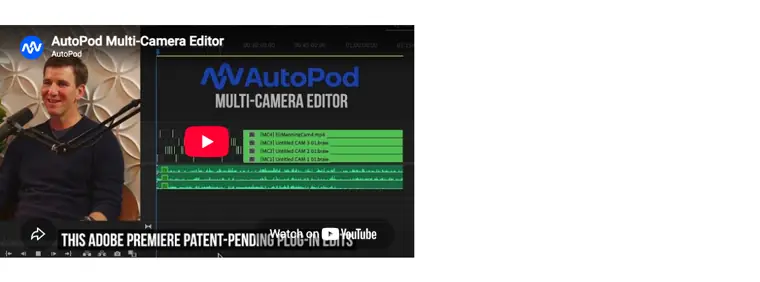
Multi Camera Editor
Cuts multi camera sequences automatically by analyzing who is speaking across up to 10 cameras and 10 microphones. Supports various camera layouts, editing methods, and presets.
Use caseAn editor processes a video podcast with multiple microphones and cameras to create a finished multicam sequence without manual cutting.
From autopod.fm · image from AutoPod -
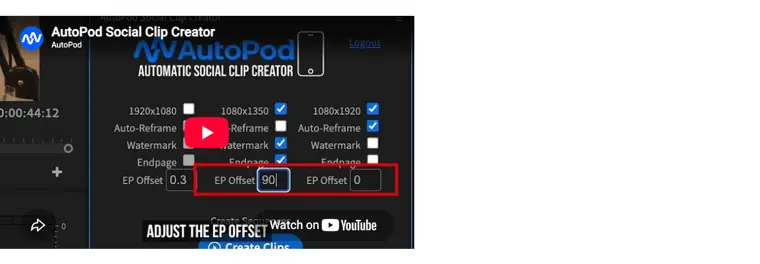
Social Clip Creator
Generates new video sequences from selected in and out points in standard social media aspect ratios. Handles sequence resizing, auto reframe, watermarks, and endpages, and exports clips in batches.
Use caseA video editor prepares 1080x1920 clips with auto reframe and watermarks from an episode for social media distribution.
From autopod.fm · image from AutoPod -
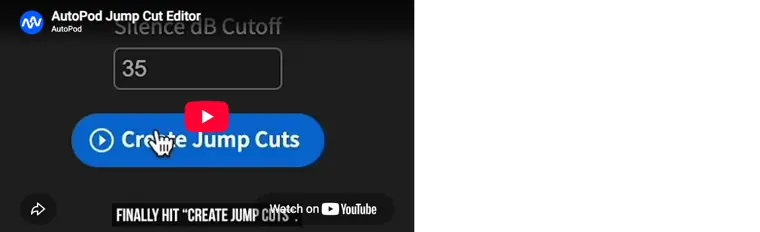
Jump Cut Editor
Splices footage based on audio silence according to a user defined decibel cutoff threshold.
Use caseA creator cuts silent pauses out of social clips to keep audience engagement high.
From autopod.fm · image from AutoPod
Written from AutoPod's own website, checked . Each feature links to the page it comes from; images are AutoPod's own.
Every plan
| Plan | Monthly | Billed yearly | Per | What it includes |
|---|---|---|---|---|
| Free Trial | Free | Not listed | per license | 30 day free trial on monthly billing |
| Individual | $29 | Not listed | per license | Multi Camera Editor (up to 10 speakers), Social Clip Creator, Jump Cut Editor; 1 computer per license; requires Premiere Pro 2023+ |
| Enterprise | Not listed | Not listed | n/a | No enterprise plan; buy multiple keys |
From AutoPod's own pricing page, checked . Prices are in US dollars per month; "billed yearly" is the monthly price when you pay for a year up front. A few figures (often the yearly price) are derived rather than printed on the page.
Before you pay
- Refunds
- Paid subscription fees are non refundable except when required by law, though certain requests may be considered on a case by case basis at the company's discretion.
What AutoPod says
Except when required by law, paid Subscription fees are non refundable. Certain refund requests for Subscriptions may be considered by the Company on a case by case basis
Source page - How to cancel
- Subscribers can cancel their subscription renewal through their Account settings page or by contacting the company.
What AutoPod says
You may cancel Your Subscription renewal either through Your Account settings page or by contacting the Company.
Source page - Cancel online yourself
- Yes
What AutoPod says
You may cancel Your Subscription renewal either through Your Account settings page or by contacting the Company.
Source page - Renews automatically
- Yes
What AutoPod says
At the end of each period, Your Subscription will automatically renew under the exact same conditions unless You cancel it or the Company cancels it.
Source page - Commercial use
- Not allowed, with what the page says: users cannot commercially exploit the application or make it available to third parties.
What AutoPod says
License, sell, rent, lease, assign, distribute, transmit, host, outsource, disclose or otherwise commercially exploit the Application or make the Application available to any third party.
Source page - GDPR
- Yes
- Support
Only what AutoPod's own pages state, with the quote behind each answer. Anything they don't publish is left out rather than guessed.
Getting started with AutoPod
- Download and run the installer file.
- Close and re open Adobe Premiere once installation is completed.
- Open a project file rather than staying on the landing page.
- Navigate to Window -> Extensions in the top menu and select the desired AutoPod app.
Written from AutoPod's own help pages: autopod.fm/pricing
AutoPod video tutorials
Independent creators on YouTube, not AutoPod or us. The video loads from YouTube only when you press play.
The free trial
Trial only: 30 day trial
Questions people ask about AutoPod
How much does AutoPod cost?
Paid plans start at $29 a month (Individual). 3 plans are listed above, from AutoPod's own pricing page.
Is AutoPod free?
There is a free trial but no free plan: 30 day trial.
Can I get a refund from AutoPod?
Paid subscription fees are non refundable except when required by law, though certain requests may be considered on a case by case basis at the company's discretion. Source
How do I cancel AutoPod?
Subscribers can cancel their subscription renewal through their Account settings page or by contacting the company. Source
Can I use AutoPod output commercially?
No, commercial use is not allowed. Source
What are the system requirements for AutoPod?
If your computer can run Adobe Premiere Pro you should be good. You need Adobe Premiere Pro 2023 or newer. Source
Does each AutoPod license only work on one computer?
Yes, each license is only allowed to be used with one computer, locking to the machine where the key is first activated. Users can switch computers via https://www.autopod.fm/switch computers. Source
Is there enterprise pricing available?
There is no enterprise pricing available, but multiple keys can be bought using the same email. Source
Is AutoPod available for DaVinci Resolve?
Yes, users can purchase a key through the usual portal and download the DaVinci downloader directly. Source
Where this came from
Plans, prices and limits were copied from AutoPod's own pages, then checked .
- autopod.fm/pricing
- autopod.fm/
- autopod.fm/end-user-license-agreement
- autopod.fm/privacy-policy
- autopod.fm/terms-and-conditions
How we collect prices and rank tools · Is something wrong? Correct this listing
Others that do the same job
 Glinggling.ai
Auto cuts bad takes, silences and filler words from raw footage.
- Green flag: Free plan
- Red flag: Free plan watermark
 Choppitychoppity.com
Clip maker and editor turning long videos into captioned, reframed shorts.
- Green flag: Free plan
- Green flag: Cancel online
- Green flag: No card for trial
- Green flag: Refunds within 14 days
 Creatifycreatify.ai
Generates UGC style video and image ads from a product URL with AI actors.
- Green flag: Free plan
- Green flag: Credits roll over
- Red flag: Free plan watermark
 Descriptdescript.com
Edit video and podcasts by editing the transcript, with AI audio cleanup.
- Green flag: Free plan
- Green flag: Cancel online
- Green flag: No card for trial
- Red flag: Free plan watermark
 Hailuo AI (MiniMax)hailuoai.video
MiniMax's Hailuo 2.3 / H3 models for realistic, physics heavy short clips.
- Green flag: Free plan
 HeyGenheygen.com
AI avatar videos from a script, plus video translation with voice cloning and lip sync.
- Green flag: Free plan