
Descript
Edit video and podcasts by editing the transcript, with AI audio cleanup.
Best for Podcasters and talking head creators; beginner friendly
Used Descript and liked it? Upvote it. One upvote per person. Upvotes come from visitors, not from us, and never change "Our ranking".
What it does
Descript is an audio and video editor that allows users to edit recordings by modifying an automatically generated text transcript. You import raw footage, Zoom calls, or recorded scripts, and you get out finished video, audio podcasts, social clips, or translated media. It is built for podcasters, individual creators, and business teams in marketing, sales, and support.
Read more: 5 features and how people use themShow less
-
Text based video editing
Generates a written transcript from your recording so you can cut, delete, or rearrange video and audio by editing words just like a text document.
Use caseA customer success manager deletes unwanted words and sentences in a transcript to instantly trim a tutorial recording without touching a complex timeline.
From descript.com -
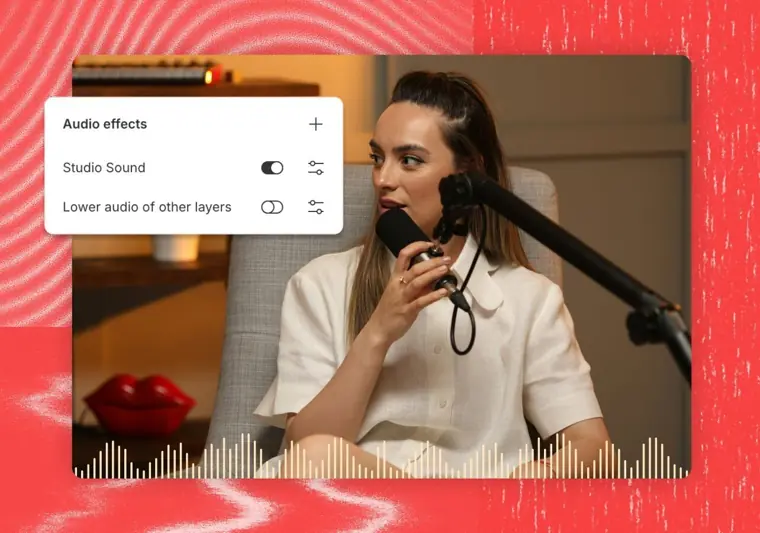
Studio Sound
Cleans up recordings in one click by eliminating background noise and enhancing vocal clarity to achieve studio quality sound.
Use caseA podcaster cleans up an episode recorded in an untreated home room to remove ambient noise and boost spoken audio quality.
From descript.com · image from Descript -
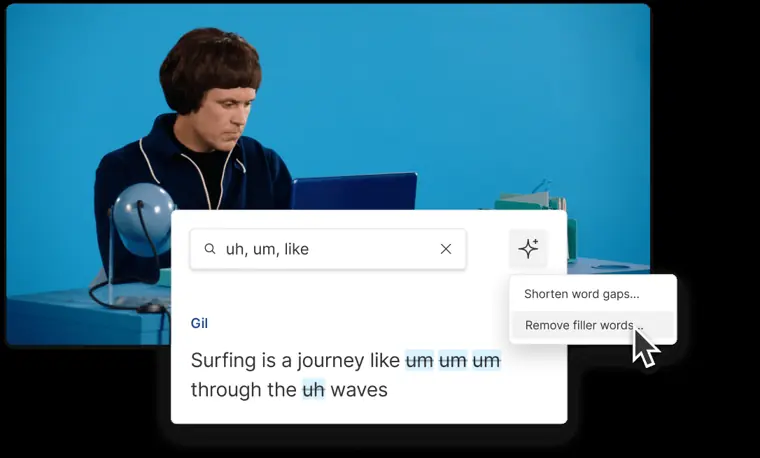
Remove filler words
Detects unnecessary verbal pauses like ums and ahs across recordings and removes them in a click.
Use caseA video creator highlights and strips repeated words, ums, and ahs from an interview track before final export.
From descript.com/pricing · image from Descript -
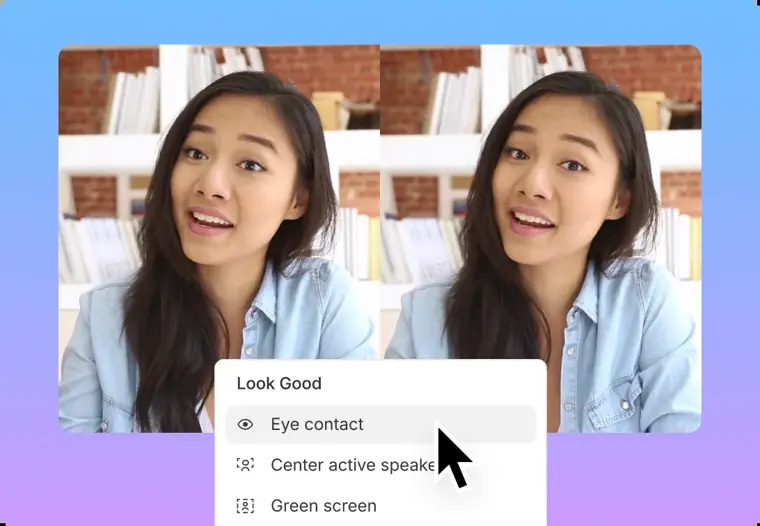
Eye contact
Alters your gaze using AI so your eyes appear to look straight into the camera lens.
Use caseA solo presenter reads a sales pitch off a teleprompter or computer screen without looking away from the viewer.
From descript.com/pricing · image from Descript -
Dynamic captions
Generates synchronized animated on screen subtitles with custom fonts, colors, and positioning.
Use caseA marketer creates animated captions with colored word highlighting to make short video clips readable and accessible across social platforms.
From descript.com/pricing
Written from Descript's own website, checked . Each feature links to the page it comes from; images are Descript's own.
Every plan
| Plan | Monthly | Billed yearly | Per | What it includes |
|---|---|---|---|---|
| Free | Free | $0 | per editor | 60 media min/mo; 100 one time AI credits; 5 GB; 720p with watermark |
| Hobbyist | $24 | $16 | per person | 10 media hrs/mo; 400 AI credits/mo; 100 GB; 1080p no watermark |
| Creator | $35 | $24 | per person (up to 3 seats) | 30 media hrs/mo; 800 AI credits/mo; 1 TB; 4K |
| Business | $65 | $50 | per person (up to 5 seats) | 40 media hrs/mo; 1,500 AI credits/mo; 2 TB; priority support SLA |
| Enterprise | Not listed | Not listed | organization | contact sales |
From Descript's own pricing page, checked . Prices are in US dollars per month; "billed yearly" is the monthly price when you pay for a year up front.
Before you pay
- How to cancel
- Users can cancel their paid subscription at any time directly from their account page.
What Descript says
Also, if you opt for a paid subscription, you may change your mind and cancel your subscription at any time from your account page.
Source page - Cancel online yourself
- Yes
What Descript says
Also, if you opt for a paid subscription, you may change your mind and cancel your subscription at any time from your account page.
Source page - Card needed for the trial
- No
- Watermark on the free plan
- Yes
- Trains on your data
- Opt out
- Data retention
- Enterprise plans offer custom data retention controls.
- Export your data
- Yes
- SOC 2
- Yes
What Descript says
We have achieved SOC 2 Type II compliance by going through a Certified Public Accounting firm and auditing our internal measures and controls against the SOC 2 standards.
Source page - GDPR
- Yes
What Descript says
Descript treats your security, privacy, and data confidentiality as top priorities. We align with SOC 2 standards and guidelines, as well as GDPR, CCPA, and the Privacy by Design framework.
Source page - Support
- Email, live chat, help center, community
What Descript says
Zendesk is the customer support platform we use to answer customer questions and manage support tickets.
Source page
Only what Descript's own pages state, with the quote behind each answer. Anything they don't publish is left out rather than guessed.
Descript video tutorials
Independent creators on YouTube, not Descript or us. The video loads from YouTube only when you press play.
What the free plan includes
60 media min/
Questions people ask about Descript
How much does Descript cost?
Paid plans start at $24 a month (Hobbyist). 5 plans are listed above, from Descript's own pricing page.
Is Descript free?
Yes, there is a free plan: 60 media min/mo, 720p.
How do I cancel Descript?
Users can cancel their paid subscription at any time directly from their account page. Source
Does the Descript free plan add a watermark?
Yes, free plan output carries a watermark or branding. Source
Does Descript train its AI on my data?
It can, but you can opt out. Source
Do I need a credit card to try Descript?
No, you can start without a credit card. Source
Does Descript have an API?
Yes.
What is Descript?
Descript is an AI video and audio editor that lets you edit by editing text. You record or upload, Descript's AI transcribes it, then you cut, trim, and rearrange the video by changing the transcript. Source
Is it secure enough for my team or company?
SOC 2 Type II, SAML SSO and SCIM, and GDPR compliance, plus admin controls for users, permissions, and separate drives. Security reviews welcome — book a demo and we'll walk through it. Source
What does API access cost?
API access is available for all paying users at no additional cost. Usage draws from the AI credits and media minutes on your plan. Source
Works with
- Integrations
- Claude, Zapier, Zoom, YouTube, TikTok, LinkedIn, Stytch, Zendesk, Stripe, Hedra
- AI models
- ChatGPT, Whisper
- Languages
- Multi language transcription supports 25 languages, caption translation supports 61 languages, and audio dubbing supports 30 languages.
Where this came from
Plans, prices and limits were copied from Descript's own pages, then checked .
How we collect prices and rank tools · Is something wrong? Correct this listing
Others that do the same job
 Kapwingkapwing.com
Collaborative browser editor with AI subtitles, smart cut, repurposing and dubbing.
- Green flag: Free plan
- Green flag: Cancel online
- Red flag: Credits reset monthly
- Red flag: Free plan watermark
 VEEDveed.io
Browser editor with AI subtitles, avatars, translation and generation tools.
- Green flag: Free plan
 Adobe Premiere Proadobe.com/products/premiere.html
Industry standard editor with Firefly AI: Generative Extend, text based editing, search.
- Green flag: Refunds within 14 days
 Canva (video editor)canva.com/video-editor
Template driven video editing inside Canva with AI captions, background removal, beat sync.
- Green flag: Free plan
- Green flag: No card for trial
- Red flag: Credits reset monthly
 Riversideriverside.com
Remote studio recording, then transcript editing and auto social clips.
- Green flag: Free plan
- Green flag: No card for trial
- Red flag: Free plan watermark
 Wondershare Filmorafilmora.wondershare.com
Desktop timeline editor with drag and drop effects plus AI captions, music and cutout.
- Green flag: Free plan
- Green flag: Cancel online
- Red flag: Free plan watermark