
GitHub Copilot
AI pair programmer with completions, chat, agent mode and cloud coding agent across major IDEs and GitHub.
Best for Developers already living in GitHub and VS Code
What it does
GitHub Copilot is an AI accelerator built for software developers, individual programmers, and engineering organizations. Users provide prompts, code context, pull requests, or tasks, and the system delivers inline code completions, answers, code reviews, and agent driven work. It integrates directly into code editors, the command line, and GitHub.
Read more: 5 features and how people use themShow less
-
Inline code completion
Generates code completions and next edit suggestions in your development environment as you write. It can provide either a monthly allowance of suggestions or unlimited completions depending on your chosen plan tier.
Use caseA developer writes boilerplate routines in their code editor and accepts real time completions without typing each line manually.
From github.com/features/copilot -
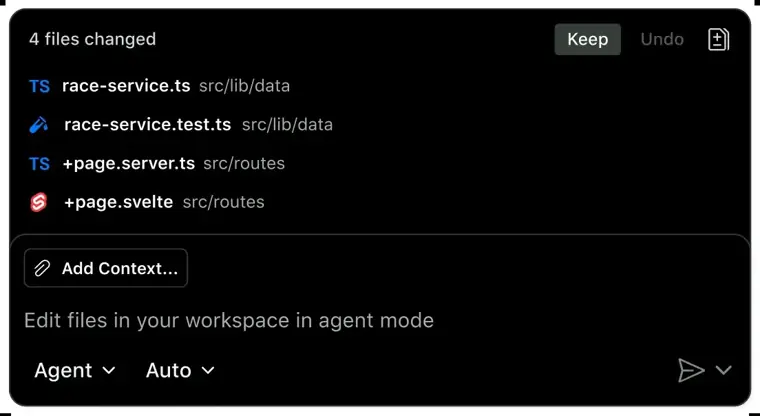
Agent mode
Explains technical concepts, proposes edits, and checks files across supported code editors. It can also modernize applications, run with custom instructions, and assemble pull requests automatically.
Use caseA programmer asks the assistant inside their code editor to propose file edits and modernize legacy Java application code.
From github.com/features/copilot · image from GitHub Copilot -
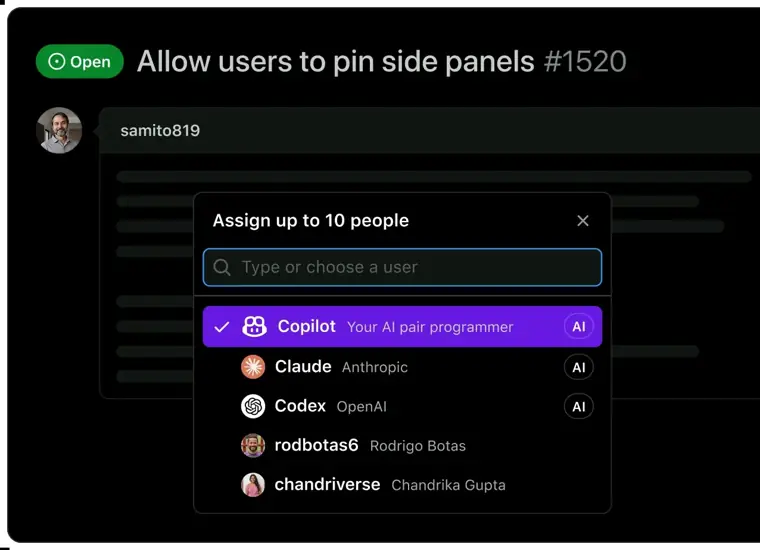
Cloud agent
Assigns development work autonomously to research, plan, and produce code in the background with or without opening a pull request. It also delegates work to third party coding models like Claude and Codex.
Use caseAn engineer assigns a background task from their issue tracker to investigate a problem and write the necessary patch.
From github.com/features/copilot/plans · image from GitHub Copilot -
Automated code review
Examines file differences in your code editor and conducts automated pull request reviews on GitHub. It operates based on team guidelines and custom configurations.
Use caseA maintainer opens a pull request on GitHub and receives an automated assessment of code changes before merging.
From github.com/features/copilot/plans -
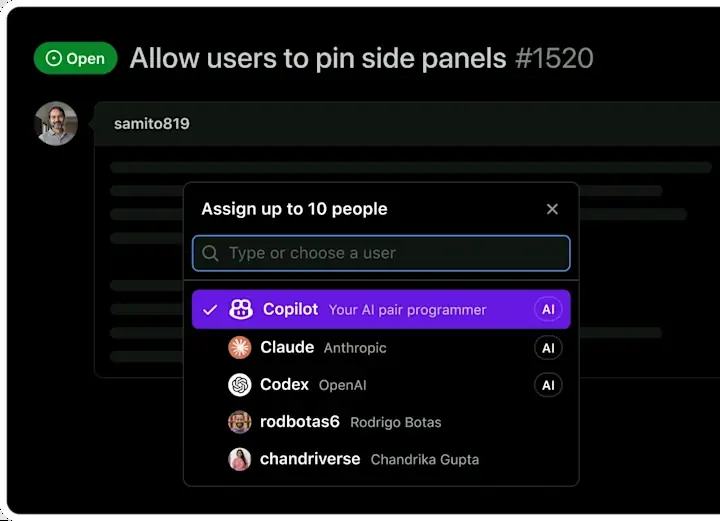
Multi model choice
Enables users to select preferred LLMs from providers like Anthropic, OpenAI, Google, and others. It allows teams to balance their work for speed, cost, or technical accuracy.
Use caseA software team switches their default model to a premium engine like Opus or GPT 5 mini to complete complex logic tasks.
From github.com/features/copilot · image from GitHub Copilot
Written from GitHub Copilot's own website, checked . Each feature links to the page it comes from; images are GitHub Copilot's own.
Every plan
| Plan | Monthly | Billed yearly | Per | What it includes |
|---|---|---|---|---|
| Free | Free | Not listed | per user | 2,000 completions/mo, limited chat and agent usage, auto model selection |
| Pro | $10 | Not listed | per user | Unlimited completions; 1,500 GitHub AI credits/mo (1,000 base + 500 flex); extra credits purchasable |
| Pro+ | $39 | Not listed | per user | 7,000 AI credits/mo (3,900 base + 3,100 flex) |
| Max | $100 | Not listed | per user | 20,000 AI credits/mo (10,000 base + 10,000 flex) |
| Business | $19 | Not listed | per seat | 1,900 AI credits/user/mo, pooled org usage, no training on data |
| Enterprise | $39 | Not listed | per seat | 3,900 AI credits/user/mo, enterprise security features |
From GitHub Copilot's own pricing page, checked . Prices are in US dollars per month; "billed yearly" is the monthly price when you pay for a year up front. A few figures (often the yearly price) are derived rather than printed on the page.
Before you pay
- Card needed for the trial
- No
What GitHub Copilot says
No credit card required. Verified students have access to the GitHub Copilot Student plan.
Source page - Unused credits roll over
- No
What GitHub Copilot says
Included AI credits do not carry over between months. Unused credits are forfeited, and your allowance resets to the full monthly amount
Source page - Discounts
- Verified students get free access to Copilot Student, and verified teachers and open source maintainers may be eligible for free Copilot Pro.
What GitHub Copilot says
Verified teachers, and maintainers of popular open source projects may be eligible for free access to Copilot Pro.
Source page - Support
- Community Support, Web based support, GitHub Support
Only what GitHub Copilot's own pages state, with the quote behind each answer. Anything they don't publish is left out rather than guessed.
Getting started with GitHub Copilot
- Choose between Copilot Free, Copilot Student, Copilot Pro, Copilot Pro+, Copilot Max, Copilot Business, or Copilot Enterprise depending on your needs.
- Subscribe to or start your chosen plan, such as clicking Start using Copilot Free or Subscribe to Copilot Pro.
- Open your billing overview page at https://github.com/settings/billing.
- Click Budgets and alerts.
- Click New budget to create a budget to control spending.
- Select Product level budget, SKU level budget, or Bundled AI credits budget under Budget Type, define the scope and amount, and click Create budget.
Tips
- Inline code suggestions are limited to 2,000 completions per month on the Copilot Free plan.
- Select Stop usage when budget limit is reached if you want to prevent additional usage and spending once your budget limit is hit.
- Avoid creating overlapping budgets for the use of a product and a SKU so users are not unexpectedly blocked from features.
Written from GitHub Copilot's own help pages: docs.github.com/en/copilot/get-started/plans · docs.github.com/en/billing/tutorials/set-up-budgets
What the free plan includes
2,000 inline completions/
Questions people ask about GitHub Copilot
How much does GitHub Copilot cost?
Paid plans start at $10 a month (Pro). 6 plans are listed above, from GitHub Copilot's own pricing page.
Is GitHub Copilot free?
Yes, there is a free plan: 2,000 inline completions/mo, ~50 chat requests/mo, limited agent usage, auto model selection only; no cloud agent or full code review.
Do unused GitHub Copilot credits roll over?
No, unused credits do not carry over to the next month. Source
Do I need a credit card to try GitHub Copilot?
No, you can start without a credit card. Source
Does GitHub Copilot have a student or other discount?
Verified students get free access to Copilot Student, and verified teachers and open source maintainers may be eligible for free Copilot Pro. Source
What are GitHub AI Credits?
Interactions consume tokens priced by the model used, and that total is converted into AI credits where 1 AI credit equals $0.01 USD. Source
What happens if I exceed my included AI credits?
You can upgrade your plan, stay on your existing plan and pay for more usage by setting an additional usage budget, or wait until the next monthly reset. Source
Where this came from
Plans, prices and limits were copied from GitHub Copilot's own pages and the other sources listed, then checked .
- github.com/features/copilot/plans
- docs.github.com/en/copilot/get-started/plans
- github.com/features/copilot
- docs.github.com/en/copilot/how-tos/administer-copilot/manage-mcp-us...
- docs.github.com/en/billing/how-tos/set-up-budgets
- docs.github.com/en/copilot/tutorials/roll-out-at-scale/assign-licen...
- docs.github.com/en/copilot/how-tos/copilot-on-github/set-up-copilot...
- docs.github.com/en/copilot/how-tos/copilot-on-github/set-up-copilot...
- docs.github.com/en/copilot/concepts/billing-and-usage/individuals/billing
How we collect prices and rank tools · Is something wrong? Correct this listing
Others that do the same job
 JetBrains AI (AI Assistant / Junie)jetbrains.com/ai
AI Assistant chat/completions and Junie coding agent built into JetBrains IDEs, credit based subscriptions.
- Green flag: Free plan
- Red flag: Credits reset monthly
 Tabninetabnine.com
Privacy focused enterprise AI coding assistant with agents, deployable SaaS, VPC, on prem or air gapped.
- Red flag: No free plan
 Shopifyshopify.com
Leading ecommerce platform with Sidekick AI that designs stores, writes product copy and edits photos.
 Squarespacesquarespace.com
Design led website builder with AI site generation, built in commerce, scheduling and AI visibility tracking.
- Green flag: No card for trial
- Red flag: Credits reset monthly
 Dorikdorik.com
No code AI website builder with CMS, blogging, white label client dashboard and lifetime plans.
 FlutterFlowflutterflow.io
Visual low code builder for Flutter mobile, web and desktop apps with AI generation and code export.
- Green flag: Free plan
- Red flag: Free plan watermark