
FlutterFlow
Visual low code builder for Flutter mobile, web and desktop apps with AI generation and code export.
Best for Building native mobile apps with exportable Flutter code
What it does
FlutterFlow is a visual development environment used to build applications quickly without sacrificing app quality. Users design interfaces, set up logic, and connect data sources to create software that runs across mobile, web, and desktop devices. It is built for developers and teams who want to create production ready apps and export their source code.
Read more: 4 features and how people use themShow less
-
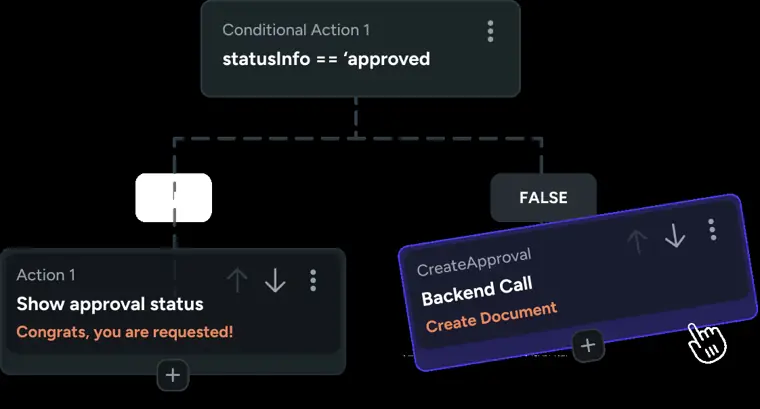
Visual Action Flow Editor
Adds application logic visually so you can configure interactions and behavior without writing manual boilerplate code.
Use caseA developer adds custom button actions and user workflows to an app screen without hand coding the underlying logic.
From flutterflow.io · image from FlutterFlow -
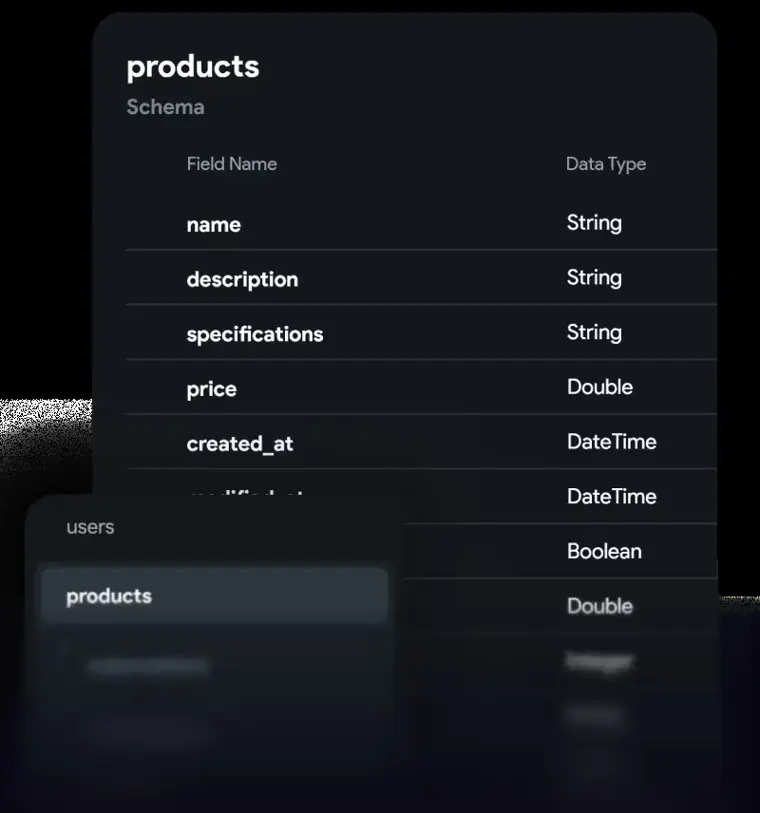
Database integrations
Connects your application directly to backend services like Firebase and Supabase with a few clicks.
Use caseA product team connects their mobile client to a Firebase backend to store user records quickly.
From flutterflow.io · image from FlutterFlow -
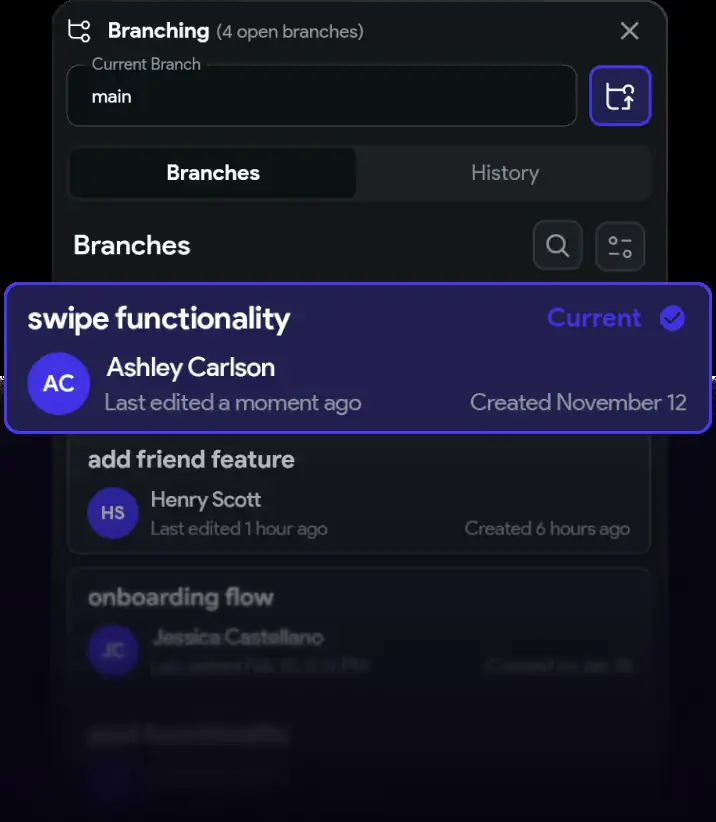
Team branching and collaboration
Allows team members to develop simultaneously across different branches while communicating inside the project.
Use caseAn engineering team assigns tasks and leaves comments on specific app elements while working across separate project branches.
From flutterflow.io · image from FlutterFlow -
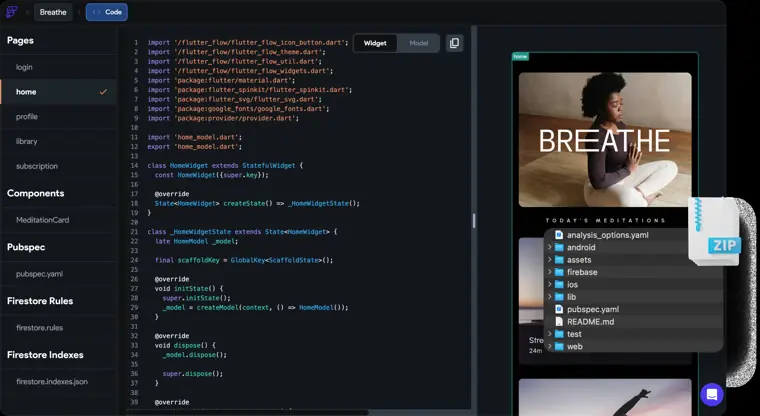
Code export
Exports full Flutter project source code directly with a button click to prevent platform lock in.
Use caseA founder downloads the complete application code base to continue custom development and scaling on their own infrastructure.
From flutterflow.io · image from FlutterFlow
Written from FlutterFlow's own website, checked . Each feature links to the page it comes from; images are FlutterFlow's own.
Every plan
| Plan | Monthly | Billed yearly | Per | What it includes |
|---|---|---|---|---|
| Free | Free | Not listed | per user | 2 projects, 5 lifetime AI requests, no code export |
| Basic | $39 | Not listed | per user | 50 AI requests/mo, code + APK download, 1 custom domain |
| Growth | $80 | Not listed | per seat ($55 for 2nd seat) | 200 AI requests/mo, GitHub, branching |
| Business | $150 | Not listed | per seat ($85 seats 2 to 5) | 500 AI requests/mo, 100 Figma frame imports |
| Enterprise | Contact sales | Not listed | custom | contact sales |
From FlutterFlow's own pricing page, checked . Prices are in US dollars per month; "billed yearly" is the monthly price when you pay for a year up front.
Before you pay
- Watermark on the free plan
- Yes
- Export your data
- Yes
- Support
- Community, Email, In App Support, Reddit
Only what FlutterFlow's own pages state, with the quote behind each answer. Anything they don't publish is left out rather than guessed.
Getting started with FlutterFlow
- Open the FlutterFlow Quickstart project and click Clone to add the starter project to your account.
- Build the quantity control UI by adding a Container, a Row, a Text widget, and decrease, display, and increase controls in the product page's Widget Tree.
- Use the Properties Panel to customize widget styles, including spacing, alignment, colors, padding, size, and icons.
- Select the page's root widget in the Widget Tree, add an Integer page state variable named quantity with an initial value of 1, and bind it to the display Text widget.
- Add On Tap actions using Update Page State to the increase and decrease controls to increment and decrement the quantity variable.
- Select Test Mode from the left side menu to run and test your app's interactions.
Tips
- Test Mode runs a web version of your app and can automatically sync changes from the FlutterFlow builder, whereas Run Mode takes longer and does not support hot reload.
- If you add a required parameter to a page you intend to include in the bottom navigation bar, make sure to also provide a default value for it to avoid an error.
Written from FlutterFlow's own help pages: docs.flutterflow.io/quickstart/ · blog.flutterflow.io/scaling-super-apps-modula...
FlutterFlow video tutorials
Independent creators on YouTube, not FlutterFlow or us. The video loads from YouTube only when you press play.
What the free plan includes
2 projects, 5 lifetime AI requests, 2 API endpoints, no code/
Questions people ask about FlutterFlow
How much does FlutterFlow cost?
Paid plans start at $39 a month (Basic). 5 plans are listed above, from FlutterFlow's own pricing page.
Is FlutterFlow free?
Yes, there is a free plan: 2 projects, 5 lifetime AI requests, 2 API endpoints, no code/APK download or GitHub.
Does the FlutterFlow free plan add a watermark?
Yes, free plan output carries a watermark or branding. Source
How can I find the right FlutterFlow Agency or Freelancer for my project?
You can find developers either through the Partner Portal (browse, filter, or create a project proposal for curated recommendations) or via Contra (browse by location, budget, and certification). Source
What should I include in my Project Proposal?
Include key project details, provide as much context as possible, and be honest about budget restrictions without overly limiting them at the matchmaking stage. Source
What does an "Expert" badge mean?
It indicates agencies or freelancers evaluated by FlutterFlow as having high technical proficiency who have completed FlutterFlow's review process and expert level training. Source
Who are FlutterFlow Agencies?
Agencies verified by FlutterFlow as having the technical skills to build with FlutterFlow, following an application and review process. Source
Works with
- Integrations
- Firebase, Supabase, Figma, GitHub, VS Code
Where this came from
Plans, prices and limits were copied from FlutterFlow's own pages, then checked .
How we collect prices and rank tools · Is something wrong? Correct this listing
Others that do the same job
 Shopifyshopify.com
Leading ecommerce platform with Sidekick AI that designs stores, writes product copy and edits photos.
 Squarespacesquarespace.com
Design led website builder with AI site generation, built in commerce, scheduling and AI visibility tracking.
- Green flag: No card for trial
- Red flag: Credits reset monthly
 Dorikdorik.com
No code AI website builder with CMS, blogging, white label client dashboard and lifetime plans.
 Kirokiro.dev
AWS's spec driven agentic IDE and CLI that turns prompts into specs, tasks and code.
- Green flag: Free plan
 Webflowwebflow.com
Professional visual web development platform with CMS, ecommerce and AI site, copy and SEO tools.
- Green flag: Free plan
 Zedzed.dev
Fast open source Rust code editor with an agent panel, edit predictions and external agent support.
- Green flag: Free plan
- Green flag: No card for trial