
Murf AI
Studio style AI voiceover maker with 200+ voices, voice cloning, and Falcon TTS API for developers.
Best for Business voiceovers for videos, e learning, presentations
Used Murf AI and liked it? Upvote it. One upvote per person. Upvotes come from visitors, not from us, and never change "Our ranking".
What it does
Murf AI is a voice platform that provides speech synthesis APIs, a creative studio, and dubbing tools. Users provide written scripts or recorded audio to generate lifelike speech, cloned voices, and translated media. The platform is designed for developers, businesses, and content creators building voice agents or multimedia voiceovers.
Read more: 5 features and how people use themShow less
-
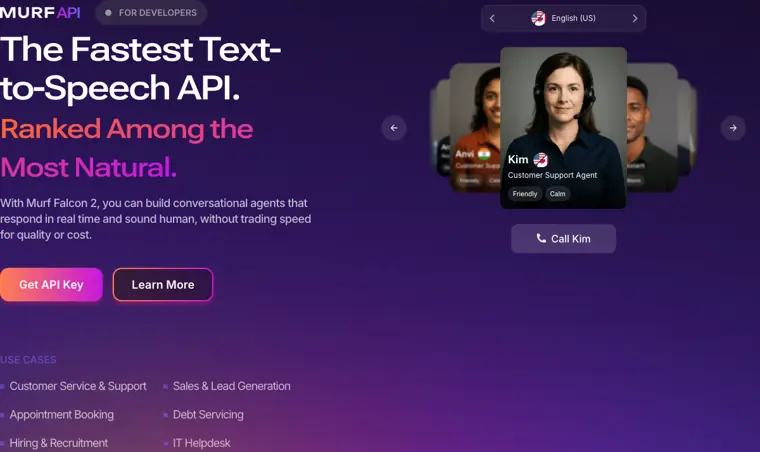
Falcon TTS API
Generates real time speech with low latency for conversational voice agents. It processes text requests quickly to deliver responsive conversational audio.
Use caseA developer connects customer service systems to generate real time responses for inbound customer support calls.
From murf.ai · image from Murf AI -
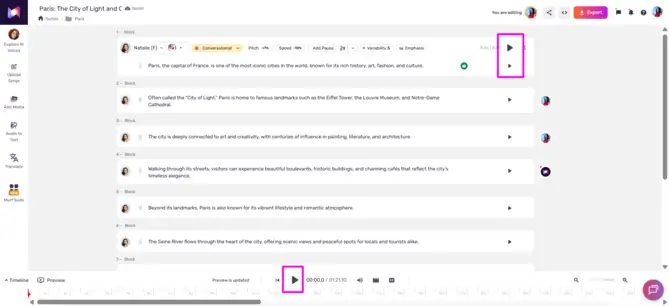
Murf Studio
Creates synthetic voiceovers from text scripts with fine control over delivery. It lets you customize attributes like pitch, speed, intonation, and specific word pronunciations.
Use caseAn instructional designer creates narrated training modules from a written script across different languages.
From murf.ai · image from Murf AI -
AI Dubbing
Localizes video content into different languages while retaining the tone, meaning, and voice characteristics of the original speaker.
Use caseA marketing specialist translates an English corporate video into Spanish to distribute to international audiences.
From murf.ai -
Voice Changer
Converts pre recorded audio files into synthetic voiceovers using alternative AI voices. It updates the vocal identity while automatically preserving the rhythm, prosody, and accent of the source audio.
Use caseA product marketer uploads a rough demo recording to swap their voice for a professional sounding narrator voice.
From murf.ai -
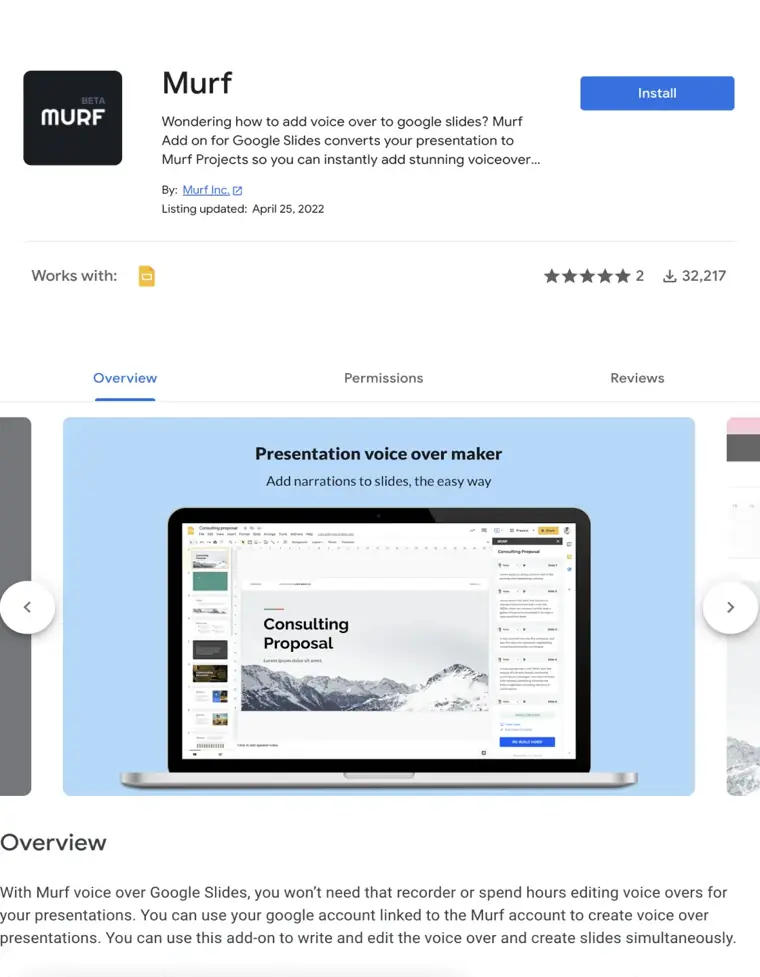
Google Slides voice add on
Syncs narration directly into presentation decks by writing and attaching voice scripts to individual slides. It synchronizes audio timing to match slide transitions and saves projects to the studio.
Use caseA team member writes narration scripts inside a presentation deck to automatically build an audio synced video.
From murf.ai/integrations/google-slides · image from Murf AI
Written from Murf AI's own website, checked . Each feature links to the page it comes from; images are Murf AI's own.
Every plan
| Plan | Monthly | Billed yearly | Per | What it includes |
|---|---|---|---|---|
| Free | Free | Not listed | per account | 10 min generation, no downloads |
| Creator | $29 | $19 | per seat | 24 hrs/year, 1 seat, commercial rights, voice cloning, 20+ languages |
| Business | $99 | $66 | per account | 96 hrs/year (annual) or 20 hrs/mo (monthly), 30+ languages |
| Enterprise | Contact sales | Not listed | custom | contact sales |
From Murf AI's own pricing page, checked . Prices are in US dollars per month; "billed yearly" is the monthly price when you pay for a year up front. A few figures (often the yearly price) are derived rather than printed on the page.
Before you pay
- Refunds
- Eligible users can request a cancellation and refund by contacting Murf via chat or email, subject to their refund terms and conditions.
What Murf AI says
If you are eligible for a refund, kindly contact us via chat or email. If your plan was renewed recently and you would like a cancellation and refund, kindly email us
Source page - How to cancel
- Users can cancel their plan directly under Subscription in Workspace Settings by selecting Continue to cancel, choosing a reason, and clicking Cancel Subscription.
What Murf AI says
Head to Workspace Settings Under "Subscription" > Cancel Plan > Continue to cancel Select a primary reason from the list and share your comments. Cancel Subscription
Source page - Cancel online yourself
- Yes
What Murf AI says
Murf provides users the option to cancel their subscription upon demand directly from the Workspace Settings interface.
Source page - Renews automatically
- Yes
What Murf AI says
To avoid unplanned charges, we recommend cancelling your plan at least a day before it renews.
Source page - Card needed for the trial
- No
What Murf AI says
Free Trial Get access to all API endpoints. Explore, build, and test without barriers Get Started No credit card required
Source page - Unused credits roll over
- Yes
- HIPAA
- Yes
What Murf AI says
Built to the highest security standards: SOC 2, ISO 27001, GDPR, and HIPAA compliance, to keep your data safe.
Source page - SOC 2
- Yes
- GDPR
- Yes
What Murf AI says
Built to the highest security standards: SOC 2, ISO 27001, GDPR, and HIPAA compliance, to keep your data safe.
Source page - Discounts
- Murf offers a Startup Incubator program providing early stage startups with 50 million free API characters for 3 months, as well as enterprise volume discounts.
What Murf AI says
The Murf Startup Incubator program designed for developers and builders offers early stage startups 50 million free API characters for a 3 month period.
Source page - Support
- Email, live chat, help center
What Murf AI says
Average chat response time < 3 minutes, ensuring you face minimal downtime.
Source page
Only what Murf AI's own pages state, with the quote behind each answer. Anything they don't publish is left out rather than guessed.
Getting started with Murf AI
- Create your API Key in the Murf API dashboard.
- Save the API key as the MURF_API_KEY environment variable in your terminal.
- Install PortAudio if it is not already installed on your system.
- Install the required Python packages using pip install murf pyaudio.
- Initialize the Murf client and select your desired region.
- Make a streaming API request using client.text_to_speech.stream with your selected voice ID and text.
Tips
- Store the API key in a secure location, as you’ll need it to authenticate your requests.
- For lower latency, specify a region closer to your users when initializing the client.
- Ensure audio format settings such as sample rate match your API output for playback.
Written from Murf AI's own help pages: murf.ai/api/docs/introduction/quickstart
Murf AI video tutorials
Independent creators on YouTube, not Murf AI or us. The video loads from YouTube only when you press play.
What the free plan includes
10 minutes generation total, no downloads, no commercial rights
Questions people ask about Murf AI
How much does Murf AI cost?
Paid plans start at $29 a month (Creator). 4 plans are listed above, from Murf AI's own pricing page.
Is Murf AI free?
Yes, there is a free plan: 10 minutes generation total, no downloads, no commercial rights.
Can I get a refund from Murf AI?
Eligible users can request a cancellation and refund by contacting Murf via chat or email, subject to their refund terms and conditions. Source
How do I cancel Murf AI?
Users can cancel their plan directly under Subscription in Workspace Settings by selecting Continue to cancel, choosing a reason, and clicking Cancel Subscription. Source
Do unused Murf AI credits roll over?
Yes, unused credits carry over. Source
Is Murf AI HIPAA compliant?
Yes. Source
Do I need a credit card to try Murf AI?
No, you can start without a credit card. Source
Does Murf AI have a student or other discount?
Murf offers a Startup Incubator program providing early stage startups with 50 million free API characters for 3 months, as well as enterprise volume discounts. Source
Does Murf AI have an API?
Yes.
What are the supported input formats for the Voice Changer API?
The API accepts WAV, MP3, ALAW, ULAW, and FLAC audio formats. Source
Works with
- Integrations
- Canva, PowerPoint, Captivate, Google Slides, Audition
- AI models
- Falcon 2, Gen2
- Languages
- 35+ languages
Where this came from
Plans, prices and limits were copied from Murf AI's own pages and the other sources listed, then checked .
- murf.ai/pricing
- aiproductivity.ai/pricing/murf/
- murf.ai/
- help.murf.ai/cancelling-a-murf-subscription
- murf.ai/api/docs/text-to-speech-models/falcon-2
- help.murf.ai/what-is-voice-generation-time-vgt
- help.murf.ai/
- murf.ai/api/docs/text-to-speech-models/gen-2
- murf.ai/api/docs/capabilities/voice-changer
- murf.ai/api/docs/capabilities/translation
How we collect prices and rank tools · Is something wrong? Correct this listing
Others that do the same job
 Listnrlistnr.ai
Budget AI text to speech and podcast voice generator with 1,000+ voices across 140+ languages.
- Green flag: Free plan
- Green flag: Cancel online
- Green flag: No card for trial
- Red flag: Credits reset monthly
 Resemble AIresemble.ai
Enterprise voice cloning and TTS platform with deepfake detection and audio watermarking via API.
- Green flag: Free plan
- Green flag: No card for trial
- Green flag: Credits don't expire
 Speechifyspeechify.com
Text to speech reader app plus Speechify Studio for AI voiceovers, dubbing and avatars.
- Green flag: Free plan
 WellSaidwellsaid.io
Enterprise focused AI voiceover studio with curated, licensed voice actor voices for training and marketing content.
- Green flag: No card for trial
- Green flag: Doesn't train on your data
 ElevenLabselevenlabs.io
Lifelike multilingual text to speech, voice cloning, dubbing and conversational voice agents with a developer API.
- Green flag: Free plan
- Green flag: Some credits roll over
- Red flag: Failed runs cost credits
LOVO (Genny)lovo.ai
Genny is LOVO's AI voiceover and video editor with 500+ voices, cloning, and auto subtitles.
- Green flag: Free plan