
Bluedot
Bot free AI notetaker recording via Chrome extension or desktop app, with summaries in 100+ languages.
Best for Client facing teams avoiding meeting bots
What it does
Bluedot is an AI meeting note taker that captures conversations without sending bots into calls. You provide audio or video from online meetings, browser sessions, or in person discussions, and it produces searchable transcripts, structured notes, and action items. It is designed for professionals and teams such as founders, recruiters, sales reps, and managers.
Read more: 5 features and how people use themShow less
-
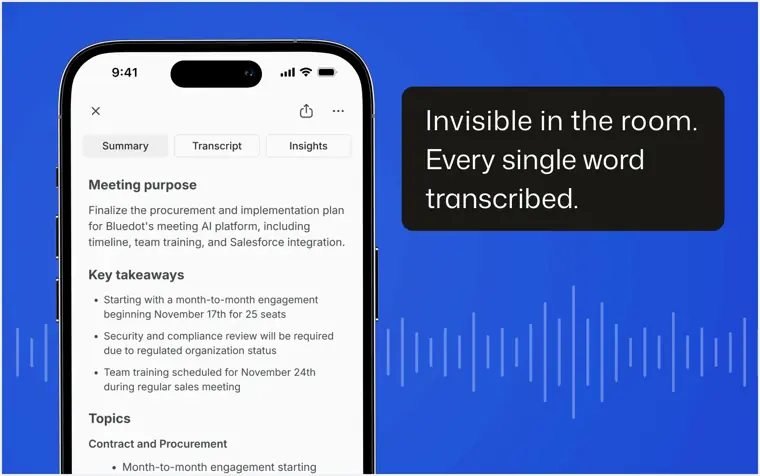
Bot free recording
Captures spoken conversations across web browsers, desktop programs, or mobile devices without requiring a visible virtual bot to join the meeting.
Use caseA recruitment lead conducts candidate interviews without an intrusive bot in the call so the conversation stays natural.
From bluedothq.com · image from Bluedot -
Multilingual transcription and summaries
Converts spoken conversation into text transcripts and structured summaries across more than one hundred supported languages.
Use caseAn international business founder conducts planning sessions in foreign languages and receives written recaps to share with stakeholders.
From bluedothq.com -
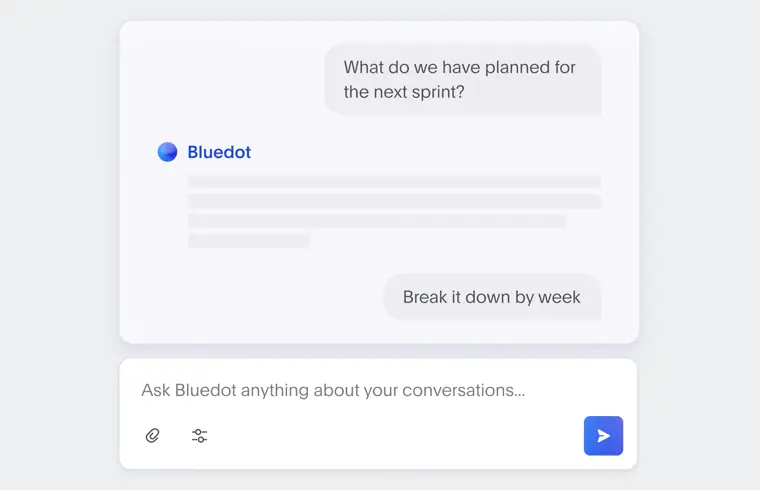
Built in AI chat
Answers questions, locates key discussion points, and surfaces details across multiple meeting records through an interactive prompt interface.
Use caseA sales representative asks the assistant what objections were raised during a client demo instead of rewatching the full recording.
From bluedothq.com · image from Bluedot -
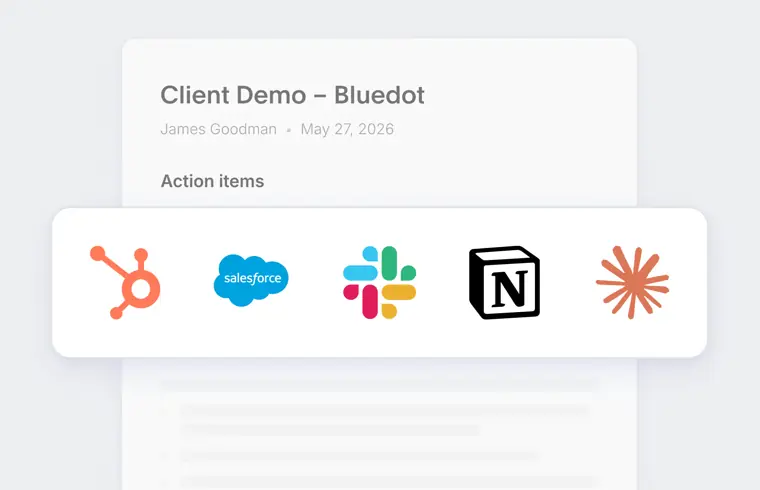
Post meeting automation
Transfers meeting notes, transcripts, and action items directly into CRM systems, ATS tools, and external services via webhooks and API.
Use caseA recruiter finishes a screening conversation and lets the software send candidate details and interview notes directly into the ATS.
From bluedothq.com · image from Bluedot -
Model Context Protocol integration
Connects AI assistants like Claude to meeting archives to search workspace records, retrieve transcripts with speaker labels, and view structured summaries.
Use caseA team member connects an AI assistant to list meetings and pull structured summary sections directly inside Claude without opening a separate tab.
From help.bluedothq.com
Written from Bluedot's own website, checked . Each feature links to the page it comes from; images are Bluedot's own.
Every plan
| Plan | Monthly | Billed yearly | Per | What it includes |
|---|---|---|---|---|
| Free | Free | $0 | per user | 5 meetings lifetime |
| Basic | $18 | $14 | per recording user | unlimited audio only meetings; max 1h/recording |
| Pro | $25 | $20 | per recording user | unlimited meetings with video; unlimited duration |
| Business | $39 | $32 | per recording user | CRM/ATS integrations; SSO/SCIM; admin controls |
| Enterprise (flat rate) | Not listed | Not listed | flat per company | contact sales |
From Bluedot's own pricing page, checked . Prices are in US dollars per month; "billed yearly" is the monthly price when you pay for a year up front. A few figures (often the yearly price) are derived rather than printed on the page.
Before you pay
- Refunds
- Payments are non refundable.
What Bluedot says
Fees are billed in advance on a monthly or annual basis Payments are non refundable
Source page - How to cancel
- Subscribers can cancel at any time through the Service or by contacting support by email.
What Bluedot says
You may cancel your subscription at any time through the Service or by contacting support@bluedothq.com.
Source page - Cancel online yourself
- Yes
What Bluedot says
You may cancel your subscription at any time through the Service or by contacting support@bluedothq.com.
Source page - Renews automatically
- Yes
- Trains on your data
- No
What Bluedot says
Bluedot does not use Customer Content to train or improve artificial intelligence models. Our vendors and service providers are not permitted to use Customer Content for their own model training
Source page - Data retention
- Customer content remains in the account until deleted or cancelled, after which active systems remove it immediately and internal backups clear within 30 days before permanent deletion.
What Bluedot says
When content is deleted or your account is cancelled or terminated: It is removed from active systems It may remain in internal backups for up to 30 days
Source page - Export your data
- Yes
What Bluedot says
You are responsible for exporting any data you wish to retain before deletion or cancellation.
Source page - HIPAA
- Yes
What Bluedot says
HIPAA training conducted Human resource security policy established Information security program established
Source page - SOC 2
- Yes
What Bluedot says
Bluedot maintains independently audited controls for security, availability, and confidentiality under the SOC 2 Type II framework.
Source page - GDPR
- Yes
What Bluedot says
Bluedot maintains GDPR compliant controls and data processing practices to protect personal data across collection, access, storage, retention, and deletion.
Source page - Support
- Email, help center
What Bluedot says
You may cancel your subscription at any time through the Service or by contacting support@bluedothq.com.
Source page
Only what Bluedot's own pages state, with the quote behind each answer. Anything they don't publish is left out rather than guessed.
Getting started with Bluedot
- Open and sign in to Claude.
- Navigate to Customize.
- Navigate to Connectors and select Add custom connector.
- Enter Bluedot as the Name.
- Enter https://app.bluedothq.com/api/v1/mcp as the Server URL.
- Connect and complete authentication.
Tips
- For admins using organization level setup, go to Personal Settings → Connectors → Bluedot after installation and click “Connect”.
- You do not need to use the same email for your AI tool and Bluedot; you authenticate the specific Bluedot account you want accessed during setup.
- Ensure you have a paid subscription to Claude or ChatGPT to use the MCP integration.
Written from Bluedot's own help pages: help.bluedothq.com/en/articles/14708332-blued...
Bluedot video tutorials
Independent creators on YouTube, not Bluedot or us. The video loads from YouTube only when you press play.
What the free plan includes
5 meetings lifetime; includes Chrome extension, desktop and mobile apps, Slack/
Questions people ask about Bluedot
How much does Bluedot cost?
Paid plans start at $18 a month (Basic). 5 plans are listed above, from Bluedot's own pricing page.
Is Bluedot free?
Yes, there is a free plan: 5 meetings lifetime; includes Chrome extension, desktop and mobile apps, Slack/Notion/Zapier/Make.
Can I get a refund from Bluedot?
Payments are non refundable. Source
How do I cancel Bluedot?
Subscribers can cancel at any time through the Service or by contacting support by email. Source
Does Bluedot train its AI on my data?
No, the company says your data is not used for training. Source
Is Bluedot HIPAA compliant?
Yes. Source
Why can’t I access a specific meeting?
You can only access meetings that are available to you in Bluedot. If a recording isn’t accessible via MCP, it means you don’t have permission to view it in Bluedot. Source
What data can my AI assistant access?
Your AI assistant can only access data your Bluedot account already has permission to view - including transcripts and meeting metadata. No additional permissions are granted through MCP. Source
Do I need to use the same email for my AI tool and Bluedot?
No, you can use different accounts. During setup, you’ll authenticate the Bluedot account you want your AI assistant to access. Source
Do I need to have a paid Claude or ChatGPT account to use it?
Yes, you would need to have a paid subscriptions to Claude or ChatGPT. Source
Works with
- Integrations
- Zoom, Google Meet, Microsoft Teams, Slack, Notion, Zapier, Make, Google Drive, Claude, ChatGPT
- AI models
- Claude, ChatGPT
- Languages
- Over 100 languages (including English, Español, Deutsch, Italiano, Português, हिंदी, Українська, Suomi, Polski, Türkçe, Tiếng Việt, Nederlands, 日本語, 中文, Français)
Where this came from
Plans, prices and limits were copied from Bluedot's own pages and the other sources listed, then checked .
- bluedothq.com/pricing
- bluedothq.com/security
- bluedothq.com/
- help.bluedothq.com/en/articles/14708332-bluedot-mcp-overview?_gl=1%...
- help.bluedothq.com/en/
- trust.bluedothq.com/
- bluedothq.com/privacy
- bluedothq.com/solutions/legal
- bluedothq.com/terms
How we collect prices and rank tools · Is something wrong? Correct this listing
Others that do the same job
 tl;dvtldv.io
Meeting recorder and AI notetaker for Zoom, Meet and Teams with multi meeting insights and CRM automation.
- Green flag: Free plan
- Green flag: Doesn't train on your data
 Fathomfathom.ai
Free forever AI notetaker that records Zoom, Meet and Teams calls and auto generates summaries and CRM notes.
- Green flag: Free plan
 Fireflies.aifireflies.ai
AI notetaker that records, transcribes and summarizes meetings across platforms, with search, analytics and integrations.
- Green flag: Free plan
- Green flag: Doesn't train on your data
- Red flag: Credits reset monthly
 Krisp (AI Note Taker)krisp.ai
Bot free meeting assistant combining noise cancellation, accent conversion, transcription and AI notes on any call app.
- Green flag: No card for trial
 MeetGeekmeetgeek.ai
AI meeting assistant that records, transcribes and summarizes calls, with team analytics and CRM automations.
- Green flag: Free plan
 Otter.aiotter.ai
Real time meeting transcription and AI summaries, with an auto joining notetaker and a bot free desktop app.
- Green flag: Free plan
- Red flag: Credits reset monthly
- Red flag: No refunds