
Otter.ai
Real time meeting transcription and AI summaries, with an auto joining notetaker and a bot free desktop app.
Best for Individuals and teams wanting reliable live transcripts
Used Otter.ai and liked it? Upvote it. One upvote per person. Upvotes come from visitors, not from us, and never change "Our ranking".
What it does
Otter.ai is meeting software that captures audio from virtual calls, desktop computers, and mobile devices. It turns spoken conversations into searchable transcripts, automated summaries, and assigned action items. It is built for business teams, sales representatives, educators, and media professionals who need clear meeting records and follow ups.
Read more: 4 features and how people use themShow less
-
Live transcription
Transcribes spoken dialogue during calls in real time and identifies different speakers across multiple supported languages.
Use caseA teacher records a classroom discussion to automatically generate an exact written record for students to review later.
From otter.ai -
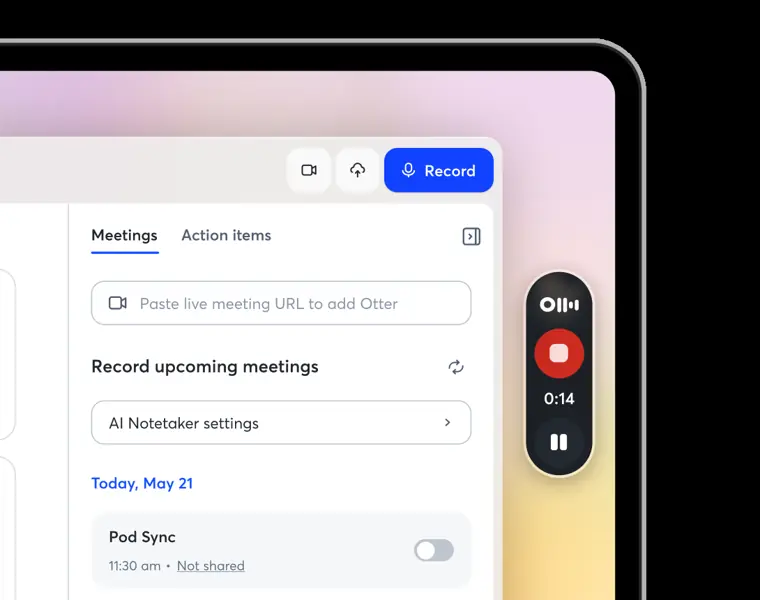
Bot free desktop recording
Records audio directly from a computer operating system without requiring an automated bot participant to join the meeting.
Use caseA remote worker wears headphones during an internal discussion and records the conversation without a bot joining the call room.
From otter.ai · image from Otter.ai -
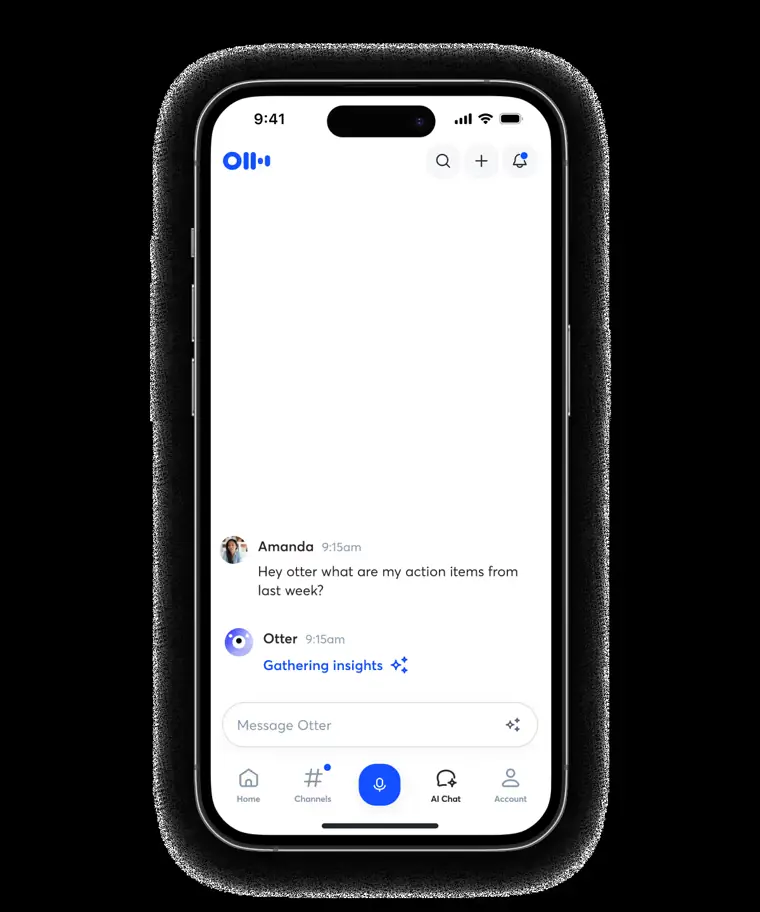
Otter AI chat
Searches stored transcripts and connected tools to answer questions and draft follow up messages or reports.
Use caseA project manager searches across multiple past team conversations to compile a status update and action summary.
From otter.ai · image from Otter.ai -
CRM sync
Extracts deal details, meeting transcripts, and call notes and exports them directly into customer relationship management platforms.
Use caseA sales representative finishes a discovery call with a prospect and logs the notes directly into Salesforce or HubSpot.
From otter.ai
Written from Otter.ai's own website, checked . Each feature links to the page it comes from; images are Otter.ai's own.
Every plan
| Plan | Monthly | Billed yearly | Per | What it includes |
|---|---|---|---|---|
| Basic | Free | $0 | per user | 300 min/month, 30 min/conversation, 3 lifetime imports, 20 AI chat queries/month |
| Pro | $16.99 | $8.33 | per user | 1,200 min/month, 90 min/conversation, 10 imports/month, 50 AI chat queries |
| Business | $30 | $19.99 | per user | unlimited meeting transcription, 4 hr/conversation, 6,000 import min/month, 200 AI chat queries |
| Enterprise | Not listed | Not listed | per user | contact sales |
From Otter.ai's own pricing page, checked . Prices are in US dollars per month; "billed yearly" is the monthly price when you pay for a year up front. A few figures (often the yearly price) are derived rather than printed on the page.
Before you pay
- Refunds
- All fees are non refundable, and refunds for prior subscription fees are not offered.
- Unused credits roll over
- No
- Data retention
- Custom data retention is available on Enterprise plans.
- Export your data
- Yes
What Otter.ai says
Exportable audio, text, and captions mp3, txt mp3, txt, pdf, docx, srt
Source page - HIPAA
- Yes
- Discounts
- Discounts are available for students and teachers on the Pro plan, as well as nonprofit discounts via TechSoup.
What Otter.ai says
The Student & Teacher program offers a discount on our Pro monthly or annual plan for individuals.
Source page - Support
- Email support (standard on Basic/Pro, prioritized on Business/Enterprise), help center
Only what Otter.ai's own pages state, with the quote behind each answer. Anything they don't publish is left out rather than guessed.
Getting started with Otter.ai
- Sign up for an Otter account using your work email.
- Verify your email address by clicking the validation link sent to your inbox.
- Download Otter's mobile app to record conversations and sync across devices.
- Connect your calendars and contacts by clicking Apps in the left navigation menu.
- Click Import in the top right to upload an existing audio or video file for transcription.
- Configure your profile and add custom vocabulary by clicking your profile photo or initial in the top left and selecting Account Settings.
Tips
- Check your spam or junk folder if you have not received the verification email, and add Otter.ai as a contact to ensure emails reach your inbox.
- Automatically share a conversation with a Channel by navigating to that Channel and clicking Start recording.
- Submitting an edit to an earlier message in AI Chat removes all messages that follow it, so save anything you need before editing.
Written from Otter.ai's own help pages: help.otter.ai/hc/en-us/articles/360049722894-... · help.otter.ai/hc/en-us/articles/1968218016757...
Otter.ai video tutorials
Independent creators on YouTube, not Otter.ai or us. The video loads from YouTube only when you press play.
What the free plan includes
300 transcription minutes/
Questions people ask about Otter.ai
How much does Otter.ai cost?
Paid plans start at $16.99 a month (Pro). 4 plans are listed above, from Otter.ai's own pricing page.
Is Otter.ai free?
Yes, there is a free plan: 300 transcription minutes/month per user, 30 min max per conversation, 3 lifetime file imports, 25 most recent conversations, 20 AI Chat queries/month.
Can I get a refund from Otter.ai?
All fees are non refundable, and refunds for prior subscription fees are not offered. Source
Do unused Otter.ai credits roll over?
No, unused credits do not carry over to the next month. Source
Is Otter.ai HIPAA compliant?
Yes. Source
Does Otter.ai have a student or other discount?
Discounts are available for students and teachers on the Pro plan, as well as nonprofit discounts via TechSoup. Source
Does Otter.ai have an API?
Yes.
My colleagues and I already have Otter accounts. Can we switch to Business?
Yes! Just log in to your account, go to Settings, and select “Upgrade to Business”. Follow the prompts and you’ll be set. Source
Works with
- Languages
- 6 languages (English, Spanish, French, German, Japanese, and Chinese)
Where this came from
Plans, prices and limits were copied from Otter.ai's own pages and the other sources listed, then checked .
- otter.ai/pricing
- otter.ai/desktop
- fellow.ai/blog/hipaa-ai-meeting-notetakers/
- otter.ai
- help.otter.ai/hc/en-us?_gl=1%2A1djb34%2A_ga%2ANzk4MjYxNDczLjE2OTc3N...
- help.otter.ai/hc/en-us/articles/4402467517847-Purchase-the-Pro-plan...
- otter.ai/privacy-policy
- otter.ai/terms-of-service
- otter.ai/integrations
- otter.ai/integrations/desktop
How we collect prices and rank tools · Is something wrong? Correct this listing
Others that do the same job
 tl;dvtldv.io
Meeting recorder and AI notetaker for Zoom, Meet and Teams with multi meeting insights and CRM automation.
- Green flag: Free plan
- Green flag: Doesn't train on your data
 Bluedotbluedothq.com
Bot free AI notetaker recording via Chrome extension or desktop app, with summaries in 100+ languages.
- Green flag: Free plan
- Green flag: Cancel online
- Green flag: Doesn't train on your data
- Red flag: No refunds
 Fathomfathom.ai
Free forever AI notetaker that records Zoom, Meet and Teams calls and auto generates summaries and CRM notes.
- Green flag: Free plan
 Fireflies.aifireflies.ai
AI notetaker that records, transcribes and summarizes meetings across platforms, with search, analytics and integrations.
- Green flag: Free plan
- Green flag: Doesn't train on your data
- Red flag: Credits reset monthly
 Krisp (AI Note Taker)krisp.ai
Bot free meeting assistant combining noise cancellation, accent conversion, transcription and AI notes on any call app.
- Green flag: No card for trial
 MeetGeekmeetgeek.ai
AI meeting assistant that records, transcribes and summarizes calls, with team analytics and CRM automations.
- Green flag: Free plan