
Fireflies.ai
AI notetaker that records, transcribes and summarizes meetings across platforms, with search, analytics and integrations.
Best for Teams wanting searchable meeting records and many integrations
Used Fireflies.ai and liked it? Upvote it. One upvote per person. Upvotes come from visitors, not from us, and never change "Our ranking".
What it does
Fireflies.ai is an AI assistant designed for team conversations and meetings. Users provide live meetings, dialer calls, or uploaded audio and video recordings, and the service generates transcripts, summaries, action items, and conversation analytics. It is built for individuals and corporate teams looking to organize, search, and automate work from their discussions.
Read more: 4 features and how people use themShow less
-
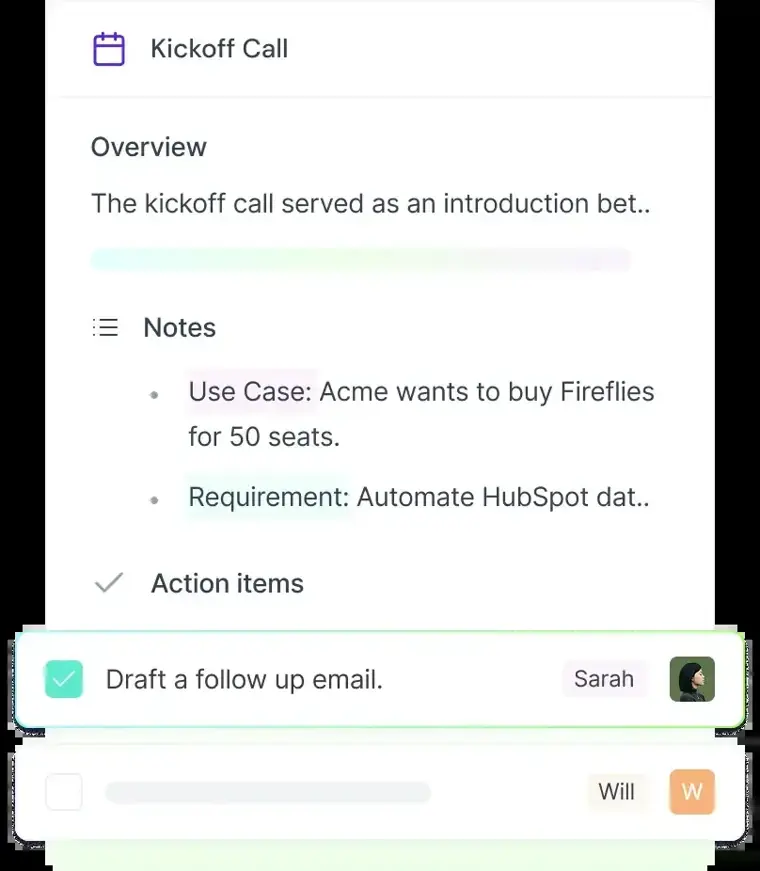
Comprehensive AI summaries
Generates structured overview notes, bullet points, action items, and custom takeaways immediately following a meeting.
Use caseA project manager shares automatically generated action items with colleagues directly after an alignment session finishes.
From fireflies.ai · image from Fireflies.ai -
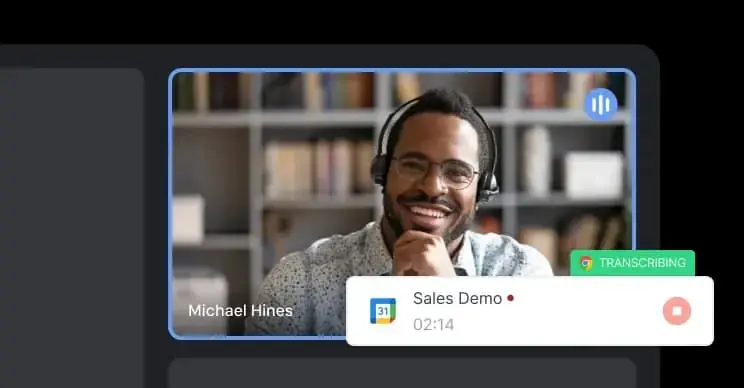
Chrome extension capture
Captures and transcribes Google Meet calls directly in the web browser without sending a bot participant into the room.
Use caseA recruiter interviews candidates on Google Meet and collects real time transcriptions without adding an extra bot account to the invite.
From fireflies.ai/product/chrome-extension · image from Fireflies.ai -
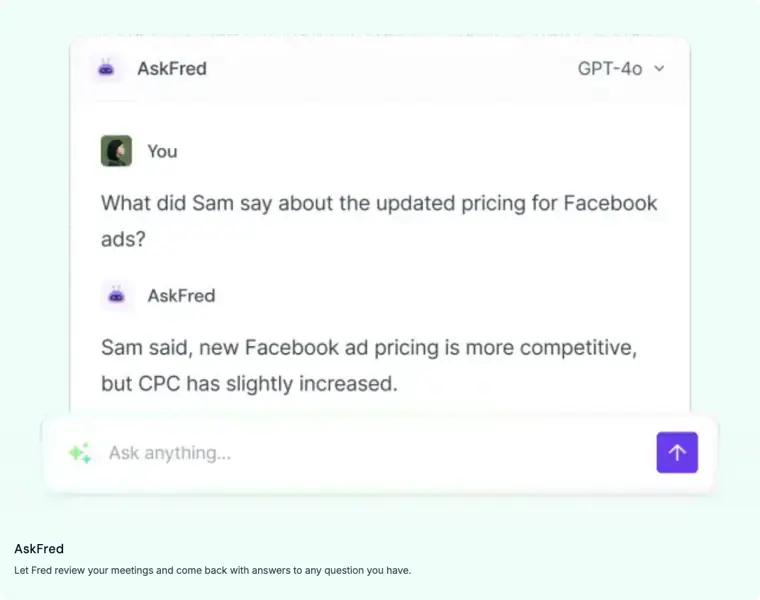
AskFred meeting assistant
Answers specific questions about prior discussions by reviewing meeting content and returning direct responses.
Use caseAn executive asks Fred to locate the exact budget numbers agreed upon during a call held months earlier.
From fireflies.ai · image from Fireflies.ai -
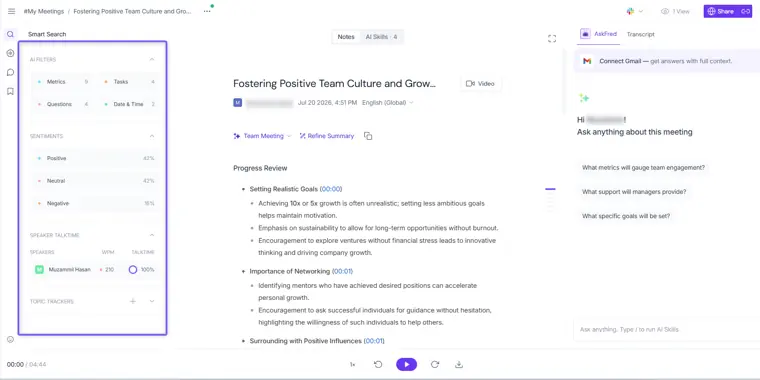
Conversation intelligence
Tracks talk time per speaker and analyzes meeting dialogue using sentiment detection and topic filters.
Use caseA sales manager reviews speaker talk time across client calls to monitor representative engagement and participation balance.
From fireflies.ai · image from Fireflies.ai
Written from Fireflies.ai's own website, checked . Each feature links to the page it comes from; images are Fireflies.ai's own.
Every plan
| Plan | Monthly | Billed yearly | Per | What it includes |
|---|---|---|---|---|
| Free | Free | $0 | per team | 400 min storage/team; 20 AI credits |
| Pro | $18 | $10 | per seat | 8,000 min storage/seat; unlimited transcription; 20 AI credits |
| Business | $29 | $19 | per seat | unlimited storage; 30 AI credits; 3h recording limit |
| Enterprise | Not listed | $39 | per seat | annual only; unlimited storage; 50 AI credits |
From Fireflies.ai's own pricing page, checked . Prices are in US dollars per month; "billed yearly" is the monthly price when you pay for a year up front. A few figures (often the yearly price) are derived rather than printed on the page.
Before you pay
- Renews automatically
- Yes
What Fireflies.ai says
Credits auto renew on your chosen billing interval (monthly or annual) unless paused
Source page - Unused credits roll over
- No
What Fireflies.ai says
Unused purchased credits do not carry over to the next billing cycle regardless of billing interval.
Source page - Trains on your data
- No
What Fireflies.ai says
Your data is never used for AI training or any purpose outside your direct business needs.
Source page - Data retention
- Enterprise plans offer custom data retention options, while default zero data retention ensures data is never used outside business needs.
- Export your data
- Yes
- SOC 2
- Yes
- Support
- Email
What Fireflies.ai says
Please write to support@fireflies.ai and we will respond as quickly as we can.
Source page
Only what Fireflies.ai's own pages state, with the quote behind each answer. Anything they don't publish is left out rather than guessed.
Getting started with Fireflies.ai
- Log in to your account at app.fireflies.ai.
- Navigate to the Integrations section.
- Click on Fireflies API.
- Copy and store your API key securely.
- Execute a POST request with your API key to https://api.fireflies.ai/graphql using the users query.
Tips
- Start with simple queries and gradually increase complexity, requesting only the data you need to avoid over fetching.
- Refer to the Schema section and use tools like GraphQL Playground for testing your queries.
- If you see Fireflies.ai Notetaker labeled as a 'potential risk' in Google Meet, click the three dots (⋮) next to it in the 'With potential risks' section and select Admit entry.
Written from Fireflies.ai's own help pages: docs.fireflies.ai/getting-started/quickstart · guide.fireflies.ai/articles/1208704416-gettin...
Fireflies.ai video tutorials
Independent creators on YouTube, not Fireflies.ai or us. The video loads from YouTube only when you press play.
What the free plan includes
Limited AI summaries, 400 minutes team storage, 20 AI credits, 2 hour recording limit, 720p video
Questions people ask about Fireflies.ai
How much does Fireflies.ai cost?
Paid plans start at $18 a month (Pro). 4 plans are listed above, from Fireflies.ai's own pricing page.
Is Fireflies.ai free?
Yes, there is a free plan: Limited AI summaries, 400 minutes team storage, 20 AI credits, 2 hour recording limit, 720p video.
Do unused Fireflies.ai credits roll over?
No, unused credits do not carry over to the next month. Source
Does Fireflies.ai train its AI on my data?
No, the company says your data is not used for training. Source
Does Fireflies.ai have an API?
Yes.
Do my plan credits expire?
Plan credits included on sign up are one time and do not expire, but unused purchased subscription credits do not carry over. Source
What happens when I run out of credits mid cycle?
Fireflies automatically subscribes you to the lowest tier if you are not yet subscribed, or upgrades you to the next tier if you already are. Source
Are credits shared or per person?
Credits are shared at the team level across all workspace members. Source
Can I access Live Assist if I have no credits?
You can open the panel, but features consuming credits are paused until credits are available. Source
Works with
- AI models
- Claude, ChatGPT
- Languages
- 100+ languages including English, Spanish, and French
Where this came from
Plans, prices and limits were copied from Fireflies.ai's own pages and the other sources listed, then checked .
- fireflies.ai/pricing
- guide.fireflies.ai/articles/6666374717-how-to-record-meetings-witho...
- costbench.com/software/ai-meeting-assistants/fireflies-ai/
- fireflies.ai
- docs.fireflies.ai/getting-started/introduction
- guide.fireflies.ai/articles/2114151875-learn-about-ai-credits
- guide.fireflies.ai/hc/en-us/articles/360020248558-Learn-about-trans...
- guide.fireflies.ai/
- guide.fireflies.ai/articles/3917896272-how-consent-notifications-wo...
- guide.fireflies.ai/articles/4961444690-manual-notes-on-fireflies-de...
How we collect prices and rank tools · Is something wrong? Correct this listing
Others that do the same job
 tl;dvtldv.io
Meeting recorder and AI notetaker for Zoom, Meet and Teams with multi meeting insights and CRM automation.
- Green flag: Free plan
- Green flag: Doesn't train on your data
 Bluedotbluedothq.com
Bot free AI notetaker recording via Chrome extension or desktop app, with summaries in 100+ languages.
- Green flag: Free plan
- Green flag: Cancel online
- Green flag: Doesn't train on your data
- Red flag: No refunds
 Fathomfathom.ai
Free forever AI notetaker that records Zoom, Meet and Teams calls and auto generates summaries and CRM notes.
- Green flag: Free plan
 Krisp (AI Note Taker)krisp.ai
Bot free meeting assistant combining noise cancellation, accent conversion, transcription and AI notes on any call app.
- Green flag: No card for trial
 MeetGeekmeetgeek.ai
AI meeting assistant that records, transcribes and summarizes calls, with team analytics and CRM automations.
- Green flag: Free plan
 Otter.aiotter.ai
Real time meeting transcription and AI summaries, with an auto joining notetaker and a bot free desktop app.
- Green flag: Free plan
- Red flag: Credits reset monthly
- Red flag: No refunds