
Captions (Mirage)
Mobile first editor for talking head content: auto captions, AI avatars, dubbing.
Best for Short form talking head creators
Used Captions and liked it? Upvote it. One upvote per person. Upvotes come from visitors, not from us, and never change "Our ranking".
What it does
Captions is an AI video editor that produces finished videos from raw footage or creates new content entirely from prompts. You can upload existing assets, apply editing styles, or generate new media without recording anything yourself. It is designed for creators, businesses, and anyone wanting to produce social videos, product demos, ads, or tutorials without editing experience.
Read more: 5 features and how people use themShow less
-
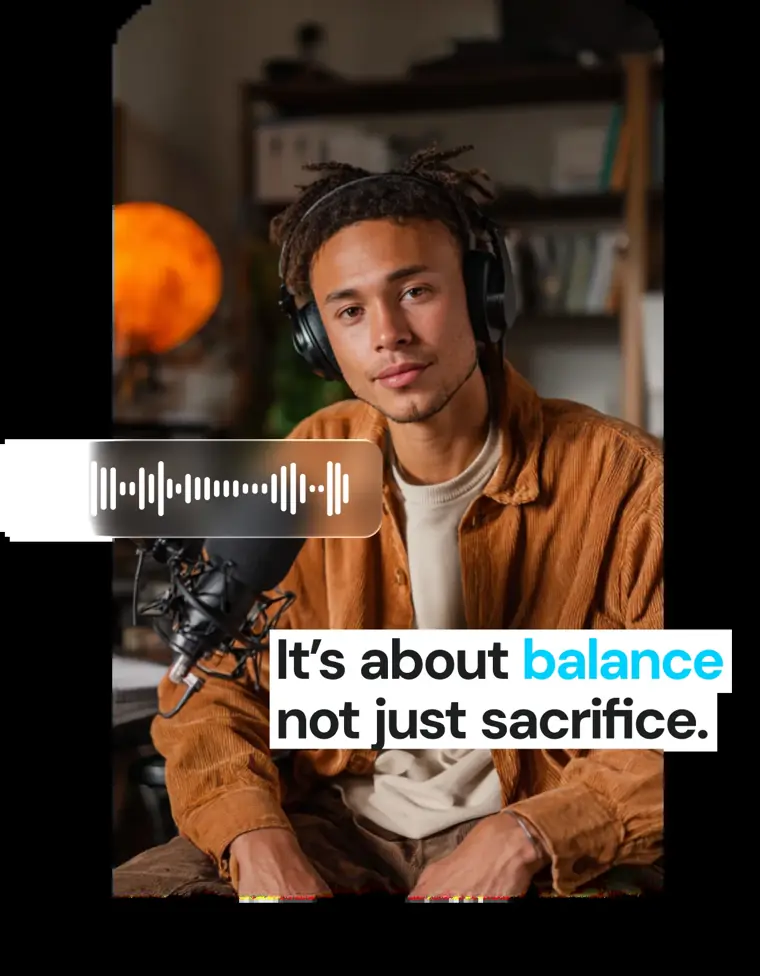
Automatic captions
Transcribes spoken audio into synchronized, stylized on screen text across more than 100 languages. Users can select from various visual presets or customize fonts, colors, and layouts to burn captions directly into the video.
Use caseA creator burns open captions onto vertical footage before uploading to TikTok and Instagram Reels so viewers can follow along on mute.
From captions.ai · image from Captions -
AI Edit
Analyzes raw footage to automatically cut scenes, add dynamic zooms, insert background music, apply transitions, and overlay B roll. Users can choose from curated aesthetic styles or request specific adjustments using natural language prompts.
Use caseA business owner uploads raw footage and applies the Clarity style to assemble a product demo video without hiring an editor.
From captions.ai -

AI avatars
Creates digital twins or pre built digital actors to deliver spoken video content from scripts. Prompts can be used to update their appearances, change backgrounds, or insert specific products into scenes.
Use caseA marketer generates realistic AI actors from a script to hold, use, or talk about a product across multiple demo videos.
From captions.ai · image from Captions -
Translation and subtitles
Translates spoken audio into new languages and generates synchronized multilingual subtitles. The tool allows video assets to be adapted for global distribution without manual transcription.
Use caseA business translates video audio into multiple international languages to reach overseas customers across different platforms.
From captions.ai -
Audio enhancement
Eliminates unwanted background noise from recordings and removes dead air, filler words, or pauses to tighten speech pacing.
Use caseA presenter cuts filler words, pauses, and distracting background noises from a software walkthrough recorded in a noisy room.
From captions.ai
Written from Captions's own website, checked . Each feature links to the page it comes from; images are Captions's own.
Every plan
| Plan | Monthly | Billed yearly | Per | What it includes |
|---|---|---|---|---|
| Free | Free | $0 | per account | Basic editing tools; 1 caption template; no AI credits |
| Max | $24.99 | Not listed | 500 credits/mo | AI Edit, AI actors/digital twin, batch clips, generated B roll |
| Frontier 1x | $69.99 | Not listed | 1,400 credits/mo | Everything in Max + most advanced gen models |
| Frontier 2x | $139.99 | Not listed | 2,800 credits/mo | Frontier at 2x usage |
| Frontier 4x | $279.99 | Not listed | 5,600 credits/mo | Frontier at 4x usage |
| Enterprise | Contact sales | Not listed | custom seats | contact sales |
From Captions (Mirage)'s own pricing page, checked . Prices are in US dollars per month; "billed yearly" is the monthly price when you pay for a year up front. Some of these figures came from third party reports and could not be confirmed on the official page.
Before you pay
- Unused credits roll over
- Partial
What Captions says
Unused credits roll over to the next month. You can save up to two extra months of unused credits which means your balance can hold up to 3× your monthly allowance.
Source page - Watermark on the free plan
- No
What Captions says
The Free plan includes 60 to 200 lifetime credits, use of one template (“Eclipse”), project creation and exports of the following features: ... No watermarks
Source page - Trains on your data
- Opt out
What Captions says
All enterprise plans include: Bulk credit discounts Custom seat options Dedicated account management team Training data exclusion
Source page - Export your data
- Yes
What Captions says
The Free plan includes 60 to 200 lifetime credits, use of one template (“Eclipse”), project creation and exports of the following features
Source page - Discounts
- Bulk credit discounts and discounted seats are available on Enterprise plans, and yearly subscriptions offer a discounted rate compared to monthly.
What Captions says
All enterprise plans include: Bulk credit discounts Custom seat options Dedicated account management team Training data exclusion Customer onboarding, priority training, and hands on support
Source page - Support
- Help center, sales contact form
What Captions says
Customers interested in an Enterprise Plan should contact our Sales team. Our Enterprise Plans offers commercial terms, priority onboarding and training sessions, discounted seats, white glove support and more!
Source page
Only what Captions's own pages state, with the quote behind each answer. Anything they don't publish is left out rather than guessed.
Getting started with Captions
- Open the menu on your item or entry point on the Home page, then choose Edit.
- Upload your video by dragging and dropping it onto the upload area or browsing manually.
- Optionally add reference media such as images and videos, or paste reference links.
- Open the styles library to select an editing style, or choose Captions only from the edit panel.
- Review recommended cuts for filler sounds in the Outline section, then click Save.
- Click Create project to initiate video generation.
- Open the generated project to review and refine caption wording, timing, or style.
Written from Captions's own help pages: captions.ai/help/docs/captions/add-captions
Captions video tutorials
Independent creators on YouTube, not Captions or us. The video loads from YouTube only when you press play.
What the free plan includes
Lifetime credits, basic tools
Questions people ask about Captions
How much does Captions cost?
Paid plans start at $24.99 a month (Max). 6 plans are listed above, from Captions's own pricing page.
Is Captions free?
Yes, there is a free plan: Lifetime credits, basic tools.
Do unused Captions credits roll over?
Partly: some unused credits carry over, with limits. Source
Does the Captions free plan add a watermark?
No, free plan output has no watermark. Source
Does Captions train its AI on my data?
It can, but you can opt out. Source
Does Captions have a student or other discount?
Bulk credit discounts and discounted seats are available on Enterprise plans, and yearly subscriptions offer a discounted rate compared to monthly. Source
Does Captions have an API?
Yes.
Can I switch plans?
Yes, you can upgrade or downgrade your plan at any time through account settings or App Store/Google Play settings. Upgrades provide immediate access with prorated pricing, while downgrades take effect at the end of the billing cycle. Source
What is the difference between a monthly and yearly plan?
A yearly plan bills for 12 months upfront at a discounted rate, while a monthly plan allows you to pay each month. Source
Do my credits expire?
Unused credits roll over monthly, allowing you to save up to two extra months to hold up to 3× your monthly allowance. Source
Is there a free version of Captions?
Yes, Captions provides a free version with a limited set of basic tools like trimming, transitions, and select media library assets. Source
Works with
- AI models
- Flux 1.1 Pro, Luma Photon, Stable Diffusion 3.5, Ideogram 1.0, Google Imagen 3, OpenAI Dalle 3 HD, OpenAI GPT 4o, Ray 2, Veo 3, Pika 2.2, Kling, MiniMax Video 01, Google Chirp 3, Elevenlabs Multilingual v2, Elevenlabs Flash v2.5, Cartesia Sonic 2.0, OpenAI TTS, ElevenLabs Sound Effects, MMAudio, Soundraw 2
Where this came from
Plans, prices and limits were copied from Captions (Mirage)'s own pages, then checked .
- captions.ai/help/docs/subscriptions
- captions.ai/
- captions.ai/use-cases/tutorial-video-maker
- captions.ai/pricing
- captions.ai/tools/social-media-video-creator
- captions.ai/help/docs/captions/add-captions
- captions.ai/help/docs/project/camera
- captions.ai/help/docs/timeline/trim
- captions.ai/help/docs/visual/zoom
How we collect prices and rank tools · Is something wrong? Correct this listing
Others that do the same job
 Descriptdescript.com
Edit video and podcasts by editing the transcript, with AI audio cleanup.
- Green flag: Free plan
- Green flag: Cancel online
- Green flag: No card for trial
- Red flag: Free plan watermark
 Kapwingkapwing.com
Collaborative browser editor with AI subtitles, smart cut, repurposing and dubbing.
- Green flag: Free plan
- Green flag: Cancel online
- Red flag: Credits reset monthly
- Red flag: Free plan watermark
 VEEDveed.io
Browser editor with AI subtitles, avatars, translation and generation tools.
- Green flag: Free plan
 Adobe Premiere Proadobe.com/products/premiere.html
Industry standard editor with Firefly AI: Generative Extend, text based editing, search.
- Green flag: Refunds within 14 days
 Canva (video editor)canva.com/video-editor
Template driven video editing inside Canva with AI captions, background removal, beat sync.
- Green flag: Free plan
- Green flag: No card for trial
- Red flag: Credits reset monthly
 Riversideriverside.com
Remote studio recording, then transcript editing and auto social clips.
- Green flag: Free plan
- Green flag: No card for trial
- Red flag: Free plan watermark