
Riverside
Remote studio recording, then transcript editing and auto social clips.
Best for Podcasters and interview shows
What it does
Riverside is an AI powered recording and creation platform designed to produce studio quality audio and video. Users record solo or with remote guests over the web to generate separate high resolution tracks, which can be edited, repurposed into clips, or published directly to major distribution channels. It is built for podcasters, marketers, producers, and live event hosts.
Read more: 5 features and how people use themShow less
-
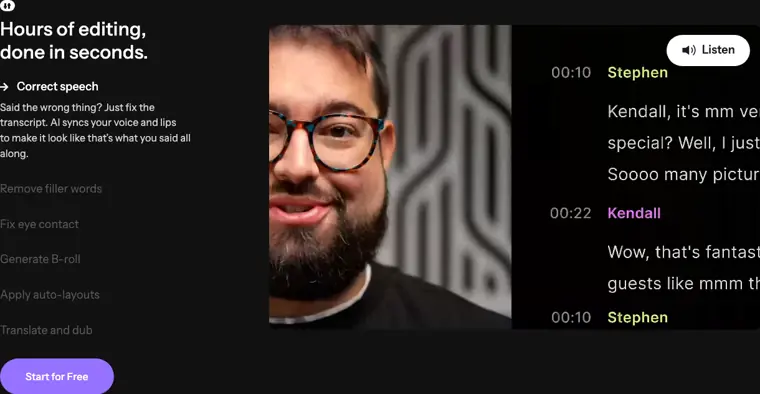
Text based editing
Transcribes recorded speech so editors can alter spoken words and produce polished cuts directly from the written dialogue. Correcting errors in the transcript automatically updates and syncs the voice and lips in the video.
Use caseA creator corrects a misspoken line in an episode transcript so the generated video updates speech and lip movements without needing a reshoot.
From riverside.com · image from Riverside -
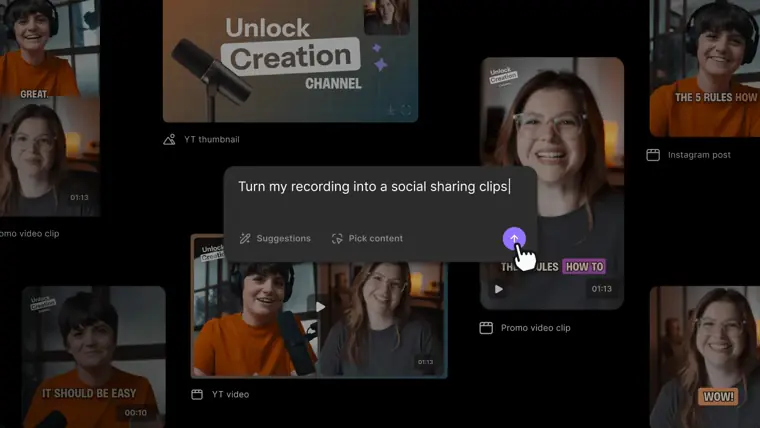
Magic clips
Finds highlights across a finished session and edits them into ready to publish snippets. It also prepares drafts and teasers configured for multi platform distribution.
Use caseA video marketer generates short social clips from a completed customer interview to share on company social channels.
From riverside.com/ai · image from Riverside -
Eye contact correction
Adjusts on screen eye positioning using AI. Corrects gaze direction so participants appear to look directly into the camera even when reviewing scripts or looking away.
Use caseA host reads an outline from a monitor during a remote recording session and appears to maintain direct eye contact with the viewer.
From riverside.com/ai -
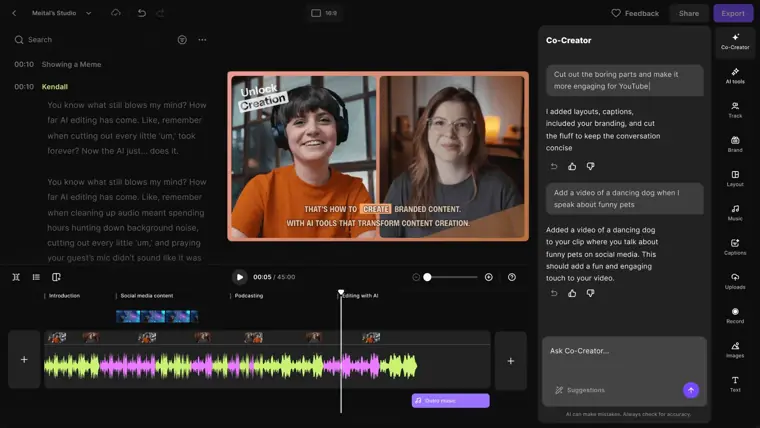
AI B roll generation
Creates video scenes and inserts supplementary footage based on written prompts, scenes, or scripts. Fills gaps in the visual timeline without requiring licensed stock footage.
Use caseA marketer generates supplemental background visuals from a text prompt to cover up visual gaps in a product overview video.
From riverside.com/ai · image from Riverside -
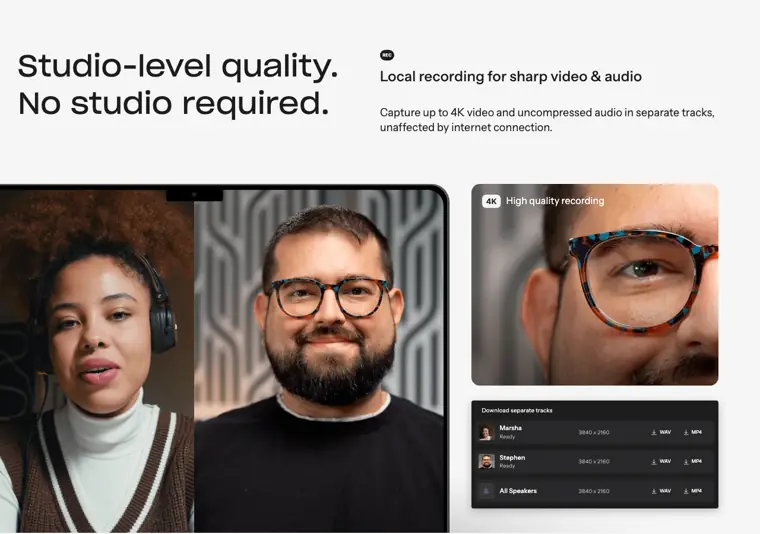
Local multi track recording
Captures up to 4K video and uncompressed audio directly onto each participant device before uploading to cloud storage. Keeps video tracks and high fidelity audio separated and protected from unstable internet connections.
Use caseA producer records a remote guest with unstable home internet while capturing crisp separate audio and video tracks for post production.
From riverside.com · image from Riverside
Written from Riverside's own website, checked . Each feature links to the page it comes from; images are Riverside's own.
Every plan
| Plan | Monthly | Billed yearly | Per | What it includes |
|---|---|---|---|---|
| Free | Free | $0 | per account | 2 hrs one off multitrack recording; 720p; watermark |
| Pro | $29 | $24 | per account | 4K; no watermark; 1 studio; 15 hrs separate track downloads/mo |
| Grow | $39 | $34 | per account | 1080p live streaming, multistreaming; 2 studios; 20 hrs downloads/mo |
| Webinar | $99 | $79 | per account | Up to 100 webinar registrants; 3 studios; 25 hrs downloads/mo |
| Business | Not listed | Not listed | per account | contact sales |
From Riverside's own pricing page, checked . Prices are in US dollars per month; "billed yearly" is the monthly price when you pay for a year up front. A few figures (often the yearly price) are derived rather than printed on the page.
Before you pay
- Card needed for the trial
- No
- Watermark on the free plan
- Yes
- Export your data
- Yes
- SOC 2
- Yes
- Support
- Email, live chat
Only what Riverside's own pages state, with the quote behind each answer. Anything they don't publish is left out rather than guessed.
Getting started with Riverside
- Sign up for a free account at riverside.com/start.
- Create your studio.
- Click "record".
Written from Riverside's own help pages: riverside.com/use-cases/tutorial-videos
What the free plan includes
2 hrs multitrack (one off), 720p
Questions people ask about Riverside
How much does Riverside cost?
Paid plans start at $29 a month (Pro). 5 plans are listed above, from Riverside's own pricing page.
Is Riverside free?
Yes, there is a free plan: 2 hrs multitrack (one off), 720p.
Does the Riverside free plan add a watermark?
Yes, free plan output carries a watermark or branding. Source
Do I need a credit card to try Riverside?
No, you can start without a credit card. Source
Does Riverside have an API?
Yes (business).
Can I make a tutorial video for free?
Yes, you can create instructional videos for free with Riverside. Our free plan includes unlimited single track recording and editing, plus separate tracks for the first two hours you record! Source
Do guests need a Riverside account to join the session and be recorded?
Not at all. All they need to do is click the link you send them — no sign up or installation required. Source
What recording quality should I expect with Riverside?
As long as your equipment supports it, we’ll record you in up to 4K video and uncompressed 48kHz WAV audio. Source
Can I sync with CRMs like HubSpot?
Yes! Riverside currently syncs with HubSpot to collect fields at registration, update contacts, create lists, and add event data. Source
Works with
- Integrations
- YouTube, Spotify, Apple, HubSpot, LinkedIn, Twitch, Instagram, Facebook, TikTok, Salesforce
- Languages
- 100+
Where this came from
Plans, prices and limits were copied from Riverside's own pages, then checked .
- riverside.com/pricing
- riverside.com/
- riverside.com/use-cases/tutorial-videos
- support.riverside.com/hc/en-us
- riverside.com/privacy-policy
- riverside.com/faq
- riverside.com/terms-conditions
How we collect prices and rank tools · Is something wrong? Correct this listing
Others that do the same job
 Descriptdescript.com
Edit video and podcasts by editing the transcript, with AI audio cleanup.
- Green flag: Free plan
- Green flag: Cancel online
- Green flag: No card for trial
- Red flag: Free plan watermark
 Kapwingkapwing.com
Collaborative browser editor with AI subtitles, smart cut, repurposing and dubbing.
- Green flag: Free plan
- Green flag: Cancel online
- Red flag: Credits reset monthly
- Red flag: Free plan watermark
 VEEDveed.io
Browser editor with AI subtitles, avatars, translation and generation tools.
- Green flag: Free plan
 Adobe Premiere Proadobe.com/products/premiere.html
Industry standard editor with Firefly AI: Generative Extend, text based editing, search.
- Green flag: Refunds within 14 days
 Canva (video editor)canva.com/video-editor
Template driven video editing inside Canva with AI captions, background removal, beat sync.
- Green flag: Free plan
- Green flag: No card for trial
- Red flag: Credits reset monthly
 Wondershare Filmorafilmora.wondershare.com
Desktop timeline editor with drag and drop effects plus AI captions, music and cutout.
- Green flag: Free plan
- Green flag: Cancel online
- Red flag: Free plan watermark