
VEED
Browser editor with AI subtitles, avatars, translation and generation tools.
Best for Marketers and social teams; beginner friendly
Used VEED and liked it? Upvote it. One upvote per person. Upvotes come from visitors, not from us, and never change "Our ranking".
What it does
VEED is an AI video creation and editing platform designed for social media. Users can input ideas, text, images, or raw footage and produce branded, ready to post videos without requiring a camera. It is made for marketing teams, videographers, and creators who need to produce social content quickly.
Read more: 4 features and how people use themShow less
-
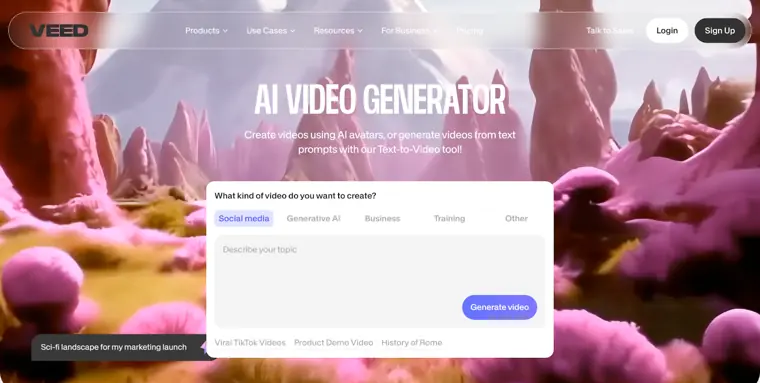
AI video generator
Converts prompts or ideas into finished videos without requiring camera equipment. It helps produce complete videos ready for social media in minutes.
Use caseA marketing vice president creates a video with a template in thirty minutes instead of hours.
From veed.io · image from VEED -
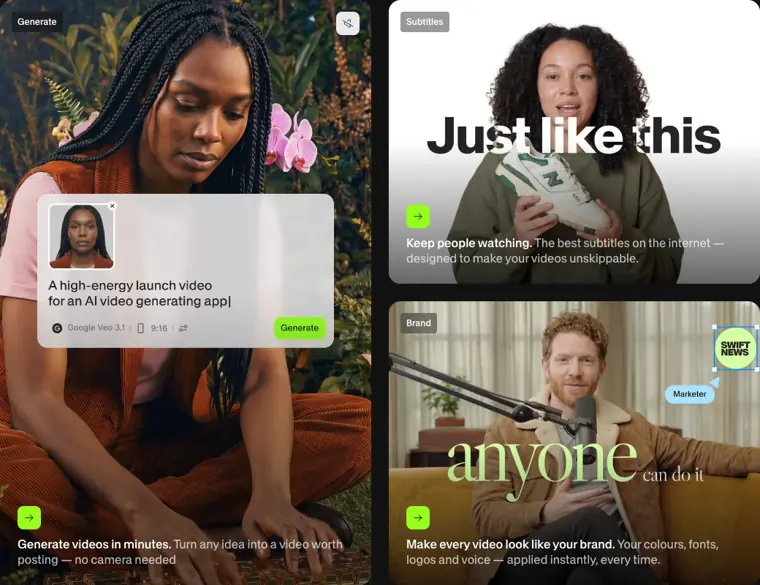
Automatic subtitle generator
Adds captions directly to videos automatically. It keeps viewers watching by applying readable subtitles designed for online viewing.
Use caseA content creator adds on screen text to keep social media viewers engaged without manually typing every sentence.
From veed.io · image from VEED -
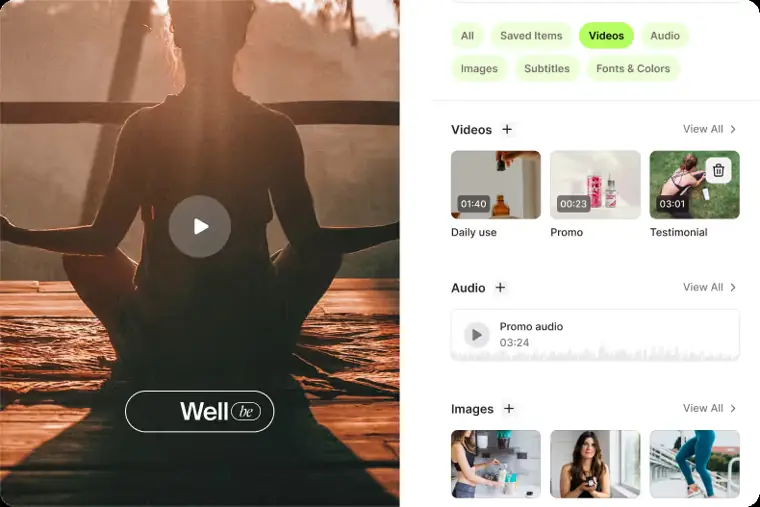
Brand kit
Applies custom brand assets across every video creation. It ensures visual elements like fonts, colors, logos, and voice remain consistent.
Use caseA marketing team applies brand colors, fonts, and logos across all promotional assets instantly.
From veed.io · image from VEED -
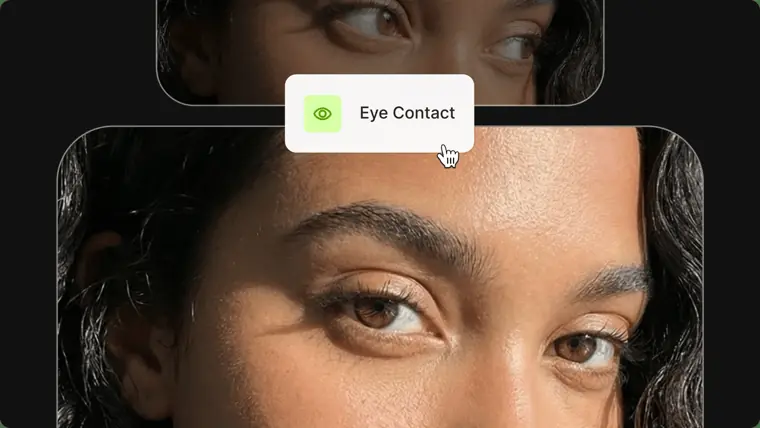
Eye contact correction
Adjusts on screen gaze so speakers appear to look directly into the camera lens. It improves perceived engagement across recorded clips.
Use caseA head of growth marketing makes user generated content ads look professional by redirecting the presenter gaze to the audience.
From veed.io · image from VEED
Written from VEED's own website, checked . Each feature links to the page it comes from; images are VEED's own.
Every plan
| Plan | Monthly | Billed yearly | Per | What it includes |
|---|---|---|---|---|
| Free | Free | $0 | per user | Watermarked exports |
| Creator | Not listed | $12.25 | per user | No watermark, unlimited auto subtitles, 6,000 AI credits; EUR: €22/mo monthly, €11/mo annual (€129/yr); USD $147/yr per costbench |
| Pro | Not listed | $22 | per user | 30,000 AI credits, multiple brand kits, translation 50+ languages; EUR: €47/mo monthly, €23/mo annual |
| Studio | Not listed | $39 | per user | 180,000 AI credits, custom templates; EUR: €76/mo monthly, €37/mo annual |
| Enterprise | Contact sales | Not listed | custom | contact sales |
From VEED's own pricing page, checked . Prices are in US dollars per month; "billed yearly" is the monthly price when you pay for a year up front.
VEED video tutorials
Independent creators on YouTube, not VEED or us. The video loads from YouTube only when you press play.
What the free plan includes
720p, 10 min exports
Questions people ask about VEED
Is VEED free?
Yes, there is a free plan: 720p, 10 min exports.
Does VEED have an API?
Yes (usage-based).
Where this came from
Plans, prices and limits were copied from VEED's own pages, then checked .
How we collect prices and rank tools · Is something wrong? Correct this listing
Others that do the same job
 Descriptdescript.com
Edit video and podcasts by editing the transcript, with AI audio cleanup.
- Green flag: Free plan
- Green flag: Cancel online
- Green flag: No card for trial
- Red flag: Free plan watermark
 Kapwingkapwing.com
Collaborative browser editor with AI subtitles, smart cut, repurposing and dubbing.
- Green flag: Free plan
- Green flag: Cancel online
- Red flag: Credits reset monthly
- Red flag: Free plan watermark
 Adobe Premiere Proadobe.com/products/premiere.html
Industry standard editor with Firefly AI: Generative Extend, text based editing, search.
- Green flag: Refunds within 14 days
 Canva (video editor)canva.com/video-editor
Template driven video editing inside Canva with AI captions, background removal, beat sync.
- Green flag: Free plan
- Green flag: No card for trial
- Red flag: Credits reset monthly
 Riversideriverside.com
Remote studio recording, then transcript editing and auto social clips.
- Green flag: Free plan
- Green flag: No card for trial
- Red flag: Free plan watermark
 Wondershare Filmorafilmora.wondershare.com
Desktop timeline editor with drag and drop effects plus AI captions, music and cutout.
- Green flag: Free plan
- Green flag: Cancel online
- Red flag: Free plan watermark