
Jamie
Bot free AI notetaker running on your device for online and in person meetings, with notes in 99+ languages.
Best for Privacy minded professionals and European teams
What it does
Jamie is an AI meeting platform that operates directly on your device without sending a bot to your calls. You supply audio from online or in person conversations, and it generates transcripts, accurate meeting notes, and action items. It is designed for professionals and teams in private equity, banking, legal, consulting, and regulated fields where privacy is critical.
Read more: 4 features and how people use themShow less
-
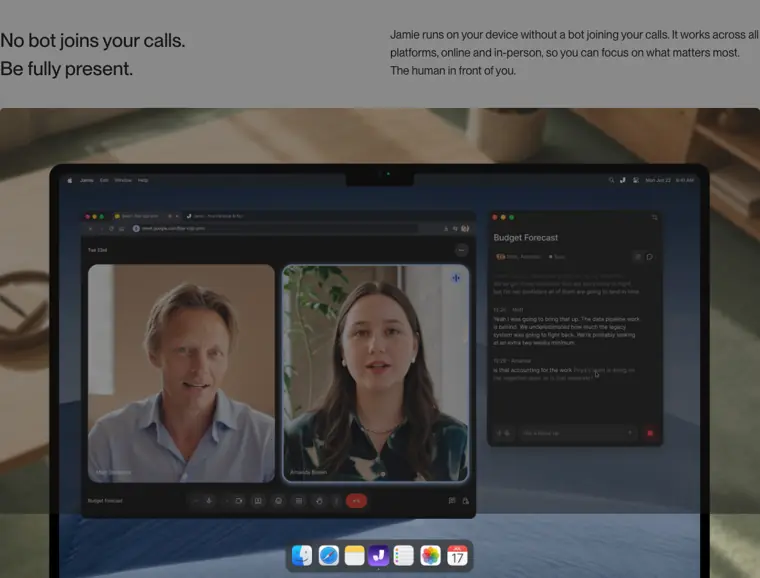
Bot free recording
Records audio locally on your device without requiring a virtual bot participant to join the meeting session.
Use caseA private equity partner records a sensitive portfolio review call on Zoom without bringing an external bot participant into the room.
From meetjamie.ai · image from Jamie -
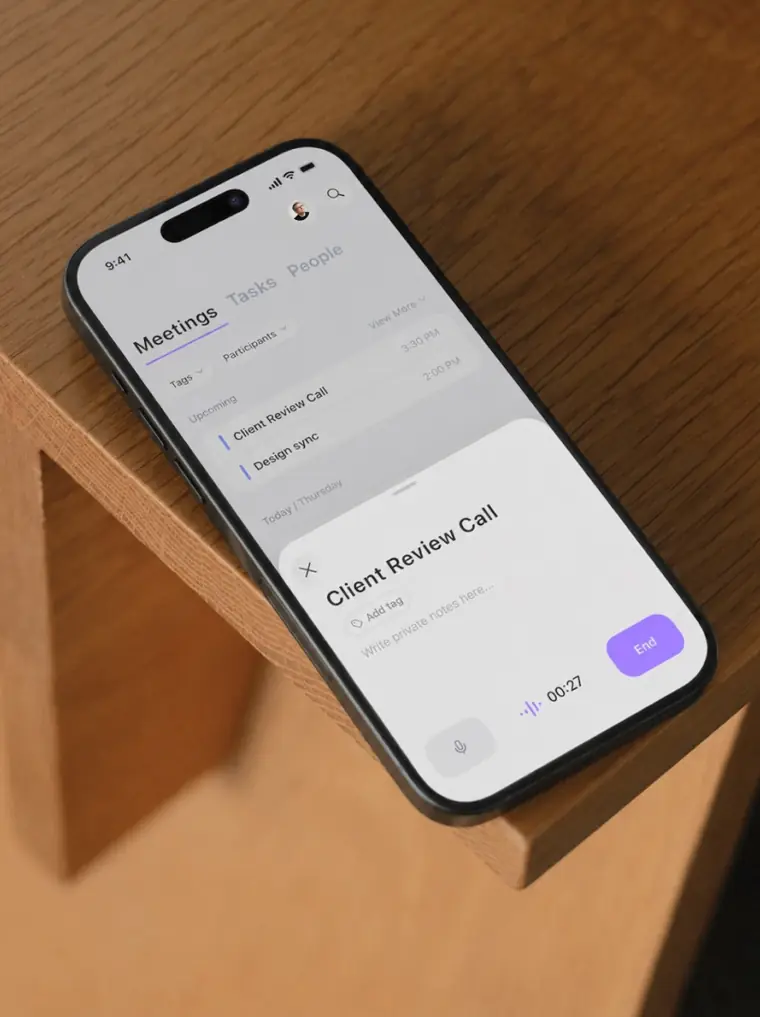
In person meeting capture
Records live, face to face discussions directly through your laptop or mobile phone.
Use caseA consultant captures spoken decisions during an onsite client meeting directly from a laptop.
From meetjamie.ai · image from Jamie -
Model context protocol integration
Links external AI assistants such as Claude or ChatGPT directly to your meeting history so they can retrieve notes, action items, and transcripts.
Use caseA team member asks Claude in chat to find action items and decisions regarding pricing changes from previous discussions.
From docs.meetjamie.ai/integrations/mcp -
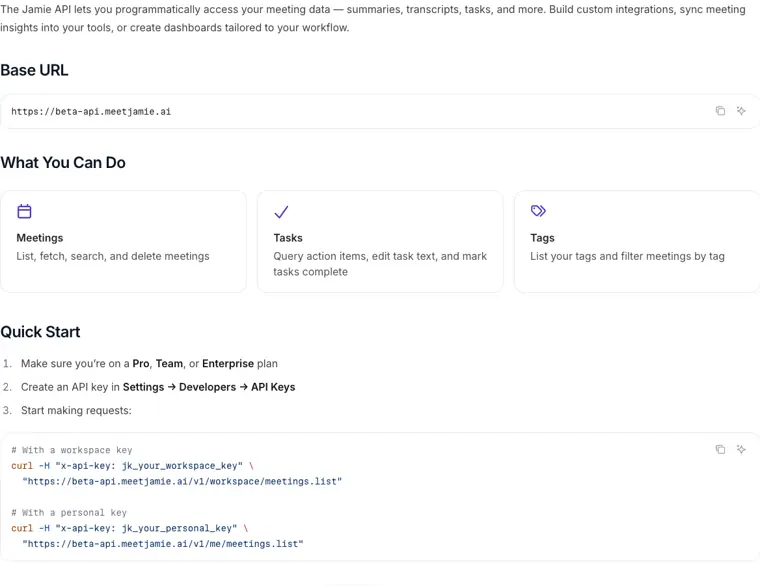
Developer API
Enables programmatic access using an API key to list meetings, search transcripts, fetch summaries, and update tasks.
Use caseA developer writes a custom curl script to pull completed action items and summaries into an internal company dashboard.
From docs.meetjamie.ai/developers/api/api · image from Jamie
Written from Jamie's own website, checked . Each feature links to the page it comes from; images are Jamie's own.
Every plan
| Plan | Monthly | Billed yearly | Per | What it includes |
|---|---|---|---|---|
| Free | Free | $0 | per user | 10 meetings/mo; 30 min per meeting |
| Plus | $29 | $24 | per user | 20 meetings/mo; 2h per meeting; EUR 25/mo |
| Pro | $55 | $46 | per user | unlimited meetings; 5h per meeting; EUR 47/mo |
| Team | $45 | $37 | per member | unlimited meetings; 5h per meeting; shared workspace, admin controls; EUR 39/member/mo |
| Enterprise | Contact sales | Not listed | custom | contact sales; SSO, SCIM, audit logs |
From Jamie's own pricing page, checked . Prices are in US dollars per month; "billed yearly" is the monthly price when you pay for a year up front. Some of these figures came from third party reports and could not be confirmed on the official page.
Before you pay
- Trains on your data
- No
What Jamie says
Audio deleted after transcription. Encryption in transit (TLS 1.2) and at rest (AES 256). Never used to train models.
Source page - Data retention
- Audio is deleted after transcription, and custom data retention policies are supported.
What Jamie says
Audio deleted after transcription. Encryption in transit (TLS 1.2) and at rest (AES 256). Never used to train models.
Source page - SOC 2
- Yes
- GDPR
- Yes
What Jamie says
ISO 27001 certified and GDPR compliant, aligned with the Digital Operational Resilience Act (DORA) for regulated industries.
Source page - Support
- Priority support, dedicated account manager
Only what Jamie's own pages state, with the quote behind each answer. Anything they don't publish is left out rather than guessed.
Getting started with Jamie
- Open the Jamie desktop app and navigate to Settings → Notifications to configure attendee consent notices.
- Enable the Recording notice toggle to send automated email notifications to attendees before your meetings.
- Optionally adjust the Notice timing to set how far in advance the email notification is sent.
- Go to Settings → Notifications → Compliance and switch on Meeting chat notice to have Jamie automatically post a notice into your meeting chat.
- Approve Accessibility access for Jamie on macOS when prompted or under System Settings → Privacy & Security → Accessibility.
Tips
- You must have your calendar connected to Jamie for the automated recording notice email to work.
- Attendees from your workspace are automatically excluded from automated email recording notices.
- Give the meeting window a moment after joining without clicking or typing, as Jamie automates bringing the window forward and opening the chat panel to post the notice.
Written from Jamie's own help pages: docs.meetjamie.ai/getting-started/recording-consent · docs.meetjamie.ai/getting-started/meeting-cha...
What the free plan includes
10 AI notes/
Questions people ask about Jamie
How much does Jamie cost?
Paid plans start at $29 a month (Plus). 5 plans are listed above, from Jamie's own pricing page.
Is Jamie free?
Yes, there is a free plan: 10 AI notes/month, 30 minute meeting limit, Ask Jamie chat.
Does Jamie train its AI on my data?
No, the company says your data is not used for training. Source
Does Jamie have an API?
Yes.
Do I need the same email for my AI tool and Jamie?
No. You can use different accounts. During the OAuth flow, you'll authenticate the Jamie account you want to give access to. Source
Do I need a client ID or client secret?
No. Jamie MCP uses Dynamic Client Registration (DCR), so credentials are created automatically. If a third party platform shows client ID/secret fields, leave them blank. Source
Works with
- AI models
- Claude, ChatGPT
- Languages
- 99+ languages
Where this came from
Plans, prices and limits were copied from Jamie's own pages and the other sources listed, then checked .
- meetjamie.ai/pricing
- meetjamie.ai/en
- toolradar.com/tools/jamie/pricing
- meetjamie.ai/
- docs.meetjamie.ai/getting-started/recording-consent
- docs.meetjamie.ai/integrations/mcp
- docs.meetjamie.ai/developers/api/api
- docs.meetjamie.ai/integrations/affinity
- docs.meetjamie.ai/integrations/dynamics365
- docs.meetjamie.ai/integrations/dealcloud
- docs.meetjamie.ai/developers/webhooks/webhooks
How we collect prices and rank tools · Is something wrong? Correct this listing
Others that do the same job
 tl;dvtldv.io
Meeting recorder and AI notetaker for Zoom, Meet and Teams with multi meeting insights and CRM automation.
- Green flag: Free plan
- Green flag: Doesn't train on your data
 Bluedotbluedothq.com
Bot free AI notetaker recording via Chrome extension or desktop app, with summaries in 100+ languages.
- Green flag: Free plan
- Green flag: Cancel online
- Green flag: Doesn't train on your data
- Red flag: No refunds
 Fathomfathom.ai
Free forever AI notetaker that records Zoom, Meet and Teams calls and auto generates summaries and CRM notes.
- Green flag: Free plan
 Fireflies.aifireflies.ai
AI notetaker that records, transcribes and summarizes meetings across platforms, with search, analytics and integrations.
- Green flag: Free plan
- Green flag: Doesn't train on your data
- Red flag: Credits reset monthly
 Krisp (AI Note Taker)krisp.ai
Bot free meeting assistant combining noise cancellation, accent conversion, transcription and AI notes on any call app.
- Green flag: No card for trial
 MeetGeekmeetgeek.ai
AI meeting assistant that records, transcribes and summarizes calls, with team analytics and CRM automations.
- Green flag: Free plan