
Klap
One click long video to vertical TikToks, Reels and Shorts with captions.
Best for Simple clipping or an API
Used Klap and liked it? Upvote it. One upvote per person. Upvotes come from visitors, not from us, and never change "Our ranking".
What it does
Klap is an online video editing tool that converts long form spoken videos into short vertical clips. Users provide a YouTube link or upload a video file to receive edited clips formatted for TikTok, Reels, and Shorts. It is built for content creators and brands looking to repurpose their recordings across social media.
Read more: 4 features and how people use themShow less
-
AI editing
Identifies the most compelling parts of a long video and automatically cuts them into ready to share vertical clips.
Use caseA podcaster uploads a two hour business interview to generate ready to post vertical shorts without manual cutting.
From klap.app · image from Klap -
AI reframe
Adjusts the framing of video scenes using face recognition and automated layouts so the primary subject remains centered.
Use caseA gaming creator converts wide landscape gameplay footage into vertical video with custom layouts.
From klap.app -
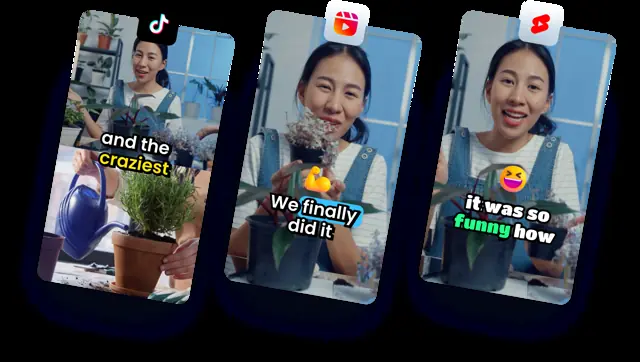
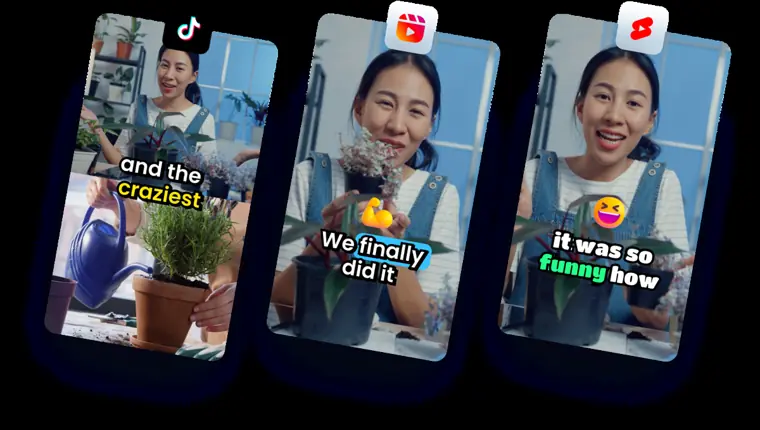
Engaging captions
Transcribes speech in over fifty languages to generate responsive on screen subtitles alongside post caption recommendations.
Use caseAn educator creates short lessons from a lecture and adds auto generated subtitles so viewers can follow along with the audio muted.
From klap.app · image from Klap -
Publish and schedule
Sends completed video clips directly to connected social accounts or queues them according to a content calendar.
Use caseA social media manager prepares a batch of repurposed clips and schedules them across TikTok, YouTube, Instagram, and LinkedIn.
From klap.app
Written from Klap's own website, checked . Each feature links to the page it comes from; images are Klap's own.
Every plan
| Plan | Monthly | Billed yearly | Per | What it includes |
|---|---|---|---|---|
| Basic | Not listed | $14 | per account | 100 clips/mo |
| Pro | Not listed | $39 | per account | 300 clips/mo |
| Pro+ | Not listed | $94 | per account (teams) | 1,000 clips/mo |
| Custom | Contact sales | Not listed | custom | contact sales |
From Klap's own pricing page, checked . Prices are in US dollars per month; "billed yearly" is the monthly price when you pay for a year up front. A few figures (often the yearly price) are derived rather than printed on the page.
Before you pay
- Card needed for the trial
- No
- Export your data
- Yes
What Klap says
After you make any final touches on your clipped videos, you’re all set to export them in high resolution and share them on your other social channels.
Source page
Only what Klap's own pages state, with the quote behind each answer. Anything they don't publish is left out rather than guessed.
Getting started with Klap
- Paste a YouTube link or upload a video file into Klap.
- Let Klap's AI automatically create vertical clips from the original video.
- Make final touches and export the clips in high resolution to share across social channels.
Written from Klap's own help pages: klap.app/
Klap video tutorials
Independent creators on YouTube, not Klap or us. The video loads from YouTube only when you press play.
The free trial
Trial only: 1 free video
Questions people ask about Klap
Is Klap free?
There is a free trial but no free plan: 1 free video.
Do I need a credit card to try Klap?
No, you can start without a credit card. Source
Does Klap have an API?
Yes.
How does Klap work?
Once a video is uploaded, Klap uses AI to find interesting topics and converts them into shorter clips with intelligent framing and responsive subtitles. Source
What kind of videos are supported?
It supports all types of videos but works best for spoken content such as podcasts, interviews, and educational videos. Source
Works with
- Languages
- 52 languages
Where this came from
Plans, prices and limits were copied from Klap's own pages, then checked .
How we collect prices and rank tools · Is something wrong? Correct this listing
Others that do the same job
 Choppitychoppity.com
Clip maker and editor turning long videos into captioned, reframed shorts.
- Green flag: Free plan
- Green flag: Cancel online
- Green flag: No card for trial
- Green flag: Refunds within 14 days
 OpusClipopus.pro
Turns long videos into ranked vertical shorts with captions, reframing and virality scores.
- Green flag: Free plan
- Green flag: No card for trial
- Green flag: Some credits roll over
 quso.ai (formerly Vidyo.ai)quso.ai
Turns long videos, podcasts and streams into captioned shorts and posts, then schedules them.
- Green flag: Free plan
- Green flag: No card for trial
 Submagicsubmagic.co
Adds viral style animated captions, emojis, B roll and zooms to short form video.
- Green flag: Cancel online
- Green flag: No card for trial
- Red flag: No refunds
2short.ai2short.ai
Finds the best moments in YouTube videos and exports them as Shorts.
- Green flag: Free plan
 Vizardvizard.ai
Clips long videos into social ready shorts with captions, editing and scheduling.
- Green flag: Free plan