
Rask AI
Translates and dubs existing videos into 135+ languages with voice cloning and lip sync.
Best for YouTubers and brands localizing videos
Used Rask AI and liked it? Upvote it. One upvote per person. Upvotes come from visitors, not from us, and never change "Our ranking".
What it does
Rask AI is a localization and video creation platform available in app and via API. Users provide audio, raw screen recordings, or video files to receive translated versions with cloned voices, lip sync, and captions. It is designed for content creators, educators, filmmakers, and global teams who need to distribute content across international markets.
Read more: 5 features and how people use themShow less
-
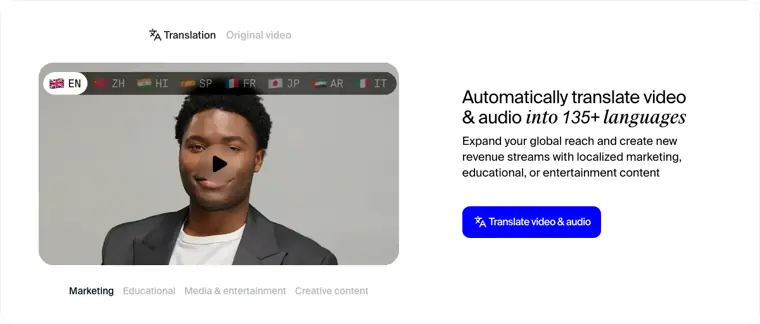
Video and audio translation
Translates spoken content into more than 135 languages automatically to help localize media for global audiences.
Use caseA marketing manager localizes product announcements into ten languages to expand potential user reach.
From rask.ai · image from Rask AI -
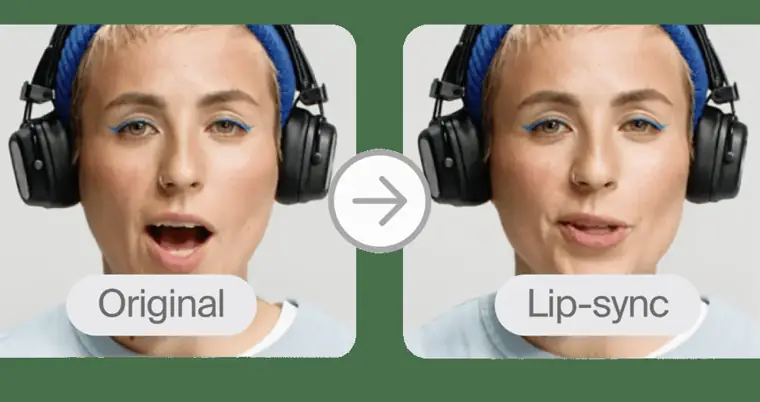
Lip sync
Adjusts mouth movements in the video to align naturally with the newly translated speech.
Use caseA video creator dubs recurring project episodes to preserve speaker identity with matched mouth timing.
From rask.ai/pricing · image from Rask AI -
Auto generated captions
Generates and adds synchronized text captions to media to increase viewing accessibility.
Use caseA content creator generates subtitles directly on their videos to improve accessibility for audiences.
From rask.ai -
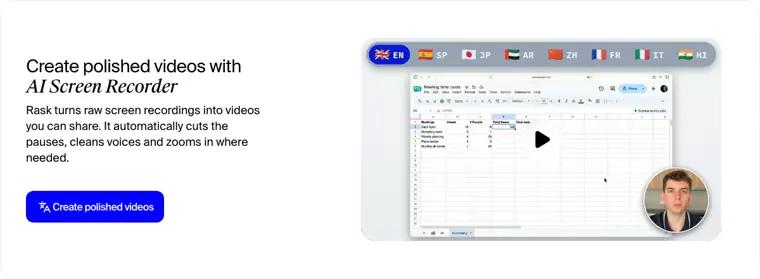
AI screen recorder
Converts unedited screen recordings into clean videos by trimming silent pauses, enhancing voice clarity, and focusing visually where appropriate.
Use caseA product creator turns raw screen capture footage into shareable videos without manual pause cutting.
From rask.ai · image from Rask AI -
Rask API
Automates video localization workflows through programmatic integration with webhooks and external tools.
Use caseA software development group manager delivers localized training videos to store teams in 56 countries through direct API integration.
From rask.ai
Written from Rask AI's own website, checked . Each feature links to the page it comes from; images are Rask AI's own.
Every plan
| Plan | Monthly | Billed yearly | Per | What it includes |
|---|---|---|---|---|
| Free trial | Free | $0 | per account | 3 minutes included; no card required |
| Creator | $39 | $28 | per account | 25 min/mo; $329 billed yearly |
| Creator Pro | $99 | $67 | per account | 100 min/mo; $799 billed yearly |
| Business | $249 | $167 | per account | 250 min/mo; $1,999 billed yearly; extra minutes $3 each |
| Enterprise | Contact sales | Not listed | custom | contact sales |
From Rask AI's own pricing page, checked . Prices are in US dollars per month; "billed yearly" is the monthly price when you pay for a year up front. A few figures (often the yearly price) are derived rather than printed on the page.
Before you pay
- Card needed for the trial
- No
- Export your data
- Yes
What Rask AI says
SRT import / export Download subtitle files or upload your own to sync with dubbing.
Source page - SOC 2
- Yes
- GDPR
- Yes
- Support
Only what Rask AI's own pages state, with the quote behind each answer. Anything they don't publish is left out rather than guessed.
Getting started with Rask AI
- Upload your video file directly or provide a YouTube or Google Drive link.
- Select the source and target languages, pick a cloned voice or an AI preset, and configure optional settings like lip sync, glossary, or prompting.
- Preview the flagged lines, fix any text, and export the finished video or download auto generated subtitles.
Written from Rask AI's own help pages: rask.ai/tools/video-translator
Rask AI video tutorials
Independent creators on YouTube, not Rask AI or us. The video loads from YouTube only when you press play.
The free trial
Trial only: 3 minutes total
Questions people ask about Rask AI
How much does Rask AI cost?
Paid plans start at $39 a month (Creator). 5 plans are listed above, from Rask AI's own pricing page.
Is Rask AI free?
There is a free trial but no free plan: 3 minutes total.
Do I need a credit card to try Rask AI?
No, you can start without a credit card. Source
Does Rask AI have an API?
Yes.
Works with
- Languages
- 135+ languages
Where this came from
Plans, prices and limits were copied from Rask AI's own pages and the other sources listed, then checked .
- rask.ai/pricing
- rask.ai/affilate
- rask.ai/home
- rask.ai/affiliate
- rask.ai/customer-stories/pixellu
- app.rask.ai/auth
- rask.ai/customer-stories/the-heralds-of-the-gospel
- rask.ai/customer-stories/skyfi-video
- rask.ai/tools/video-translator
- rask.ai/tools/transcribe-youtube-video
How we collect prices and rank tools · Is something wrong? Correct this listing
Others that do the same job
 Choppitychoppity.com
Clip maker and editor turning long videos into captioned, reframed shorts.
- Green flag: Free plan
- Green flag: Cancel online
- Green flag: No card for trial
- Green flag: Refunds within 14 days
 Creatifycreatify.ai
Generates UGC style video and image ads from a product URL with AI actors.
- Green flag: Free plan
- Green flag: Credits roll over
- Red flag: Free plan watermark
 Descriptdescript.com
Edit video and podcasts by editing the transcript, with AI audio cleanup.
- Green flag: Free plan
- Green flag: Cancel online
- Green flag: No card for trial
- Red flag: Free plan watermark
 Glinggling.ai
Auto cuts bad takes, silences and filler words from raw footage.
- Green flag: Free plan
- Red flag: Free plan watermark
 Hailuo AI (MiniMax)hailuoai.video
MiniMax's Hailuo 2.3 / H3 models for realistic, physics heavy short clips.
- Green flag: Free plan
 HeyGenheygen.com
AI avatar videos from a script, plus video translation with voice cloning and lip sync.
- Green flag: Free plan