
Fliki
Text and blogs to narrated videos with lifelike AI voices in 80+ languages.
Best for Multilingual voiceover videos
Used Fliki and liked it? Upvote it. One upvote per person. Upvotes come from visitors, not from us, and never change "Our ranking".
What it does
Fliki is an AI video generator that transforms written text into publish ready narrated videos. Users input ideas, scripts, blog posts, or slide presentations and receive finished videos complete with AI voiceovers, auto paired visuals, captions, and background music. It is designed for creators, professionals, and teams producing content for platforms like YouTube, TikTok, and social media.
Read more: 6 features and how people use themShow less
-
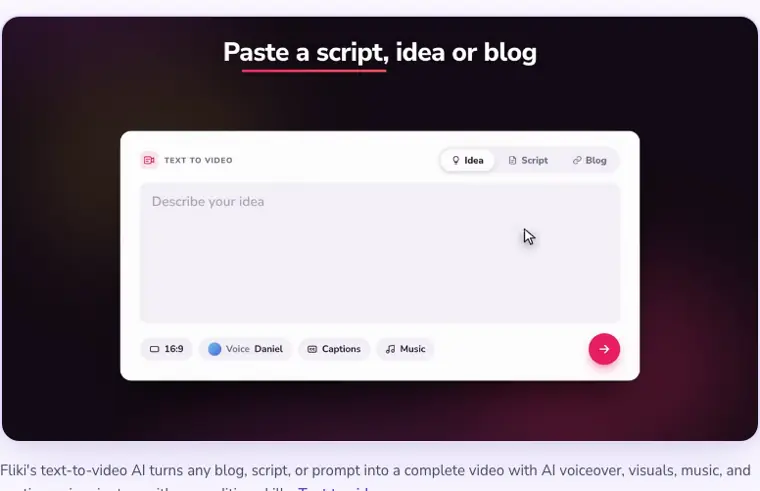
Text to video generation
Splits scripts, ideas, or slide decks into natural scenes and generates complete videos with voiceovers, matching visuals, captions, and music. Lets you adjust tone, edit lines, and set target durations up to 15 minutes.
Use caseA creator turns a written script into a 5 to 15 minute YouTube explainer video with chaptered scenes and b roll.
From fliki.ai · image from Fliki -
AI voiceover and dubbing
Converts written text into spoken audio using over 2,000 voices across 80 or more languages and 100 or more dialects. Allows you to adjust pacing, pitch, and pauses per scene using multiple integrated speech engines.
Use caseAn educator converts a lesson plan into a narrated video and localizes the voiceover into over 80 languages without re recording.
From fliki.ai -
Voice cloning
Replicates a person voice from a short audio sample for repeated use across video scenes. Enables consistent personal narration and multilingual dubbing without recording new takes.
Use caseA video creator replicates their own voice from a short sample to narrate multiple branded videos.
From fliki.ai/features/text-to-video -
Blog to video repurposing
Ingests an existing article web address and automatically extracts the content into scenes. Pairs the summarized text with relevant visuals, background music, and subtitles in multiple languages.
Use caseA marketer inputs a blog URL to quickly repurpose long written content into a narrated video with subtitles for social channels.
From fliki.ai -

AI talking avatars
Creates lifelike digital presenters that lip sync to your script in over 80 languages with natural gestures. Allows users to create a digital twin to present content without recording on camera.
Use caseAn HR manager uses an AI avatar presenter to deliver onboarding handbook training videos across multiple languages without filming.
From fliki.ai · image from Fliki -
Multi language video translation
Localizes entire video projects into more than 80 languages with native sounding AI voices. Automatically adjusts and dubs the script, voiceover, and burned in captions in a single action.
Use caseA business owner localizes existing training and marketing videos to reach international audiences in different languages.
From fliki.ai
Written from Fliki's own website, checked . Each feature links to the page it comes from; images are Fliki's own.
Every plan
| Plan | Monthly | Billed yearly | Per | What it includes |
|---|---|---|---|---|
| Free | Free | $0 | per user | 3 credits/mo; 5 min exports; 720p; watermark |
| Standard | $28 | $21 | per user | 180 credits/mo; 15 min exports; 1080p; 1 voice clone; 1 brand kit |
| Premium | $88 | $66 | per user | 600 credits/mo; 40 min exports; 3 voice clones; 3 brand kits; API access |
| Enterprise | Not listed | Not listed | organization | contact sales |
From Fliki's own pricing page, checked . Prices are in US dollars per month; "billed yearly" is the monthly price when you pay for a year up front. A few figures (often the yearly price) are derived rather than printed on the page.
Before you pay
- How to cancel
- Subscribers can cancel their subscription at any time by going to Account and selecting 'Manage billing'.
What Fliki says
You can cancel your subscription at anytime by navigating to Account and selecting "Manage billing"
Source page - Cancel online yourself
- Yes
What Fliki says
You can cancel your subscription at anytime by navigating to Account and selecting "Manage billing"
Source page - Card needed for the trial
- No
What Fliki says
Free forever plan · No credit card required · PNG, JPG, WebP and PDF downloads
Source page - Watermark on the free plan
- Yes
- Commercial use
- Paid plans only
What Fliki says
Yes, with our subscription plans you get a commercial license to all the content you create.
Source page - Export your data
- Yes
- Support
- Email, live chat, priority live chat
Only what Fliki's own pages state, with the quote behind each answer. Anything they don't publish is left out rather than guessed.
Getting started with Fliki
- Describe the carousel by typing the topic, target audience, or pasting notes.
- Select one of 80+ looks or Dynamic, pick a format (square, portrait, or landscape), and choose between 1 to 10 slides.
- Allow Fliki to automatically write the copy and design the slides.
- Adjust any slide in the editor and download the finished carousel as PNG, JPG, WebP, or PDF.
Written from Fliki's own help pages: fliki.ai/features/ai-carousel-maker
Fliki video tutorials
Independent creators on YouTube, not Fliki or us. The video loads from YouTube only when you press play.
What the free plan includes
3 credits/
Questions people ask about Fliki
How much does Fliki cost?
Paid plans start at $28 a month (Standard). 4 plans are listed above, from Fliki's own pricing page.
Is Fliki free?
Yes, there is a free plan: 3 credits/mo, 720p, 5 min, no commercial rights.
How do I cancel Fliki?
Subscribers can cancel their subscription at any time by going to Account and selecting 'Manage billing'. Source
Does the Fliki free plan add a watermark?
Yes, free plan output carries a watermark or branding. Source
Can I use Fliki output commercially?
Yes, on paid plans only. Source
Do I need a credit card to try Fliki?
No, you can start without a credit card. Source
Does Fliki have an API?
Yes (premium+).
Can I use Fliki AI Video generator for free?
Yes, Fliki offers a tier to explore text to voice and text to video features for free, generating up to 5 minutes of content per month, while advanced features require a paid subscription. Source
Which languages are supported?
Fliki supports over 80 languages in over 100 dialects with 1300+ ultra realistic voices. Source
Can I use Fliki to create Youtube videos?
Yes, subscription plans include a commercial license to monetize content on YouTube or social media, provided the text content is original. Source
What if I only need Fliki for a short amount of time?
You can cancel your subscription at any time under your Account settings by selecting Manage billing. Source
Works with
- Integrations
- Make, Zapier, TikTok, Instagram, YouTube, PowerPoint, Google Slides
- AI models
- OpenAI, Google, Kling, Bytedance, ElevenLabs, Seedance Pro Fast, MiniMax H3 Max Turbo
- Languages
- Over 80 languages across over 100 dialects, including Spanish, French, German, Hindi, Arabic, and Japanese.
Where this came from
Plans, prices and limits were copied from Fliki's own pages, then checked .
How we collect prices and rank tools · Is something wrong? Correct this listing
Others that do the same job
 Pictorypictory.ai
Converts scripts, blog URLs, slides and recordings into short branded videos.
- Green flag: No card for trial
 Revid.airevid.ai
Creates and auto publishes short form videos from ideas, links or viral templates.
- Green flag: No card for trial
- Red flag: No free plan
 Zebracatzebracat.ai
Faceless short form and marketing videos from text, blogs or ideas.
- Green flag: Free plan
- Green flag: No card for trial
- Green flag: Refunds within 7 days
 InVideo AIinvideo.io
Prompt or script to a fully edited video with stock, AI voiceover and generative clips.
- Green flag: Free plan
- Red flag: Credits reset monthly
 Vislavisla.us
Turns scripts, ideas or recordings into edited business videos with stock and avatars.
- Green flag: Free plan
- Red flag: Free plan watermark
 Steve AIsteve.ai
Scripts, blogs or audio into animated, live action or avatar videos.
- Green flag: Free plan