
GetResponse
Email marketing suite with AI email/subject generators, landing pages, webinars and course creator.
Best for SMBs and creators wanting email plus webinars
Used GetResponse and liked it? Upvote it. One upvote per person. Upvotes come from visitors, not from us, and never change "Our ranking".
What it does
GetResponse is an email marketing and automation platform designed for entrepreneurs, ecommerce stores, and global brands. Users connect their store data, create email campaigns, and configure automation workflows or web pages. In return, businesses nurture leads, recover abandoned carts, and drive repeat sales across multiple channels.
Read more: 3 features and how people use themShow less
-
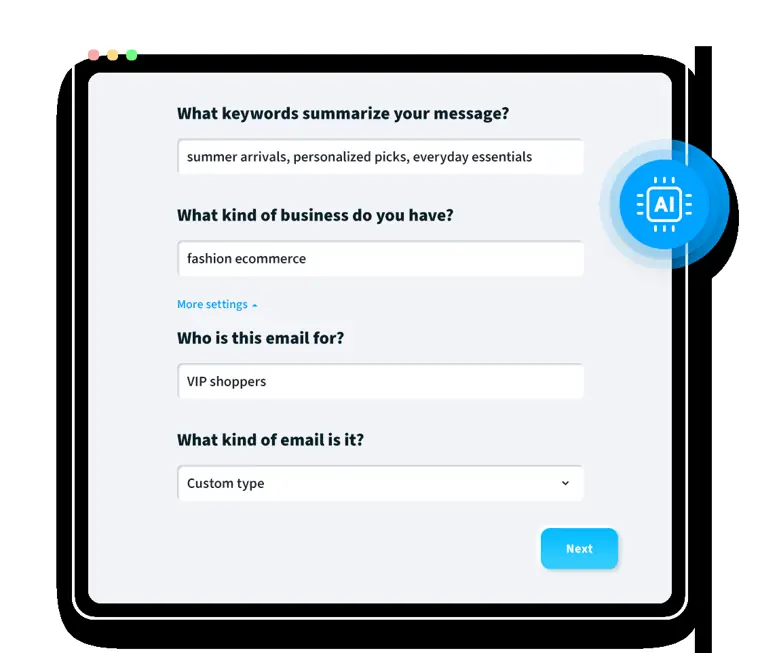
AI email generator
Writes email copy, drafts subject lines, and designs layouts based on your audience, industry, and campaign goal.
Use caseA marketing lead outlines an upcoming promotion and prompts the software to draft the email copy and subject line before launch.
From getresponse.com/features/email-marketing · image from GetResponse -
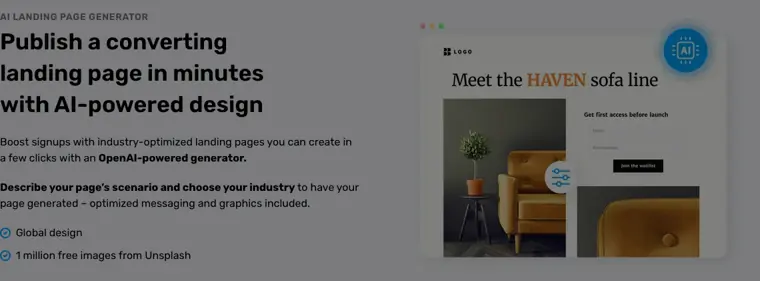
AI landing page generator
Assembles landing pages with tailored messaging and graphics based on a chosen scenario and industry.
Use caseA business owner creates a lead capture page with an embedded signup form for an upcoming product launch.
From getresponse.com · image from GetResponse -
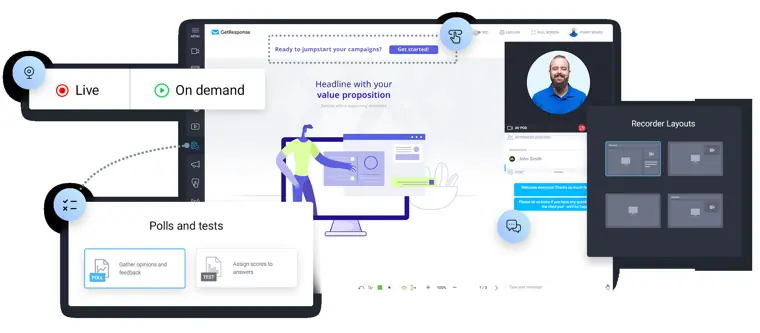
Webinars
Hosts, records, and promotes live or on demand online presentations directly within the marketing system.
Use caseA marketer runs an online presentation for prospective customers to nurture leads and collect registrations.
From getresponse.com · image from GetResponse
Written from GetResponse's own website, checked . Each feature links to the page it comes from; images are GetResponse's own.
Every plan
| Plan | Monthly | Billed yearly | Per | What it includes |
|---|---|---|---|---|
| Starter | $19 | $15.58 | per account (priced by contacts) | At 1,000 contacts; unlimited sends; AI email/subject generators limited to 3 uses |
| Marketer | $59 | $48.38 | per account (priced by contacts) | At 1,000 contacts; unlimited AI generators; automation |
| Creator | $69 | $56.58 | per account (priced by contacts) | At 1,000 contacts; adds AI website builder, courses, webinars |
| Enterprise (MAX) | Contact sales | Not listed | custom | contact sales; SMS marketing, AI product recommendations |
From GetResponse's own pricing page, checked . Prices are in US dollars per month; "billed yearly" is the monthly price when you pay for a year up front. A few figures (often the yearly price) are derived rather than printed on the page.
Before you pay
- Card needed for the trial
- No
- Watermark on the free plan
- Yes
What GetResponse says
The GetResponse badge will be added to every message you send from the Free account. Disabling the badge is possible if you upgrade to a paid account.
Source page - Export your data
- Yes
- Discounts
- 50% discount on every monthly plan for charities and NGOs.
What GetResponse says
50% discount for charities and NGOs Drive membership, increase donations and raise awareness using GetResponse marketing tools. Get 50% off every monthly plan
Source page - Support
- Live chat, email, chatbot
What GetResponse says
You can reach our support team via live chat in English (7 AM–11 PM, weekends 7 AM–9 PM, GMT+1) and Polish (Mon–Fri, 9 AM–5 PM). A chatbot is available 24/7 in all languages, and email support is available 24/7
Source page
Only what GetResponse's own pages state, with the quote behind each answer. Anything they don't publish is left out rather than guessed.
Getting started with GetResponse
- Go to Tools > Email Marketing and click Create newsletter.
- Click Use an AI email creator in the popup window.
- Pick the topic by listing keywords that summarize your message, specify your type of business, and click Next.
- Click More settings to specify the recipients and email type.
- Set the tone of your newsletter and click Next.
- Choose your layout and color palette, then click Generate.
- Add your logo, adjust the message to your needs, and send it to your contacts.
Tips
- Users of free accounts can try the AI Email Generator up to three times within the 14 day premium period, after which an upgrade is needed.
- Starter plan accounts are limited to 3 uses of the AI Email Generator.
- When selecting Custom type under More settings, you can manually enter your own email type.
Written from GetResponse's own help pages: getresponse.com/help/how-to-create-a-newslett...
GetResponse video tutorials
Independent creators on YouTube, not GetResponse or us. The video loads from YouTube only when you press play.
The free trial
Trial only: Free trial (14 days per third party); no free plan listed on current pricing page
Questions people ask about GetResponse
How much does GetResponse cost?
Paid plans start at $19 a month (Starter). 4 plans are listed above, from GetResponse's own pricing page.
Is GetResponse free?
There is a free trial but no free plan: Free trial (14 days per third party); no free plan listed on current pricing page.
Does the GetResponse free plan add a watermark?
Yes, free plan output carries a watermark or branding. Source
Do I need a credit card to try GetResponse?
No, you can start without a credit card. Source
Does GetResponse have a student or other discount?
50% discount on every monthly plan for charities and NGOs. Source
Does GetResponse have an API?
Yes.
How long are your contracts?
GetResponse offers monthly or 12 month billing periods, alongside a 14 day free trial. Enterprise plans also offer a 24 month billing period. Source
What features can I try during the 14 day trial?
Users get access to premium features with certain limitations on webinars, messages, landing pages, marketing automation, and chats. Source
What happens after the 14 day trial period?
Users lose access to premium features if they do not upgrade, but they can still log in and use the free version of GetResponse. Source
Works with
- Integrations
- Shopify, ClearBounce, Monkedo, Outfunnel Sync, Pipedrive, HubSpot, Airtable, monday.com, Salesforce, Uncanny Automator
- Languages
- English, Polish, German, Spanish, Portuguese, French, Italian
Where this came from
Plans, prices and limits were copied from GetResponse's own pages and the other sources listed, then checked .
- getresponse.com/pricing
- costbench.com/software/email-marketing/getresponse/free-plan/
- getresponse.com/
- getresponse.com/help/pricing-and-billing
- getresponse.com/help/can-i-try-getresponse-before-i-buy.html
- getresponse.com/integrations
How we collect prices and rank tools · Is something wrong? Correct this listing
Others that do the same job
 MailerLitemailerlite.com
Affordable, simple email marketing tool with automations, landing pages, websites and AI writing assistant.
- Green flag: Free plan
- Green flag: No card for trial
- Red flag: Free plan watermark
 ActiveCampaignactivecampaign.com
Marketing automation platform with advanced email workflows, CRM add ons and Active Intelligence AI builders.
- Green flag: No card for trial
- Green flag: Refunds within 30 days
 Brevobrevo.com
Multichannel email, SMS and WhatsApp marketing platform priced by email volume, with Aura AI tools.
- Green flag: Free plan
- Green flag: Cancel online
- Green flag: No card for trial
- Green flag: Credits don't expire
 HubSpot Marketing Hubhubspot.com/products/marketing
CRM native marketing automation suite with email, forms, ads and Breeze AI agents built on HubSpot's CRM.
- Green flag: Free plan
- Green flag: No card for trial
- Red flag: Free plan watermark
 beehiivbeehiiv.com
Newsletter platform with hosted website, ad network, paid subscriptions and growth tools for publishers.
- Green flag: Free plan
- Green flag: No card for trial
- Red flag: Free plan watermark
 Mailchimpmailchimp.com
Popular all round email marketing platform with templates, automations and Intuit Assist generative AI on higher plans.
- Green flag: Free plan
- Red flag: Credits reset monthly