
MailerLite
Affordable, simple email marketing tool with automations, landing pages, websites and AI writing assistant.
Best for Small businesses and creators on tight budgets
Used MailerLite and liked it? Upvote it. One upvote per person. Upvotes come from visitors, not from us, and never change "Our ranking".
What it does
MailerLite is an email marketing and audience growth platform that lets you create newsletters, websites, landing pages, and signup forms. You input your subscriber lists, brand design, and sales content to distribute automated campaigns and collect customer leads. It is designed for creators, entrepreneurs, and businesses looking to grow an audience and drive sales.
Read more: 4 features and how people use themShow less
-
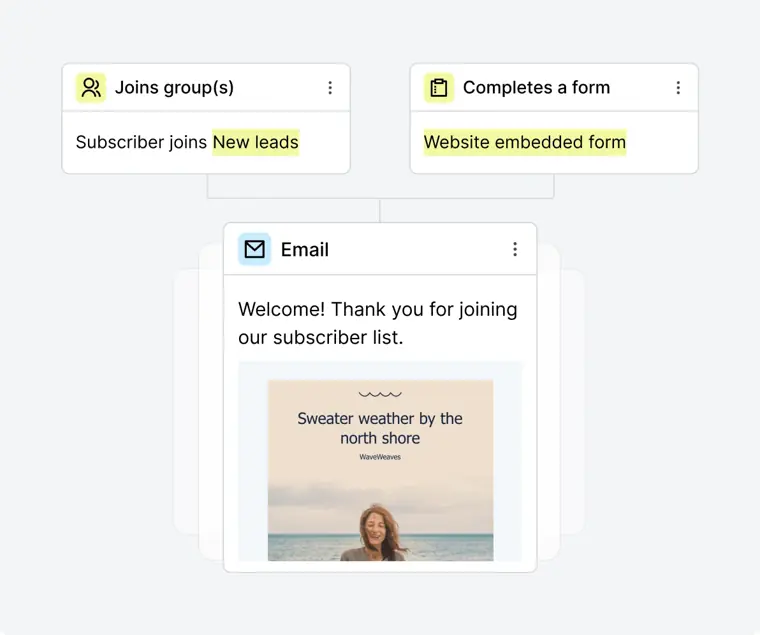
Automations
Sends targeted messages automatically based on customer actions and journey stages. It triggers workflows for events like welcome series, abandoned carts, checkouts, and customer milestones.
Use caseA marketing head sets up a post purchase chain of emails so new buyers understand how to use their products.
From mailerlite.com · image from MailerLite -
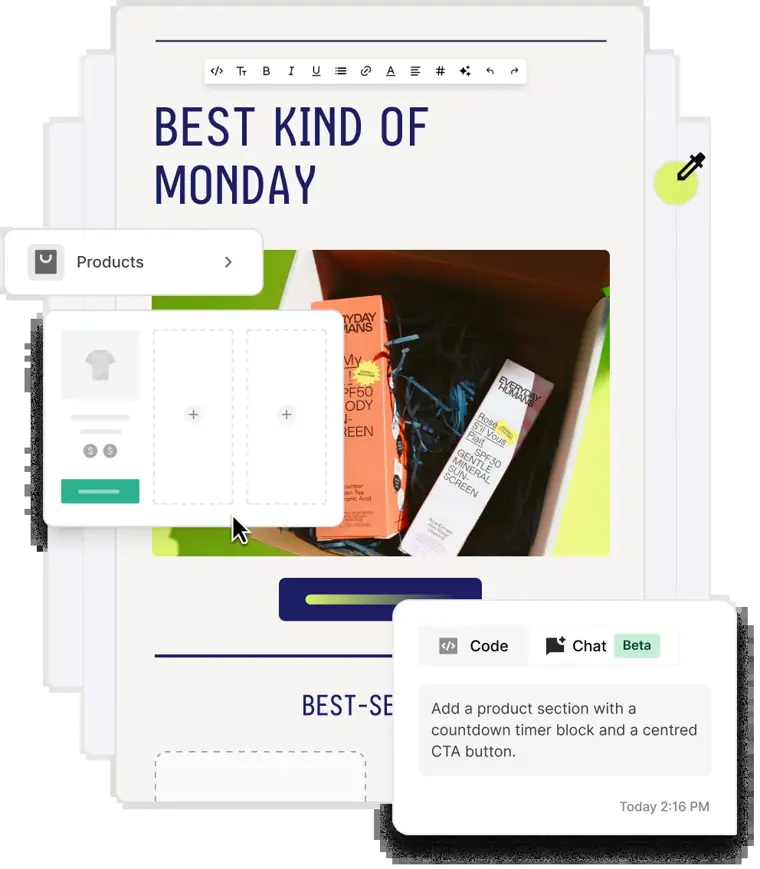
Drag and drop email editor
Builds dynamic marketing emails using customizable layouts and ready made content blocks. It allows you to drop in elements like countdown timers or product details directly into campaigns.
Use caseA store owner drops auto filling product boxes with images and prices directly into a newsletter before sending a promotion.
From mailerlite.com · image from MailerLite -
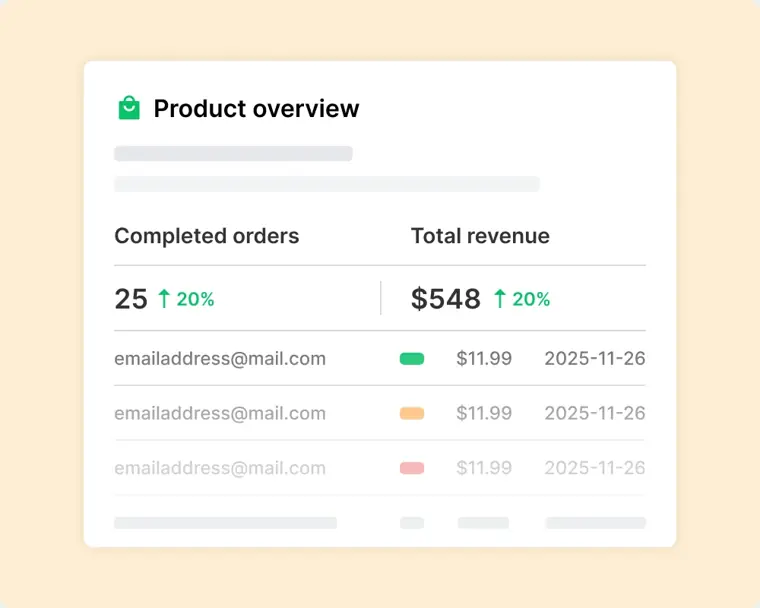
Digital product sales
Creates storefronts and checkout pages to sell downloads, subscriptions, and live sessions without commission fees. It integrates with Stripe to handle payment processing and delivers post purchase emails.
Use caseAn author sells downloadable ebooks and writing prompts directly through checkout links without maintaining external sales platforms.
From mailerlite.com · image from MailerLite -
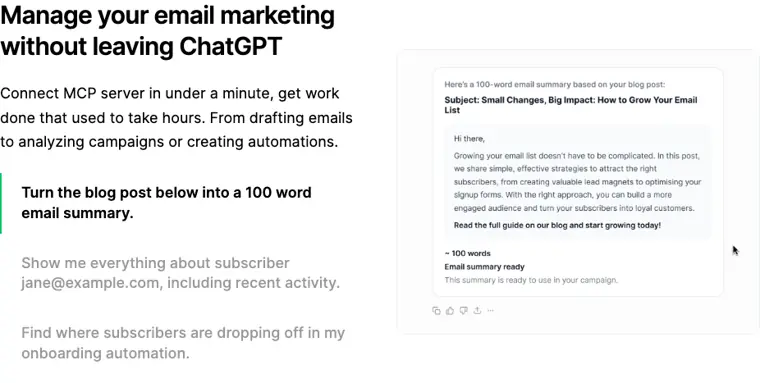
MailerLite MCP
Connects your account to AI interfaces like Claude and ChatGPT via an MCP server. It lets you analyze campaign performance, create drafts, and set up automations through natural language prompts.
Use caseA creator asks Claude to build an automation workflow that re engages subscribers who have not opened an email in 60 days.
From mailerlite.com · image from MailerLite
Written from MailerLite's own website, checked . Each feature links to the page it comes from; images are MailerLite's own.
Every plan
| Plan | Monthly | Billed yearly | Per | What it includes |
|---|---|---|---|---|
| Free | Free | Not listed | per account | 250 subscribers, 2,500 emails/mo, limited subject line AI |
| Comfort | $12 | $10.80 | per account (priced by active subscribers) | At 500 subscribers ($19 at 1,000); 10x tier emails; 3 seats; AI writing assistant, subject line generator |
| Power | $25 | $22.50 | per account (priced by active subscribers) | At 500 subscribers ($39 at 1,000); unlimited emails (fair use); unlimited seats; HeyLite intelligence |
| Enterprise | Contact sales | Not listed | custom | contact sales; 200K+ subscribers |
From MailerLite's own pricing page, checked . Prices are in US dollars per month; "billed yearly" is the monthly price when you pay for a year up front.
Before you pay
- Card needed for the trial
- No
What MailerLite says
Get a free 14 day trial of premium features | No credit card required
Source page - Watermark on the free plan
- Yes
- Support
- Community support, knowledge base, email, live chat, priority support
Only what MailerLite's own pages state, with the quote behind each answer. Anything they don't publish is left out rather than guessed.
Getting started with MailerLite
- Go to Campaigns in your dashboard and select Create new.
- Choose the Multivariate testing option.
- Enter your campaign name and choose up to 3 variables for testing out of Subject line, Sender’s name, Content/design, and Sending time.
- Select the number of versions to test for each variable, up to a total of 8 versions.
- Input your variable details, such as typing subject lines or sender names, or designing email versions in the Drag & drop editor.
- Choose the proportion of your audience that will receive each version.
- Review your campaign and choose your sending options to send right away, schedule for later, or send at specified times.
Tips
- If your recipient count is less than 1,000, you must send the email variations to 100% of your recipients to ensure significant and reliable results.
- Make sure to complete the content step, or the Send button will be disabled.
- Once split testing is enabled on forms or landing pages, it cannot be turned off until a winner is chosen.
Written from MailerLite's own help pages: mailerlite.com/help/how-to-use-multivariate-testing · mailerlite.com/help/how-to-use-a-b-split-test...
MailerLite video tutorials
Independent creators on YouTube, not MailerLite or us. The video loads from YouTube only when you press play.
What the free plan includes
Up to 250 active subscribers, 2,500 emails/
Questions people ask about MailerLite
How much does MailerLite cost?
Paid plans start at $12 a month (Comfort). 4 plans are listed above, from MailerLite's own pricing page.
Is MailerLite free?
Yes, there is a free plan: Up to 250 active subscribers, 2,500 emails/mo, 2 seats, 3 automations, 1 landing page; sending locked above 250.
Does the MailerLite free plan add a watermark?
Yes, free plan output carries a watermark or branding. Source
Do I need a credit card to try MailerLite?
No, you can start without a credit card. Source
Does MailerLite have an API?
Yes.
What is Smart sending?
Smart sending is a tool that uses AI to evaluate subscriber interactions, signup dates, and time zones to find the best time to send campaigns. Source
What is A/B split testing?
A/B split testing lets you create two or more versions of a form to display to visitors, picking the best performing version as the winner. Source
Can links be edited in sent email campaigns?
Yes, but only on Comfort or Power plans, within 12 hours after sending, once per link, and exclusively for regular campaigns. Source
How many variations can be tested with multivariate testing?
Accounts on Comfort or Power plans can test up to 8 variations of a campaign. Source
Works with
- Integrations
- ChatGPT, Claude, Shopify, WooCommerce, Stripe, Mailchimp, Zapier, WordPress, Canva, Facebook Custom Audiences
Where this came from
Plans, prices and limits were copied from MailerLite's own pages and the other sources listed, then checked .
- mailerlite.com/pricing
- mailerlite.com/pricing.md
- mailerlite.com/
- mailerlite.com/help/how-to-use-a-b-split-testing-for-forms
- mailerlite.com/help/how-to-use-multivariate-testing
- mailerlite.com/help/how-to-change-a-link-in-a-sent-campaign
- mailerlite.com/help/smart-sending-how-to-send-perfectly-timed-emails
- mailerlite.com/help/how-to-password-protect-your-website
- mailerlite.com/help/how-to-use-a-b-split-testing-on-your-landing-page
How we collect prices and rank tools · Is something wrong? Correct this listing
Others that do the same job
 ActiveCampaignactivecampaign.com
Marketing automation platform with advanced email workflows, CRM add ons and Active Intelligence AI builders.
- Green flag: No card for trial
- Green flag: Refunds within 30 days
 Brevobrevo.com
Multichannel email, SMS and WhatsApp marketing platform priced by email volume, with Aura AI tools.
- Green flag: Free plan
- Green flag: Cancel online
- Green flag: No card for trial
- Green flag: Credits don't expire
 GetResponsegetresponse.com
Email marketing suite with AI email/subject generators, landing pages, webinars and course creator.
- Green flag: No card for trial
- Red flag: Free plan watermark
 HubSpot Marketing Hubhubspot.com/products/marketing
CRM native marketing automation suite with email, forms, ads and Breeze AI agents built on HubSpot's CRM.
- Green flag: Free plan
- Green flag: No card for trial
- Red flag: Free plan watermark
 beehiivbeehiiv.com
Newsletter platform with hosted website, ad network, paid subscriptions and growth tools for publishers.
- Green flag: Free plan
- Green flag: No card for trial
- Red flag: Free plan watermark
 Mailchimpmailchimp.com
Popular all round email marketing platform with templates, automations and Intuit Assist generative AI on higher plans.
- Green flag: Free plan
- Red flag: Credits reset monthly