
Plus AI
AI add in that generates and edits slides directly inside Google Slides and PowerPoint.
Best for Building AI decks inside Google Slides or PowerPoint
What it does
Plus AI is an assistant that operates natively within Google Slides and PowerPoint. You provide text prompts, raw notes, or document uploads, and it produces fully editable presentations, individual slides, and redesigned layouts. It is built for professionals and teams who need to generate and format slide decks directly in their existing workplace tools.
Read more: 5 features and how people use themShow less
-
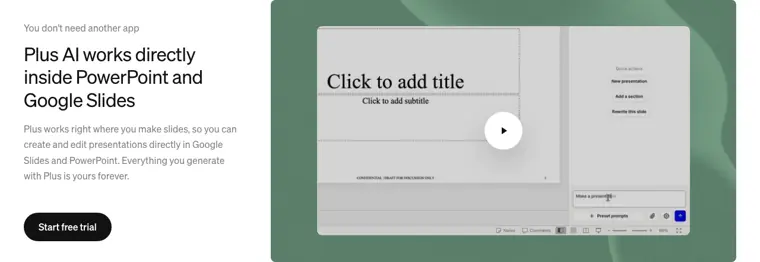
Native presentation add ins
Integrates directly into Google Slides and PowerPoint so you can generate, format, and edit slides without leaving your core presentation applications. It produces standard, editable presentation files that you retain permanently.
Use caseA presentation designer builds decks inside PowerPoint each week and creates them using AI without learning another tool.
From plusai.com · image from Plus AI -
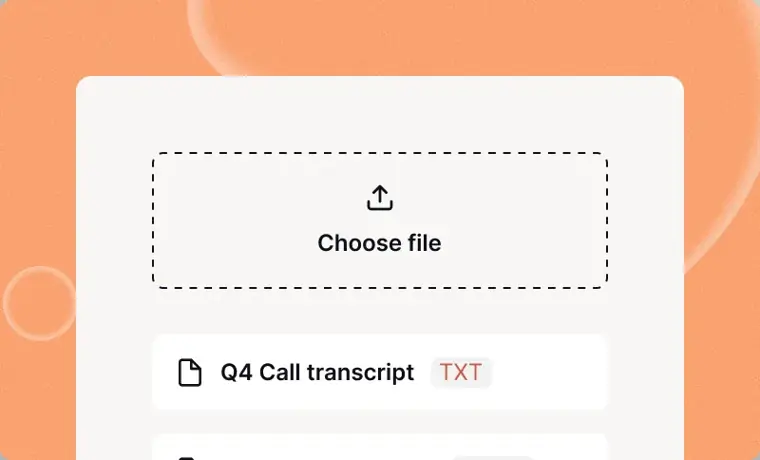
Document to presentation conversion
Reads uploaded files such as PDFs, Word documents, and text files, or raw text pasted up to over 100k characters. It extracts and arranges the material to generate a structured slide deck in minutes.
Use caseA business analyst uploads a company research report or meeting transcript to convert it into a board ready readout.
From plusai.com · image from Plus AI -
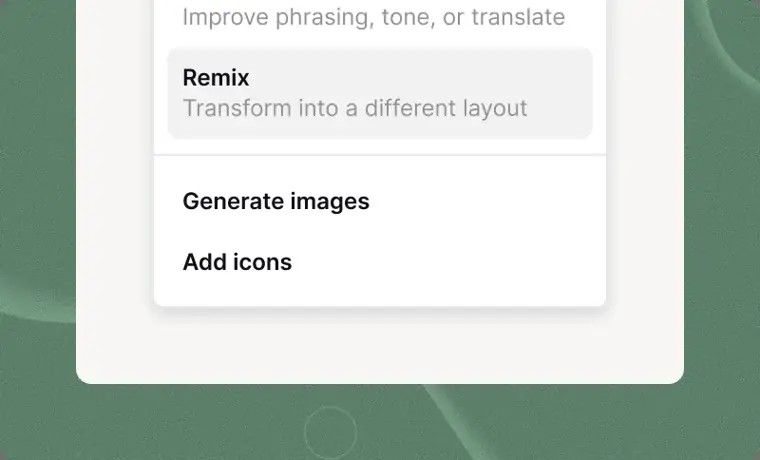
Slide remix and rewriting
Revises existing slide content by reformatting text into new visual structures like multi column layouts. It also condenses text, expands explanations, and adjusts phrasing or tone.
Use caseAn account representative transforms an unformatted blob of text notes on a slide into a clean three column layout.
From plusai.com/pricing · image from Plus AI -
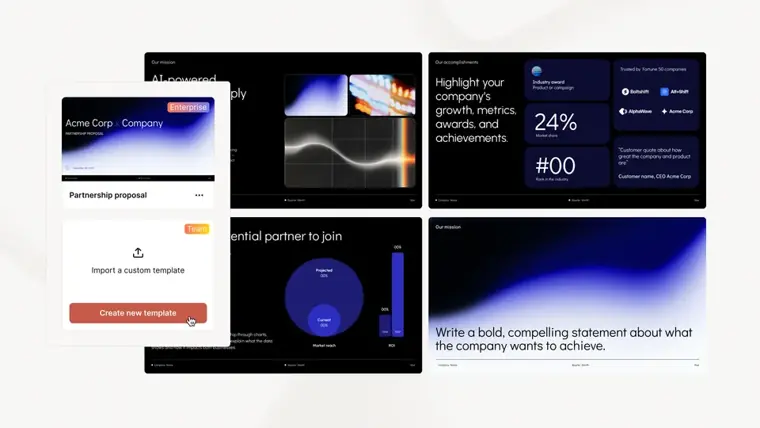
Custom branding and templates
Applies an organization's visual identity, including custom logos, color palettes, and fonts, across presentation templates. It also supports custom slide instructions and shared prompt libraries for entire teams.
Use caseA team administrator applies corporate fonts, colors, and logos to standard templates so all colleagues produce brand compliant decks.
From plusai.com/pricing · image from Plus AI -
Presentation Agent API
Enables developers to programmatically generate or edit presentation decks using a REST interface. It processes requests asynchronously and returns downloadable native PowerPoint files, PDFs, and slide preview thumbnails.
Use caseA software engineer connects a CRM data export via API to automatically generate personalized review decks for individual sales accounts.
From plusai.com
Written from Plus AI's own website, checked . Each feature links to the page it comes from; images are Plus AI's own.
Every plan
| Plan | Monthly | Billed yearly | Per | What it includes |
|---|---|---|---|---|
| Basic | $15 | $10 | per user | 1,500 AI credits/mo |
| Pro | $25 | $20 | per user | 3,000 AI credits/mo, Presentation API and MCP server |
| Team | $40 | $30 | per user | 6,000 AI credits/mo, team branding (logo, colors, fonts) and templates, API |
| Max | $240 | $200 | per user | unlimited AI credits, team branding, API |
| Enterprise | Contact sales | Not listed | custom | contact sales; custom templates from org masters |
From Plus AI's own pricing page, checked . Prices are in US dollars per month; "billed yearly" is the monthly price when you pay for a year up front.
Before you pay
- How to cancel
- Subscribers can manage or cancel their paid subscription via instructions in the Help Center.
What Plus AI says
Go to our Help Center to learn how to manage or cancel your paid subscription (and more).
Source page - Renews automatically
- Yes
What Plus AI says
When your trial ends, your card will be charged automatically and you'll receive your plan's full monthly credits.
Source page - Card needed for the trial
- Yes
- Data retention
- Users can delete a Snapshot to permanently remove it from Plus systems at any time.
What Plus AI says
You have complete control over your data and can delete a Snapshot and permanently remove it from Plus systems at any time.
Source page - SOC 2
- Yes
What Plus AI says
Plus follows enterprise grade security practices and has completed an independent SOC 2 Type II audit.
Source page - Support
- Email, help center
Only what Plus AI's own pages state, with the quote behind each answer. Anything they don't publish is left out rather than guessed.
Plus AI video tutorials
Independent creators on YouTube, not Plus AI or us. The video loads from YouTube only when you press play.
The free trial
Trial only: 7 day trial with 1,000 credits, card required, new customers only
Questions people ask about Plus AI
How much does Plus AI cost?
Paid plans start at $15 a month (Basic). 5 plans are listed above, from Plus AI's own pricing page.
Is Plus AI free?
There is a free trial but no free plan: 7 day trial with 1,000 credits, card required, new customers only.
How do I cancel Plus AI?
Subscribers can manage or cancel their paid subscription via instructions in the Help Center. Source
Do I need a credit card to try Plus AI?
Yes, a card is required to start the trial. Source
Does Plus AI have an API?
Yes.
How does the 7 day free trial work?
Once installed, users can test a paid plan free for 7 days with 1,000 AI credits and full access; the credit card provided is charged automatically when the trial ends. Source
What limitations are there for the free trial?
Free trials provide 1,000 AI credits and full plan features, available exclusively to new customers. Source
How do I cancel my trial or subscription?
Customers can learn how to manage or cancel subscriptions by visiting the Help Center. Source
Does Plus AI work with Claude and ChatGPT?
Yes, by adding the Plus AI connector in MCP clients like Claude, ChatGPT, Claude Code, or Cursor. Source
Works with
- Integrations
- PowerPoint, Google Slides, ChatGPT, Claude, Claude Code, Cursor, Zapier, n8n, Make
- Languages
- Plus can read, write, and translate nearly any language.
Where this came from
Plans, prices and limits were copied from Plus AI's own pages, then checked .
How we collect prices and rank tools · Is something wrong? Correct this listing
Others that do the same job
 SlidesAIslidesai.io
Turns text into slide presentations, mainly as a Google Slides add on.
- Green flag: Free plan
- Green flag: Refunds within 2 days
Gammagamma.app
Generates presentations, docs, websites and social posts from a prompt or file, with editable card based layouts.
- Green flag: Free plan
- Green flag: Cancel online
- Green flag: No card for trial
- Green flag: Some credits roll over
 Beautiful.aibeautiful.ai
Presentation software with smart templates that auto format slides and AI that drafts decks from prompts.
- Green flag: Cancel online
- Red flag: Card needed for trial
- Red flag: No refunds
 Decktopusdecktopus.com
AI presentation generator that builds decks from a topic, with forms, analytics and export.
- Green flag: Cancel online
- Green flag: Some credits roll over
- Green flag: Doesn't train on your data
- Red flag: No free plan
 Napkin AInapkin.ai
Turns text into editable diagrams, infographics and visuals for slides and documents.
- Green flag: Free plan
- Red flag: Free plan watermark
 Prezi (AI)prezi.com
Zooming, non linear presentation tool with Prezi AI that generates and restyles presentations.
- Green flag: Free plan
- Green flag: No card for trial
- Red flag: Trains on your data