
SaneBox
Server side email filter that learns what matters and moves low priority mail into smart folders, any client.
Best for Decluttering inboxes without switching email apps
What it does
SaneBox is an AI email management service designed for busy people overwhelmed by full inboxes. You connect your email account, and the system scans header data to filter out low priority messages into organized folders. You get an uncluttered inbox focused on essential mail, automated follow up alerts, and summaries of unopened messages.
Read more: 6 features and how people use themShow less
-
SaneLater
Moves low priority incoming messages out of your primary inbox and into an alternate folder. This keeps secondary communications aside so you can review them during your downtime.
Use caseA busy professional separates non urgent mail from essential incoming messages to avoid distractions during the workday.
From sanebox.com/learn -
SaneBlackHole
Blocks unwanted messages by sending incoming mail from specified senders away permanently. Moving any message into this folder ensures you never receive communications from that email address again.
Use caseAn investor drops persistent promotional messages into a folder to ensure that specific sender never reaches the inbox again.
From sanebox.com/learn -
Daily Digest
Delivers an executive summary listing all unopened, low priority messages. It enables bulk actions to sort mail and teaches the system where to route future messages.
Use caseA business leader reviews an executive list of unopened emails at once to quickly process low priority items.
From sanebox.com -
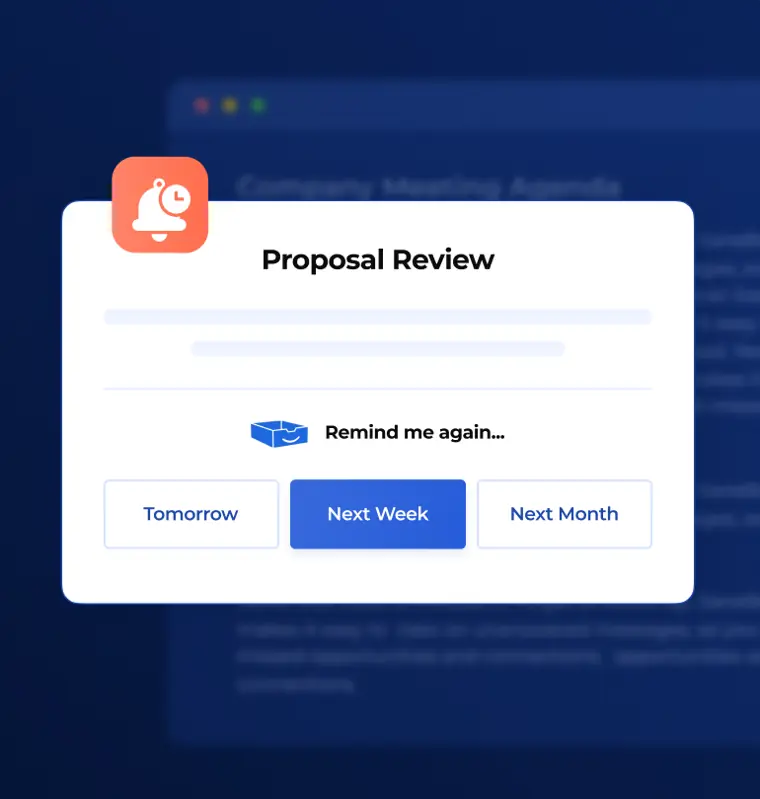
Reminders
Notifies you when an email does not receive a response within a designated timeframe or schedules prompts for tasks you need to handle later. It ensures you do not forget time sensitive threads.
Use caseA partner tracks unanswered emails to ensure critical business conversations receive timely replies.
From sanebox.com · image from SaneBox -
SaneNews
Collects newsletter subscriptions and places them together in a single folder. This separates bulk publications from actionable correspondence so you can read them at your convenience.
Use caseA manager pools regular industry newsletters into one holding spot to read later without clogging critical daily workflow.
From sanebox.com/learn -
Email Deep Clean
Purges thousands of outdated and unnecessary emails in a quick pass. It helps you rapidly clear out inbox volume to restore organization.
Use caseAn email user performs a rapid purge to clear thousands of unneeded old emails in minutes.
From sanebox.com/learn
Written from SaneBox's own website, checked . Each feature links to the page it comes from; images are SaneBox's own.
Every plan
| Plan | Monthly | Billed yearly | Per | What it includes |
|---|---|---|---|---|
| Snack | $9.46 | $4.54 | per user | 1 email account; pick 2 features |
| Lunch | $15.87 | $7.46 | per user | 2 email accounts; pick 6 features per account |
| Dinner | $43.22 | $22.04 | per user | 4 email accounts; all features; concierge and phone support |
From SaneBox's own pricing page, checked . Prices are in US dollars per month; "billed yearly" is the monthly price when you pay for a year up front.
Before you pay
- Refunds
- SaneBox provides a 30 day money back guarantee for eligible purchases upon submitting a support request, but cancellations do not automatically issue a refund.
What SaneBox says
SaneBox offers a 30 day money back guarantee for eligible purchases. If you’re within 30 days and would like a refund, you’ll need to contact SaneBox Support and request one.
Source page - Refund window
- 30 days
What SaneBox says
SaneBox offers a 30 day money back guarantee for eligible purchases. If you’re within 30 days and would like a refund, you’ll need to contact SaneBox Support
Source page - How to cancel
- Users can cancel at any time through their account settings dashboard by navigating to Account changes and following the cancellation prompts.
What SaneBox says
You can cancel your SaneBox account at any time from your account settings.
Source page - Cancel online yourself
- Yes
- Data retention
- SaneBox deletes all submitted personal data immediately upon service cancellation, removes email activity logs older than 30 days, and purges regenerable customer data after 90 days of account inactivity.
What SaneBox says
We will delete all the personal data that you’ve previously submitted to the Service, as soon as you cancel your Service.
Source page - Discounts
- A 25% discount is available for educational, non profit, and government agencies.
What SaneBox says
Additionally, educational, non profit, and government agencies can get a 25% discount on any plan.
Source page - Support
- Email, live chat, phone, help center (phone support is included on the Dinner plan)
Only what SaneBox's own pages state, with the quote behind each answer. Anything they don't publish is left out rather than guessed.
SaneBox video tutorials
Independent creators on YouTube, not SaneBox or us. The video loads from YouTube only when you press play.
The free trial
Trial only: Free trial only (site metadata says 2 weeks, FAQ says 1 week); no permanent free tier.
Questions people ask about SaneBox
How much does SaneBox cost?
Paid plans start at $9.46 a month (Snack). 3 plans are listed above, from SaneBox's own pricing page.
Is SaneBox free?
There is a free trial but no free plan: Free trial only (site metadata says 2 weeks, FAQ says 1 week); no permanent free tier..
Can I get a refund from SaneBox?
SaneBox provides a 30 day money back guarantee for eligible purchases upon submitting a support request, but cancellations do not automatically issue a refund. The refund window stated is 30 days. Source
How do I cancel SaneBox?
Users can cancel at any time through their account settings dashboard by navigating to Account changes and following the cancellation prompts. Source
Does SaneBox have a student or other discount?
A 25% discount is available for educational, non profit, and government agencies. Source
What is SaneBox?
SaneBox is an AI email management service that uses algorithms and machine learning to prioritize and sort incoming emails into folders according to their importance. Source
Will SaneBox work with my email setup?
It functions across all major email services including Gmail, Microsoft 365, Apple iCloud, Yahoo! Mail, Fastmail, as well as IMAP, Microsoft Exchange, and ActiveSync servers. Source
What’s included in my free trial?
The free trial includes access to all SaneBox features across up to 4 email accounts. Source
Can you combine or use SaneBox with more than one email address?
SaneBox supports up to 4 email accounts depending on your chosen plan, with additional accounts supported via support. Source
Works with
- Integrations
- Gmail, Microsoft 365, Apple iCloud, Yahoo! Mail, Fastmail, Microsoft Exchange, ActiveSync, Stripe, PayPal, Amazon Payments
Where this came from
Plans, prices and limits were copied from SaneBox's own pages and the other sources listed, then checked .
- sanebox.com/faq
- sanebox.com/security
- hackceleration.com/labs/sanebox-pricing
- costbench.com/software/ai-productivity/sanebox/
- sanebox.com/
- sanebox.com/help/233-how-do-i-cancel-sanebox
- sanebox.com/pricing
- sanebox.com/privacy
- sanebox.com/help
- sanebox.com/tos
- sanebox.com/help/request/new
How we collect prices and rank tools · Is something wrong? Correct this listing
Others that do the same job
 Akiflowakiflow.com
Consolidates tasks from all your apps into one inbox, then time blocks them on your calendar with an AI assistant.
- Red flag: Card needed for trial
 Asanaasana.com
Work management platform with AI Teammates and AI Studio that triage, route and automate team workflows.
- Green flag: Free plan
- Green flag: No card for trial
 ChatGPTchatgpt.com
OpenAI's general purpose AI assistant for writing, research, coding, images, voice and agentic tasks.
- Green flag: Free plan
 Claudeclaude.com
Anthropic's AI assistant for writing, analysis, coding and agentic work, including Claude Code and Cowork.
- Green flag: Free plan
- Green flag: Cancel online
- Green flag: Credits don't expire
- Green flag: Doesn't train on your data
 Craftcraft.do
Beautifully designed docs and notes app with built in AI assistant, collaboration, and native apps everywhere.
- Green flag: Free plan
 Reclaim.aireclaim.ai
AI calendar assistant that defends focus time, habits and tasks by auto scheduling them around your meetings.
- Green flag: Free plan
- Green flag: Doesn't train on your data