
Lindy
AI assistant/agent platform that handles inbox, meetings, scheduling and workflows across 1,500+ apps.
Best for Automating email, meetings and admin with agents
Used Lindy and liked it? Upvote it. One upvote per person. Upvotes come from visitors, not from us, and never change "Our ranking".
What it does
Lindy is an AI teammate designed for workplace teams. Users provide instructions and connect their work tools, and Lindy performs actions such as answering questions, generating reports, drafting replies, and coordinating tasks. It is built for teams looking to automate routine tasks and investigations across multiple business tools.
Read more: 4 features and how people use themShow less
-
Scheduled routines
Executes recurring actions on a schedule that you define, delivering briefs, reports, and reminders at specified times.
Use caseA marketing lead receives a competitor report in a messaging channel every Monday morning detailing rival hiring, press, and product updates.
From lindy.ai -
Meeting notes and queries
Records meeting discussions and allows team members to search or question past call transcripts for context and decisions.
Use caseA product manager asks Lindy whether a pricing decision was made, and Lindy cites the exact meeting transcript timestamp where the call occurred.
From lindy.ai -
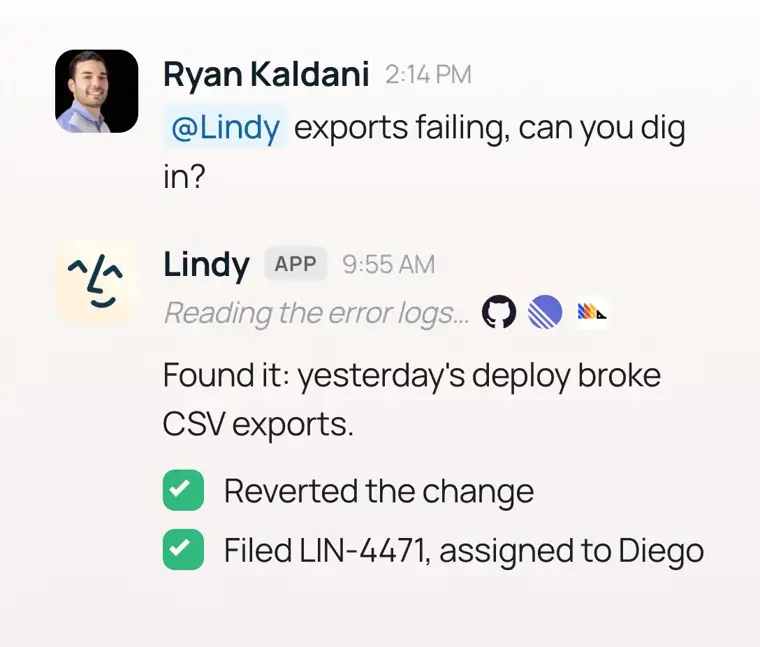
Integrations and MCP support
Links to third party software tools and supports the Model Context Protocol to run actions across everyday apps.
Use caseAn operations lead runs an automated deal handoff that updates customer data in HubSpot, creates a Notion document, posts in Slack, and books a Zoom call.
From lindy.ai · image from Lindy -
Editable plain file memory
Stores accumulated team and workspace context in text files that users can inspect and modify directly.
Use caseA workspace administrator opens the memory folder and updates company guidelines to refine what the assistant recalls.
From lindy.ai
Written from Lindy's own website, checked . Each feature links to the page it comes from; images are Lindy's own.
Every plan
| Plan | Monthly | Billed yearly | Per | What it includes |
|---|---|---|---|---|
| Plus (shown as 'Team' on pricing page) | $49.99 | Not listed | per active user | 5,000 credits/month (no rollover), 2 connected inboxes, top ups $10 per 1,000 credits |
| Pro | $99.99 | Not listed | per user | 3x Plus usage, 3 inboxes, computer use |
| Max | $199.99 | Not listed | per user | 7x Plus usage, 5 inboxes, computer use |
| Enterprise | Not listed | Not listed | per account | contact sales; SSO, SCIM, audit logs, HIPAA with BAA |
| Free | Free | Not listed | per account | $50 one time credits, valid 7 days |
| Team | $49.99 | Not listed | per user | 5,000 credits/mo shared pool; top ups $10/1,000 credits; 2 to 5 inboxes |
| Enterprise | Not listed | Not listed | per user | contact sales |
From Lindy's own pricing page, checked . Prices are in US dollars per month; "billed yearly" is the monthly price when you pay for a year up front. A few figures (often the yearly price) are derived rather than printed on the page.
Before you pay
- Card needed for the trial
- No
- Unused credits roll over
- Partial
What Lindy says
Monthly credits refresh at the start of each billing cycle and don't roll over. Top up credits are yours until you use them.
Source page - Trains on your data
- No
- Data retention
- Data deletion requests are supported under clear policies governing collection, storage, and deletion.
What Lindy says
Data deletion requests, access rights, and residency requirements are all supported.
Source page - HIPAA
- Yes
- SOC 2
- Yes
- GDPR
- Yes
What Lindy says
GDPR Compliance Validates operational effectiveness of security controls.
Source page - Support
Only what Lindy's own pages state, with the quote behind each answer. Anything they don't publish is left out rather than guessed.
Getting started with Lindy
- Have an admin install Lindy from Slack’s Add to Slack screen.
- Tap the Connect Slack to Lindy button when Lindy replies to your first DM or @mention and confirm to link your account.
- Connect your Google or Microsoft account to let Lindy run your inbox, prep and take notes on meetings, and handle scheduling.
- Add your phone number or connect Apple Messages and verify with a code to text Lindy from anywhere.
- Open Integrations or click Browse all integrations to connect tools like Notion, HubSpot, and Linear with OAuth or an API key.
- Try asking Lindy a request in Slack, a DM, or by text, such as “What’s on my calendar today?”.
Tips
- In Slack channels the whole team shares one Lindy summoned with @mention, while your DMs provide a private Lindy for your personal inbox and scheduling.
- Guardrails only cover writes in shared Slack threads; reads are never guarded, and web app chats, DMs, iMessage, and SMS are not guarded.
- Workspace owners and admins can share a personal connection with the whole workspace so everyone's Lindy acts with that account's permissions.
Written from Lindy's own help pages: docs.lindy.ai/start-here/quickstart · docs.lindy.ai/integrations/overview
Lindy video tutorials
Independent creators on YouTube, not Lindy or us. The video loads from YouTube only when you press play.
What the free plan includes
$50 in credits, no card required; free credits last 7 days (effectively a trial).
Questions people ask about Lindy
How much does Lindy cost?
Paid plans start at $49.99 a month (Plus (shown as 'Team' on pricing page)). 7 plans are listed above, from Lindy's own pricing page.
Is Lindy free?
Yes, there is a free plan: $50 in credits, no card required; free credits last 7 days (effectively a trial)..
Do unused Lindy credits roll over?
Partly: some unused credits carry over, with limits. Source
Does Lindy train its AI on my data?
No, the company says your data is not used for training. Source
Is Lindy HIPAA compliant?
Yes. Source
Do I need a credit card to try Lindy?
No, you can start without a credit card. Source
What happens if we run out of credits?
Lindy pauses credit using actions until the next reset cycle, with no surprise bills, and admins can top up or upgrade monthly credits anytime. Source
Works with
- Integrations
- Gmail, Slack, Notion, HubSpot, Microsoft Outlook, GitHub, Google Calendar, Google Docs, Google Drive, Google Sheets
Where this came from
Plans, prices and limits were copied from Lindy's own pages and the other sources listed, then checked .
- lindy.ai/pricing
- jetadmin.io/blog/lindy-pricing/
- lindy.ai/
- docs.lindy.ai/
- lindy.ai/security
- lindy.ai/integrations
How we collect prices and rank tools · Is something wrong? Correct this listing
Others that do the same job
 Akiflowakiflow.com
Consolidates tasks from all your apps into one inbox, then time blocks them on your calendar with an AI assistant.
- Red flag: Card needed for trial
 Asanaasana.com
Work management platform with AI Teammates and AI Studio that triage, route and automate team workflows.
- Green flag: Free plan
- Green flag: No card for trial
 ChatGPTchatgpt.com
OpenAI's general purpose AI assistant for writing, research, coding, images, voice and agentic tasks.
- Green flag: Free plan
 Claudeclaude.com
Anthropic's AI assistant for writing, analysis, coding and agentic work, including Claude Code and Cowork.
- Green flag: Free plan
- Green flag: Cancel online
- Green flag: Credits don't expire
- Green flag: Doesn't train on your data
 Craftcraft.do
Beautifully designed docs and notes app with built in AI assistant, collaboration, and native apps everywhere.
- Green flag: Free plan
 Reclaim.aireclaim.ai
AI calendar assistant that defends focus time, habits and tasks by auto scheduling them around your meetings.
- Green flag: Free plan
- Green flag: Doesn't train on your data